What Is forza-painter geometrize GPU?
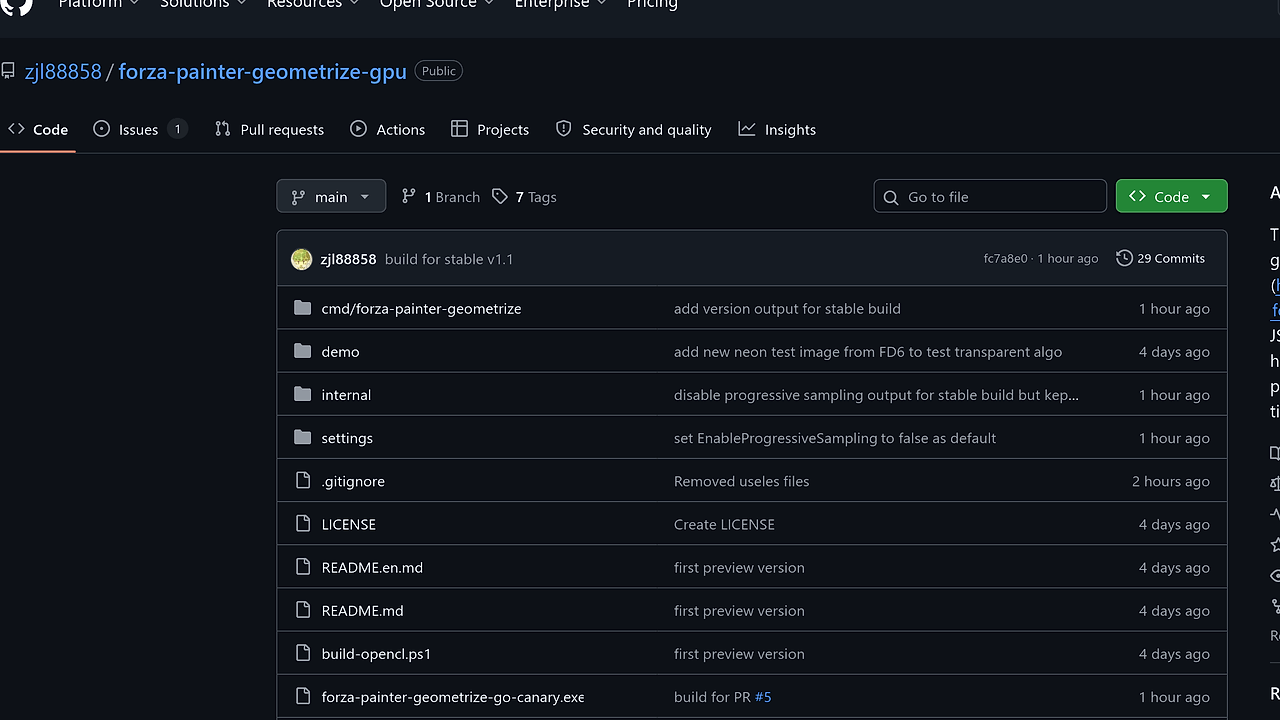
forza-painter geometrize GPU is a GPU-accelerated CLI tool for generating Forza-style geometrized JSON, built by zjl88858 as an unofficial third-party fork of forza-painter. It is one of the best GPU-Accelerated CLI Tools for Forza Horizon livery creators, and the repo reports speedups from roughly 966 ms to 435 ms per ellipse on an i5-12500H iGPU, with much larger gains on stronger OpenCL hardware. The whole point is to turn image-to-geometry conversion into a faster local pipeline for people who need more iterations per minute.
The project targets developers and painters who care about output quality under a fixed time budget. It keeps the workflow local, uses OpenCL for error evaluation and rasterization, and emits JSON that can be imported into the upstream Forza painter branches.
Quick Overview
| Attribute | Details |
|---|---|
| Type | GPU-Accelerated CLI Tools |
| Best For | Forza Horizon livery creators, modders, and developers building image-to-JSON pipelines |
| Language/Stack | Go, CGO, OpenCL-SDK |
| License | N/A |
| GitHub Stars | N/A as of Feb 2026 |
| Pricing | Open-Source |
| Last Release | N/A |
Who Should Use forza-painter geometrize GPU?
- Forza livery builders who want more geometry iterations per minute without waiting on a pure CPU pass.
- Modders and content creators who already have a working forza-painter import flow and only need faster JSON generation.
- GPU-capable laptop users with integrated graphics who still want a meaningful speedup over CPU-only rendering.
- Engineers building local automation around image preprocessing, parameter sweeps, and repeatable JSON generation.
Not ideal for:
- Teams that need support for many primitive types beyond rotated ellipses.
- Users who do not have an OpenCL-capable device or do not want to install OpenCL-SDK and configure CGO.
- Anyone expecting a polished end-user app instead of a developer-oriented command-line workflow.
Key Features of forza-painter geometrize GPU
- OpenCL-based error calculation — the project moves both error scoring and primitive rasterization onto the GPU through OpenCL-SDK. That matters because the inner loop is the bottleneck, and pushing it off the CPU gives you more candidate evaluations per unit time.
- Rotated ellipse-only rendering — this fork strips the primitive set down to the one shape forza-painter actually needs. That reduces code paths, simplifies kernel work, and removes shape types that would only add overhead.
- PNG alpha preservation — input images can keep their alpha channel, so transparent pixels are protected from being covered by generated geometry. That is useful when the source art already has masked regions or cutouts.
- Batch candidate parallel evaluation — multiple candidate geometries are scored in parallel instead of one at a time. This is the main reason the tool scales better on iGPU and stronger OpenCL devices.
- Incremental delta evaluation — after each added ellipse, the code does not recompute the whole image error. It only evaluates pixels inside the ellipse and its bounding box, then selects the smallest delta.
- Go + CGO binary delivery — the project is rewritten in Go, and once CGO is compiled it can be shipped as a native binary without a Go runtime dependency at execution time. That is a clean deployment model for local tools and scripted pipelines.
- Reproducible output controls — the CLI exposes a seed flag and settings file path, which makes repeated runs more predictable when you are tuning quality versus runtime.
forza-painter geometrize GPU vs Alternatives
| Tool | Best For | Key Differentiator | Pricing |
|---|---|---|---|
| forza-painter geometrize GPU | Fast local JSON generation with GPU acceleration | Uses OpenCL, keeps only rotated ellipses, and avoids full-image CPU passes | Open-Source |
| forza-painter | Mainstream Forza import workflow | Broader community usage and direct import path into the standard painter workflow | Open-Source |
| forza-painter-fh6 | FH6-specific users | Tailored for FH6 import and project structure rather than raw geometry generation speed | Open-Source |
| geometrize | General image-to-shapes experimentation | Original shape-generation idea rather than the Forza-specific optimized fork | Open-Source |
Pick forza-painter if you want the base workflow and the least surprise when importing into a game branch. Pick forza-painter-fh6 if your target is FH6 and you want the branch aligned to that release track.
Pick geometrize if you care about the original concept and want to study the algorithm rather than the Forza pipeline. Pick forza-painter geometrize GPU when your constraint is throughput and you can afford the OpenCL build/setup step.
If you are packaging this into a repeatable pipeline, pair it with djevops for build/release automation. If you are profiling where the time goes before touching kernels, OpenTrace is a better fit than guessing. For adjacent workflow browsing, see browse all CLI Tools.
How forza-painter geometrize GPU Works
The core architecture is simple: load the source image, generate candidate rotated ellipses, score each candidate against the target pixels, and keep the primitive that minimizes the error delta. The important design choice is that the expensive work lives in OpenCL kernels, so the CPU mostly orchestrates candidate generation, settings, and output serialization.
The data model is intentionally narrow. Each step adds one rotated ellipse, and the renderer only needs to preserve the pixels it is trying to approximate, including transparent regions from PNG input. That focus keeps the implementation smaller than a general geometry engine and makes the performance gains easier to reason about when you compare CPU and GPU timings.
forza-painter-geometrize-go.exe C:\work\forza\test.png -preview "C:\work\forza\preview" -settings "C:\work\forza\settings\c.ini" -output "C:\work\forza\out"
This command loads the source image, evaluates candidate ellipses, writes a preview PNG, and emits the JSON output when the configured save threshold is reached. On a machine with a decent OpenCL path, you should expect progress logs during the run and a noticeable drop in per-ellipse time compared with CPU-only generation.
The build philosophy is also practical. By using Go with CGO, the project keeps the implementation portable enough to compile into native binaries, while OpenCL-SDK handles device access across vendor drivers. That is a reasonable compromise for a tool whose hot path is numerical scoring, not UI rendering.
Pros and Cons of forza-painter geometrize GPU
Pros:
- GPU offload targets the actual bottleneck: candidate scoring and rasterization.
- Rotated ellipse-only support matches the stated Forza workflow and removes unnecessary shape overhead.
- Incremental error updates reduce wasted work after each primitive insertion.
- PNG alpha support preserves transparent regions instead of flattening them into the fitness calculation.
- Native Go binary output is easier to script and distribute than a runtime-heavy desktop app.
- Benchmarks in the repo show clear gains on both iGPU and stronger OpenCL devices.
Cons:
- You need OpenCL-SDK and a working CGO build chain, which is more setup than a pure Go CLI.
- The primitive set is intentionally narrow, so it is not a general-purpose geometrize clone.
- The repository does not present a polished GUI workflow, so non-technical users will feel friction.
- Performance depends heavily on vendor drivers and device quality, so results will vary by machine.
- The page does not publish a clear license or release history in the scraped text, which is a due-diligence gap for teams.
Getting Started with forza-painter geometrize GPU
git clone https://github.com/zjl88858/forza-painter-geometrize-gpu.git
cd forza-painter-geometrize-gpu
powershell -ExecutionPolicy Bypass -File "build-opencl.ps1"
.\forza-painter-geometrize-go.exe C:\work\forza\test.png -preview "C:\work\forza\preview" -settings "C:\work\forza\settings\c.ini"
After the build finishes, the binary reads your source image, uses the selected settings profile under ./settings, and starts emitting progress immediately. If you are on Linux or macOS, the repository expects you to mirror the script’s CGO_CFLAGS and CGO_LDFLAGS setup, so treat the Windows build script as the reference for your own environment.
The first thing to verify is whether your OpenCL driver sees the right device and whether the preview image updates at a sane cadence. If the output JSON looks good but the preview shows overpainting on masked areas, the source PNG alpha or the settings profile is the first place to inspect.
Verdict
forza-painter geometrize GPU is the strongest option for high-throughput Forza livery JSON generation when you already have OpenCL-capable hardware and want to keep the pipeline local. Its main advantage is faster ellipse scoring with a simpler primitive model, and its main caveat is the build and driver setup required. If you want speed over convenience, use it; if you want a low-friction importer, stay with the upstream branch.