What Is MedgeNet?
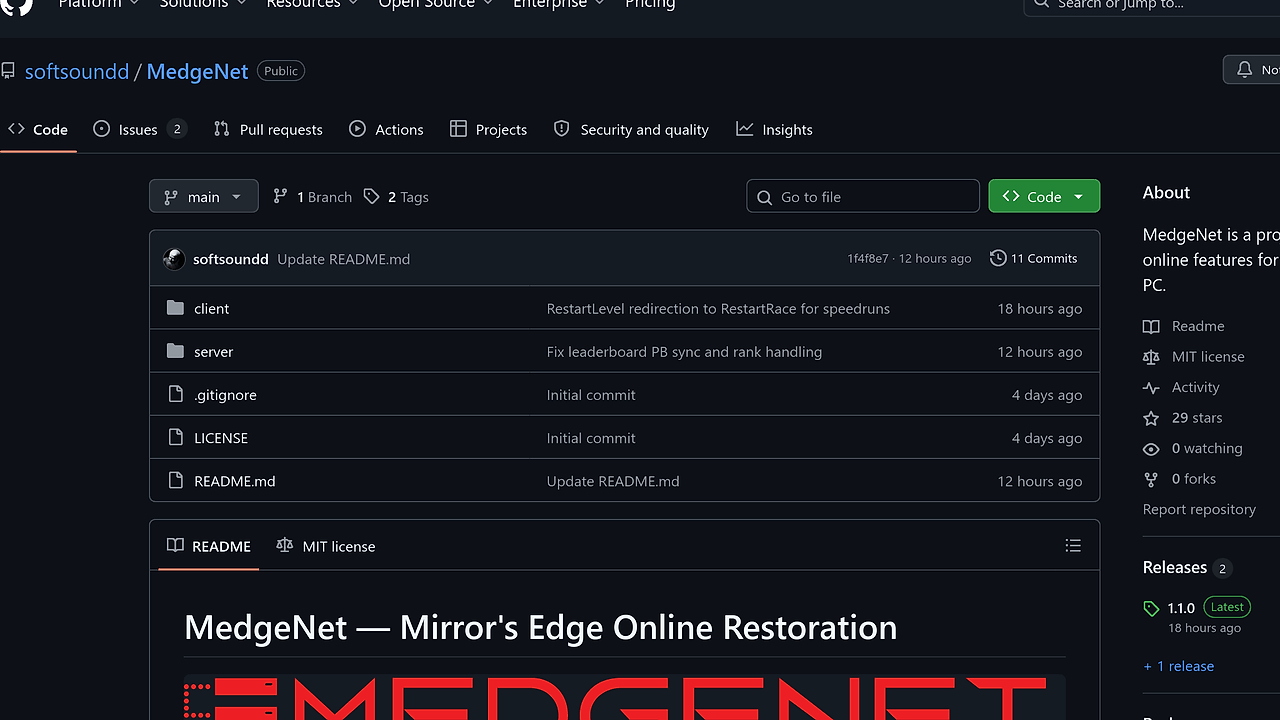
MedgeNet is a Game Server Restoration project from softsoundd that brings Mirror's Edge (2009) PC online back with a Go server, a Windows launcher, and an injected client DLL. MedgeNet is one of the best Game Server Restoration tools for Mirror's Edge PC modders and private server hosts. It currently covers 3 core online workflows: account and persona creation, Time Trial and Speed Run leaderboards, and ghost upload or playback.
The project is explicitly a replacement for retired EA services, not a generic multiplayer overlay. That matters because MedgeNet restores game-specific backend behavior instead of just tunneling packets through a VPN layer.
Quick Overview
| Attribute | Details |
|---|---|
| Type | Game Server Restoration |
| Best For | Mirror's Edge PC modders, preservationists, and private server hosts |
| Language/Stack | Go server, Windows launcher, injected C++ DLL, SQLite storage |
| License | N/A |
| GitHub Stars | N/A as of Feb 2026 |
| Pricing | Open-Source |
| Last Release | N/A |
Who Should Use MedgeNet?
- Preservation-focused modders keeping Mirror's Edge PC playable after EA's online services retired. MedgeNet is built to restore the original online experience, not to bolt on a new one.
- Private server operators who want a self-hosted backend with a small operational surface area. The server is a Go binary with local runtime data, which makes it easier to run on a spare machine or VM.
- Gameplay researchers who care about leaderboards, ghost files, and persona state. MedgeNet exposes the pieces needed to study how the game talks to its backend.
- LAN and community admins who need a controllable endpoint for a small group of players. The launcher can point to a local host or a public IP, so one box can serve a home lab or a community instance.
Not ideal for:
- Players who want broad multiplayer support across many games. MedgeNet is purpose-built for Mirror's Edge and does not try to be a general platform.
- Users who need custom map leaderboard support today. The repository says custom maps are not supported at this stage.
- Anyone who expects a zero-touch consumer app. You still need to build the server, compile the client, and keep the launcher open while playing.
Key Features of MedgeNet
- Account and persona creation — MedgeNet recreates the identity layer that the original game expected from EA services. That gives each server its own account namespace, which is useful when you want separate communities or test environments.
- Time Trial and Speed Run leaderboards — The server supports the core competitive modes used by Mirror's Edge online play. The repo notes that custom maps are not supported, so this is aimed at stock-game routes and official content.
- Ghost upload, listing, download, and playback — MedgeNet handles the full ghost lifecycle, which is the part that makes Mirror's Edge replays matter. That means you can preserve runs, inspect leaderboards, and reproduce race data locally.
- Go-based backend — The server is written in Go, which makes the runtime easy to build and package compared with a large monolithic stack. The page shows a simple
go run .workflow and a Windows build helper, so deployment stays lightweight. - Windows launcher plus injected DLL — MedgeNet uses a launcher and an injected client DLL to redirect the game to a custom server. That is the key technical move that replaces the retired EA endpoint without changing the game itself.
- INI-driven configuration — The client reads
MedgeNetClient.inifor host and port settings. This makes it easy to switch between localhost, LAN, and public server addresses without recompiling the client. - Local runtime storage — SQLite database files, logs, and uploaded ghosts are created beside the running server. That keeps state visible and easy to back up, which is helpful for private hosting and debugging.
MedgeNet vs Alternatives
| Tool | Best For | Key Differentiator | Pricing |
|---|---|---|---|
| MedgeNet | Restoring Mirror's Edge online services | Recreates game-specific accounts, leaderboards, and ghosts with a self-hosted backend | Open-Source |
| XLink Kai | Older games that already have LAN multiplayer | Tunnels LAN traffic instead of restoring a retired publisher backend | Free |
| ZeroTier | Generic virtual LAN setups | Creates an overlay network for many games, not a game-specific service emulator | Freemium |
| GameRanger | Easy multiplayer hosting for supported PC games | Offers lobby and hosting workflows without building a custom backend | Free |
Pick XLink Kai when the game already has LAN mode and you only need transport-layer tunneling. Pick ZeroTier when you want a general virtual network for multiple titles and can live with manual game setup.
Pick GameRanger when you want a simpler launcher-managed lobby experience and do not care about preserving the original backend behavior. Pick MedgeNet when the goal is to restore Mirror's Edge's native online features, not to wrap the game in another network layer.
If you are instrumenting the Go backend or automating the surrounding service stack, OpenTrace is a practical adjacent tool for request-path visibility, and browse all DevOps Automation tools for deployment helpers that pair well with a self-hosted server.
How MedgeNet Works
MedgeNet splits the problem into 2 parts: a Windows client side shim and a Go backend. The launcher and injected DLL redirect the game's online calls away from EA's retired services and toward a custom FESL and HTTP/FileLocker endpoint, while the server handles the actual state changes for accounts, leaderboards, and ghosts.
The design is intentionally simple. The backend listens on 0.0.0.0:18680 for FESL traffic and 0.0.0.0:80 for HTTP/FileLocker traffic, and it stores runtime state in SQLite plus files beside the server process. That means MedgeNet does not depend on a separate database server, queue broker, or cloud service to function.
cd MedgeNet/server
go run .
The command above starts the Go server in place so you can test local behavior before packaging anything. Expect it to create its database, logs, and ghost storage next to the process directory, which makes the first debugging pass easy because all artifacts stay in one folder.
A more practical deployment is to build the Windows binary, then point the client at that host in MedgeNetClient.ini. The launcher must stay open while the game runs because it patches the process and keeps the redirection path active. That is the price of replacing a live backend with a local shim.
Pros and Cons of MedgeNet
Pros:
- Restores game-specific online features rather than offering a generic network tunnel. That makes the behavior much closer to the original Mirror's Edge experience.
- Small operational footprint because the server is a single Go process with local storage. There is no evidence of a mandatory external database or broker layer in the repo text.
- Clear separation of client and server code with a Windows launcher, injected DLL, and Go backend. That separation makes debugging easier because each layer has a narrow job.
- Works well for private communities that only need accounts, leaderboards, and ghosts. You do not have to solve full matchmaking or large-scale multiplayer infrastructure.
- Configuration is plain-text through
MedgeNetClient.ini, which is easier to audit than registry-based setup or hidden config blobs.
Cons:
- Windows client only because the launcher and injected DLL are built for Windows. The server is Go-based, but the player-side setup is not cross-platform.
- Custom maps are not supported for leaderboard workflows yet. If your community lives on modded tracks, MedgeNet will feel incomplete.
- Port 80 may require elevated privileges on some systems. The repo calls out administrator or root access when binding HTTP to port 80, which is operational friction.
- The launcher must remain open during play so process patching stays active. That is normal for this architecture, but it is still an extra moving part.
- No polished cloud onboarding is documented in the scraped page. You are expected to understand build steps, server ports, and INI configuration.
Getting Started with MedgeNet
git clone https://github.com/softsoundd/MedgeNet.git
cd MedgeNet/server
go run .

# in a second shell, build the Windows client
msbuild client/MedgeNetClient.sln /p:Configuration=Release /p:Platform=Win32
After the server is running, update MedgeNetClient.ini with the host name or IP address you want the launcher to target. Use 127.0.0.1 if the server runs on the same machine, or set it to the LAN or public IP if you are hosting for other players.
Then start MedgeNetLauncher.exe as Administrator, select the server, and launch Mirror's Edge while leaving the launcher open. If the HTTP/FileLocker port is not 80, make sure the INI HTTPPort matches the server setting exactly or the client redirection will break.
Verdict
MedgeNet is the strongest option for Mirror's Edge online restoration when you need a self-hosted replacement for EA's retired services. Its best strength is the tight fit between the Go backend and the Windows launcher, and the main caveat is Windows-only client plumbing plus no custom map support. If you are preserving Mirror's Edge seriously, use MedgeNet.