What Is pdf2md?
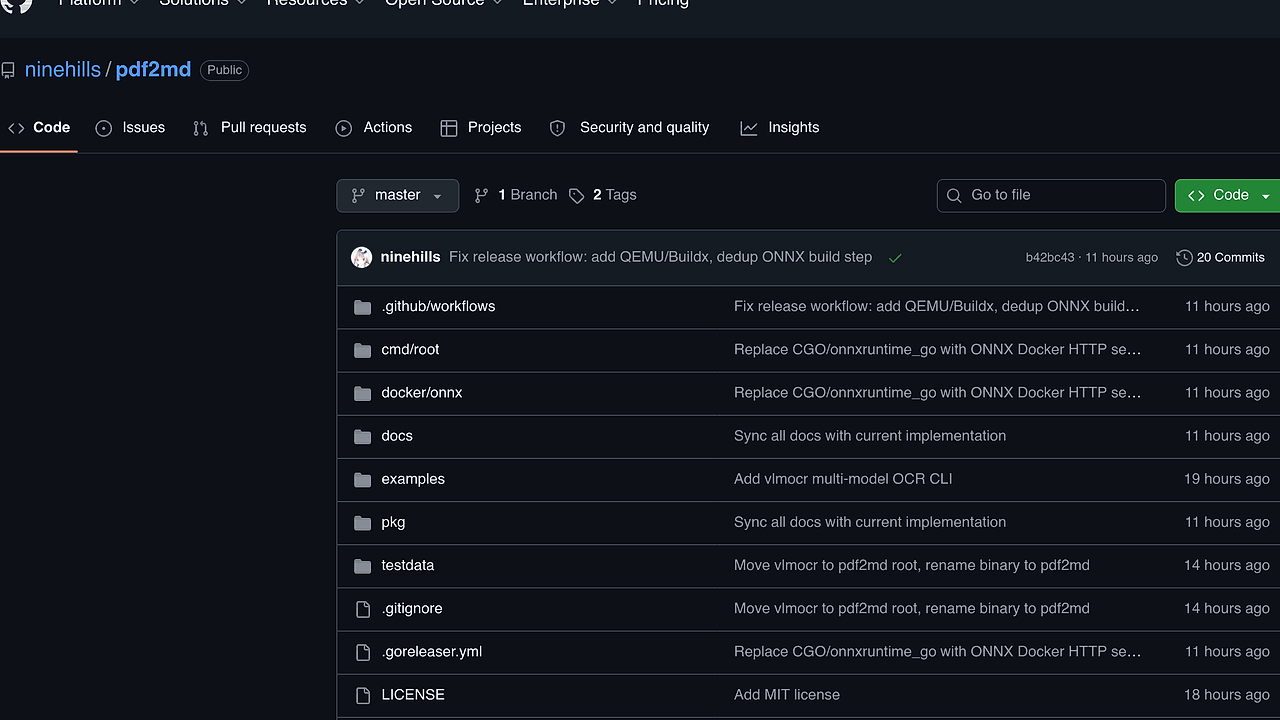
pdf2md is a Go-based PDF-to-Markdown command-line tool built by ninehills for developers, researchers, and ops teams that need to convert PDF documents into structured Markdown with local Docker-backed VLM inference. pdf2md is one of the best PDF Conversion CLI Tools for Developers, and it ships with 3 model backends, 6 platform binaries, and 78 tests across 13 packages.
The core idea is simple: keep the host thin, push model execution into containers, and return Markdown plus JSON without forcing Python or on-host CUDA setup. That design makes pdf2md a good fit for batch processing, reproducible document pipelines, and private workflows where PDFs cannot leave your infrastructure.
Quick Overview
pdf2md is a narrow, engineering-first converter, not a general document platform.
| Attribute | Details |
|---|---|
| Type | PDF Conversion CLI Tools |
| Best For | developers, researchers, and platform teams |
| Language/Stack | Go, Docker, vLLM, llama.cpp, ONNX, MuPDF |
| License | N/A |
| GitHub Stars | N/A |
| Pricing | Open-Source |
| Last Release | v0.1 — N/A |
Who Should Use pdf2md?
pdf2md fits teams that want deterministic, local PDF extraction rather than SaaS OCR.
- Solo developers building document ingestion pipelines who want a single binary and do not want to assemble a Python stack.
- Platform and infra teams that need repeatable batch conversion jobs running through Docker with explicit model selection and port control.
- Research teams processing papers, reports, or scans that need layout-aware output in Markdown and JSON for downstream NLP or indexing.
- Security-conscious orgs that cannot send PDFs to third-party APIs and want inference to stay inside their own GPU host.
Not ideal for:
- CPU-only laptops that cannot run the Docker GPU path or do not have
nvidia-container-toolkitavailable. - Teams wanting a hosted GUI instead of a terminal workflow and container orchestration.
- Users who need zero container setup because pdf2md still depends on Docker even though the host binary is pure Go.
Key Features of pdf2md
- Three inference backends — pdf2md supports
dots-ocr,logics-parsing-v2, andpaddleocr-vl-1.5-gguf. That gives you three different trade-offs between layout-aware OCR, HTML-structured parsing, and two-stage block recognition. - Pure Go single binary — the CLI is compiled from Go and does not require Python,
onnxruntime, or a local CUDA toolkit install. The host footprint stays small, while model execution happens in containers. - Docker-managed model serving — pdf2md launches and talks to
vLLM,llama.cpp, and an ONNX service over HTTP. That makes the runtime boundary explicit and keeps model-specific dependency drift out of your workstation. - Two-stage PaddleOCR-VL pipeline — the
paddleocr-vl-1.5-ggufpath renders PDF pages, runs ONNX-based layout detection, crops blocks, then sends them tollama.cppfor recognition. The result is merged into Markdown plus JSON. - Multi-platform releases — the project publishes prebuilt binaries for
linux,macOS, andWindowsacrossamd64andarm64. That is a practical fit for CI runners, desktops, and self-hosted build agents. - Tunable batch execution — flags like
--dpi,--concurrency,--timeout,--port, and--model-dirmake it usable for both ad hoc runs and large document queues. The defaults are sensible for local GPU inference but still configurable for production jobs. - Explicit project structure — the repo separates
pdfrendering,dockerorchestration,inferenceclients,layoutmappings, andmarkdownmerge logic. That separation makes the codebase easier to audit than a monolithic shell script.
pdf2md vs Alternatives
pdf2md is best when you want a local, containerized conversion pipeline with model choice and minimal host dependencies.
| Tool | Best For | Key Differentiator | Pricing |
|---|---|---|---|
| pdf2md | Local PDF-to-Markdown batch conversion | Pure Go CLI that orchestrates Dockerized VLM backends and outputs Markdown + JSON | Open-Source |
| Marker | General PDF-to-Markdown extraction | Strong open-source baseline with a broader community footprint and simpler workflow | Open-Source |
| Docling | Document conversion and downstream parsing | Broader document processing library mindset, better if you need more than a CLI | Open-Source |
| Nougat | Scientific paper conversion | Research-oriented OCR-to-Markdown pipeline tuned for academic PDFs | Open-Source |
Pick Marker if you want the most widely discussed open-source alternative and can accept its opinionated pipeline. Pick Docling if your document workflow needs a richer conversion library rather than a focused CLI.
Pick Nougat if your corpus is mostly scientific papers and you care about academic-text extraction patterns. Pick pdf2md when you want the cleanest split between a Go orchestrator and containerized inference, especially for private or batch-heavy jobs.
If you are comparing more command-line workflows, browse all CLI Tools or browse all DevOps Automation tools for adjacent options.
How pdf2md Works
pdf2md uses a pipeline architecture instead of a single monolithic parser. The Go binary renders PDF pages, sends page images to a model backend over HTTP, and then merges the returned structure into Markdown and JSON. That separation matters because the CLI stays portable while the heavy inference layers remain isolated in Docker containers.
The design is intentionally backend-driven. dots-ocr routes through vLLM, logics-parsing-v2 uses a similar VLM path, and paddleocr-vl-1.5-gguf adds an ONNX layout detector before a llama.cpp recognition stage. The main abstraction is page-level document structure: render, detect blocks, infer text, then stitch the result back together with layout hints preserved where possible.
# get the binary and run a first conversion
curl -sL https://github.com/ninehills/pdf2md/releases/download/v0.1/pdf2md_0.1_linux_amd64.tar.gz | tar xz
./pdf2md --model paddleocr-vl-1.5-gguf --output ./output paper.pdf
That command downloads the prebuilt binary, then runs the two-stage model path against paper.pdf and writes output files into ./output. If the model weights are not already present, pdf2md uses its configured model directory, so you should expect a first run to be slower than later runs.
Pros and Cons of pdf2md
Pros:
- Low host dependency count — the repo explicitly avoids requiring Python, local
onnxruntime, or a manual CUDA installation on the host. - Multiple model paths — you can choose between OCR-heavy and parsing-heavy backends depending on document layout and accuracy needs.
- Deterministic CLI workflow — flags such as
--model,--dpi,--concurrency, and--outputmake automation straightforward. - Docker isolation — model serving is containerized, which reduces environment drift across developer machines and CI runners.
- Cross-platform binaries — prebuilt releases cover
linux,macOS, andWindowsonamd64andarm64. - Good for batch jobs — the architecture is shaped around repeatable conversions rather than one-off interactive use.
Cons:
- Docker is mandatory — you do not get a truly standalone host-only binary path because inference depends on containers.
- GPU-centric setup — the documented prerequisite is
nvidia-container-toolkit, so CPU-only environments are not the intended primary use case. - Model weight management — you still need to manage local model directories and container images, which adds operational overhead.
- Not a GUI product — users who want drag-and-drop workflows or browser-based review will need a different tool.
- Accuracy depends on document quality — scanned PDFs, complex tables, and low-resolution pages still require tuning
--dpiand model choice.
Getting Started with pdf2md
The fastest path is to download the release binary, confirm Docker and GPU access, then run the CLI against one PDF. The project also supports source builds with go build, which is useful if you want to pin a commit or modify the pipeline.
# prerequisites
docker --version && nvidia-smi

# install the released binary
curl -sL https://github.com/ninehills/pdf2md/releases/download/v0.1/pdf2md_0.1_linux_amd64.tar.gz | tar xz
./pdf2md --help

# first conversion
./pdf2md paper.pdf
After that first run, expect pdf2md to pull or use the selected model container and write the converted artifacts into the working directory unless you pass -o. If you are processing many files, set --concurrency deliberately and point --model-dir at a persistent path so repeated runs do not re-fetch weights.
Verdict
pdf2md is the strongest option for local PDF-to-Markdown conversion when Docker and a GPU are acceptable. Its biggest strength is the clean separation between a pure Go orchestrator and multiple inference backends; its biggest caveat is the operational cost of running containerized models. Choose pdf2md if you want private, reproducible document extraction.