What Is olcrtc-manager-panel?
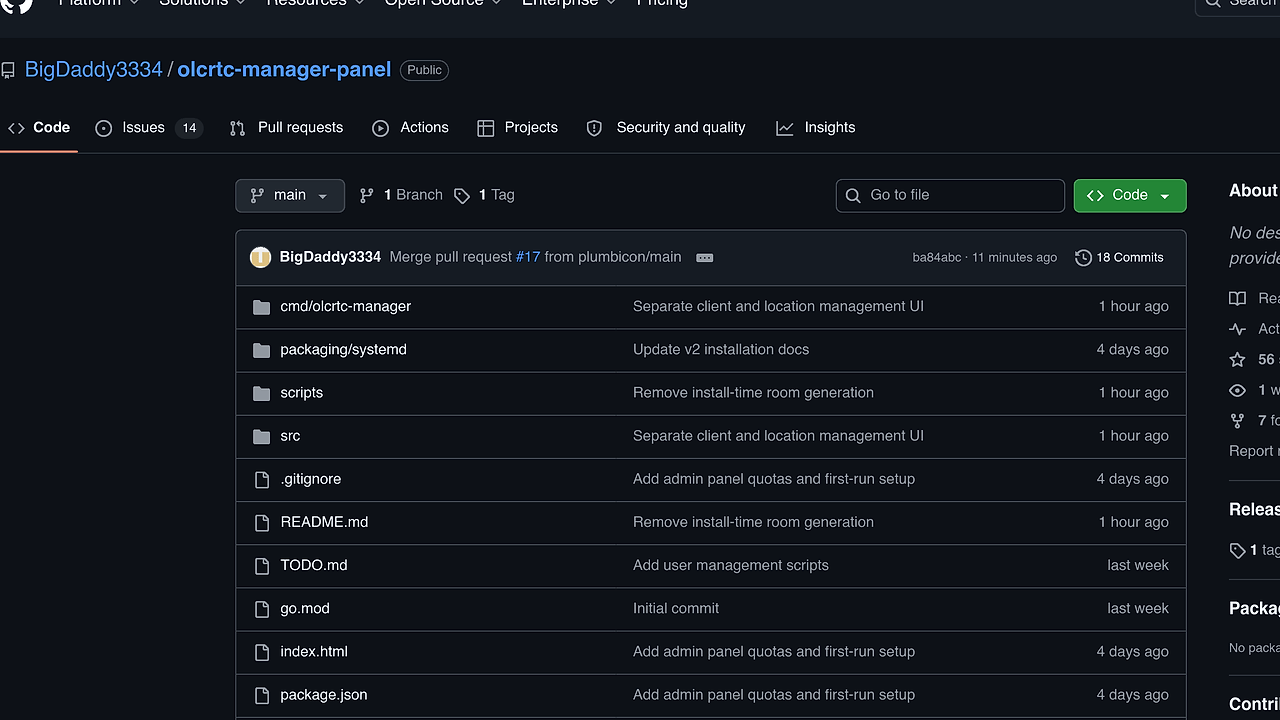
olcrtc-manager-panel is a Go-based web panel and process manager built by BigDaddy3334 for Linux VPS operators running multiple olcrtc instances, and version 2 adds an /admin UI, per-client subscription endpoints, quota accounting, and isolated network namespaces for each client location. olcrtc-manager-panel is one of the best DevOps Automation tools for Linux VPS operators running multiple olcrtc instances because it packages control, isolation, and traffic policy into one service instead of scattering logic across shell scripts and hand-edited units.
The design target is clear: keep each client location separate, measurable, and restartable. That matters when one VPS hosts many rooms, because the panel needs to manage credentials, traffic caps, expiration dates, and speed limits without turning the box into an operational mess.
Quick Overview
| Attribute | Details |
|---|---|
| Type | DevOps Automation |
| Best For | Linux VPS operators running multiple olcrtc instances |
| Language/Stack | Go, pnpm-built frontend, systemd, Linux network namespaces, veth, iptables, tc |
| License | N/A in repo text |
| GitHub Stars | N/A as of Feb 2026 |
| Pricing | Open-Source |
| Last Release | v2 — date not stated in repo text |
Who Should Use olcrtc-manager-panel?
- VPS operators running several
olcrtcrooms who need a browser UI, per-client quotas, and a clean way to restart only the affected client location. - Self-hosters who prefer JSON config, systemd, and kernel-level Linux networking primitives over a hosted control plane.
- Admins enforcing bandwidth caps who need traffic accounting based on host-side counters and want expired or over-quota clients stopped automatically.
- Teams exposing subscriptions to end users via
/<client-id>/without handing out shell access or separate provisioning scripts.
Not ideal for:
- Single-instance setups where one
olcrtcprocess does not need quotas, namespaces, or a UI. - Non-Linux hosts or unprivileged containers, because olcrtc-manager-panel depends on root access,
ip,iptables,tc, andsystemd. - Generic server dashboards that need broad inventory, metrics, and host administration beyond
olcrtclifecycle management.
Key Features of olcrtc-manager-panel
- Per-client isolation — each client location runs in its own network namespace with its own
vethpair, NAT rule, and/etc/netns/<namespace>/resolv.conf. That keeps routes, DNS, and traffic policy from bleeding across clients. - Traffic quota enforcement — quota metadata is embedded into subscriptions as
#quota-*fields, while the manager tracksused_bytesfrom host-sidetx_bytes. When the configured limit is exceeded, olcrtc-manager-panel stops that client location instead of letting it run past quota. - Speed limiting with
tc—speed_mbpsmaps to kernel-leveltc tbfshaping on both sides of the veth link. This is more enforceable than app-level throttling because the limit lives in the network stack, not in userland. - Embedded admin panel — the web UI is shipped inside the Go binary and served at
/admin, so the panel and supervisor deploy as one artifact afterpnpm buildandgo build. First-run password setup means a fresh install does not need credentials baked intopanel.env. - Subscription export — every client gets a subscription at
/<client-id>/with fields such astraffic_gb,used_gb,used_bytes, andexpires_at. That makes olcrtc-manager-panel useful for downstream clients that expect a plain-text subscription feed. - Selective reloads —
systemctl reload olcrtc-managerorPOST /-/reloadreapplies changed clients without restarting unchanged processes. That reduces churn when you modify one client out of many. - Helper scripts —
scripts/add-user.sh,scripts/modify-user.sh, andscripts/delete-user.shedit the JSON config and can trigger reloads after saving. They are practical when you want Git-tracked configuration instead of point-and-click changes.
olcrtc-manager-panel vs Alternatives
| Tool | Best For | Key Differentiator | Pricing |
|---|---|---|---|
| olcrtc-manager-panel | Managing multiple olcrtc instances with quotas and isolation | Built-in panel plus per-client namespaces, veth, and traffic accounting | Open-Source |
| PM2 | Node.js app supervision and clustering | Mature process manager for JavaScript workloads, not Linux namespace orchestration | Open-Source |
| systemd | Native Linux service supervision | Lowest-level service control and boot integration, but no app-specific panel or subscription export | Open-Source |
| Cockpit | General server administration in the browser | Broad host management UI, but it is not aware of olcrtc rooms, quotas, or per-client networking | Open-Source |
Pick PM2 if your problem is Node.js lifecycle management, worker restarts, and log handling rather than olcrtc-specific networking policy. Pick systemd if you want the smallest possible dependency surface and are fine writing units and reload logic by hand.
Pick Cockpit if you need a browser-based server admin console for a whole box. It is broader than olcrtc-manager-panel, but it does not know anything about client subscriptions, room IDs, or traffic caps.
If your workflow is broader than this one service, djevops is closer to scripted deployment automation, while OpenSwarm is a better fit for coordinating multi-step workflows than for kernel-level process isolation.
How olcrtc-manager-panel Works
The control plane is a versioned JSON document at /etc/olcrtc-manager/config.json. It stores top-level metadata such as version, name, and port, then a clients array where each client contains quota settings and one or more locations with endpoint, carrier, transport, DNS, and link data.
The manager runs as a systemd service on Linux with root privileges because it needs to create namespaces, attach veth interfaces, program iptables NAT, and shape traffic with tc. Its core abstraction is simple: one client location maps to one isolated olcrtc process, one namespace, and one set of counters, which keeps the behavior predictable when limits change.
At runtime, olcrtc-manager-panel normalizes old config shapes, starts the required processes, writes namespace-local DNS config, and uses host-side egress counters to measure quota usage. That choice matters because tx_bytes on the host veth represents traffic leaving the VPS toward the client namespace, which gives the manager a stable accounting source even when the inner process is noisy.
sudo systemctl enable --now olcrtc-manager
curl -X POST http://127.0.0.1:8888/-/reload
ip netns list
The first command starts the supervisor under systemd, the second reapplies any config changes without touching unrelated clients, and the third confirms that the namespaces were created. In practice, olcrtc-manager-panel is designed so that a config edit, a reload, and a quick namespace check are enough to validate most changes.
Pros and Cons of olcrtc-manager-panel
Pros:
- Kernel-enforced isolation through namespaces, veth, NAT, and
tc, which is harder to bypass than user-space throttling. - Per-client quota metadata baked into subscription output, so downstream consumers can read status without parsing a separate database.
- Selective reload behavior that avoids restarting clients that did not change.
- Single-binary deployment once the frontend is embedded, which keeps the operational footprint small.
- First-run password setup that avoids shipping an admin password in a fresh install.
- Scriptable config management through helper scripts and a reload endpoint, which works well in GitOps-style workflows.
Cons:
- Linux-only and root-only for the full feature set, because namespaces, iptables, and
tcrequire elevated privileges. - Opinionated around
olcrtcso it is not a generic multi-service manager. - Manual networking complexity if you are not comfortable debugging namespaces, routes, and NAT.
- No evidence of a broad plugin ecosystem in the repo text, so extending it likely means editing code rather than installing add-ons.
- Fresh installs start without a password and without rooms, which is correct for security but means you must complete first-run setup before exposing the panel publicly.
Getting Started with olcrtc-manager-panel
The fastest way to try olcrtc-manager-panel is the one-command installer on a Debian or Ubuntu VPS. It installs dependencies, builds olcrtc and the manager, writes /etc/olcrtc-manager/config.json if needed, and starts the olcrtc-manager systemd service.
curl -fsSL https://raw.githubusercontent.com/BigDaddy3334/olcrtc-manager-panel/main/scripts/install.sh | sudo bash
sudo systemctl status olcrtc-manager
After that, open http://SERVER:8888/admin and complete first-run password setup if panel.env does not already exist. If you plan to expose the panel on a public interface, put it behind nginx or firewall it first, because the default bind is 127.0.0.1:8888 and exposing it directly without a password is a bad idea.
Verdict
olcrtc-manager-panel is the strongest option for Linux VPS operators running multiple olcrtc instances when they need per-client isolation, traffic quotas, and a browser UI in one place. Its biggest strength is kernel-level control over namespaces and bandwidth, and its main caveat is that it is Linux-only and operationally opinionated. If that trade-off matches your stack, this is a clear recommendation.