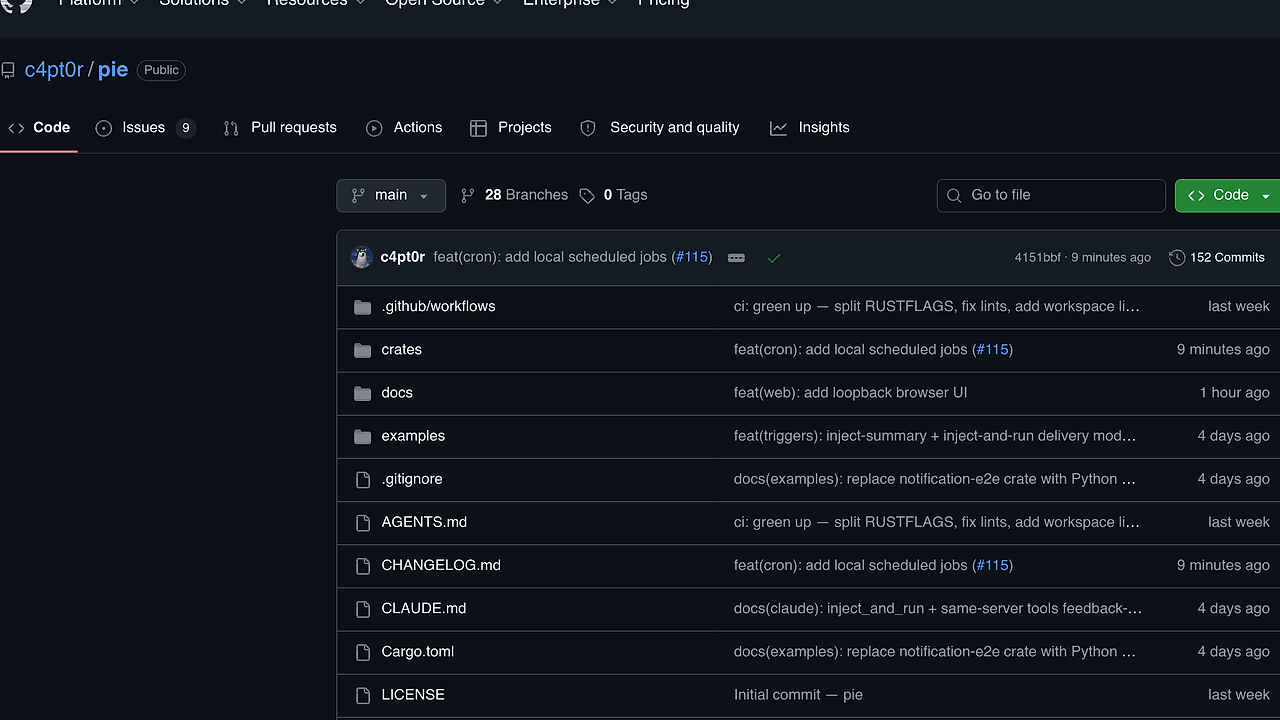
What Is pie?
pie is a Rust rewrite of the original pi (pi-coding-agent) built by c4pt0r, and it is one of the best AI Coding Agents tools for developers and indie hackers who want a terminal-native assistant inside an existing repository. It inspects files, makes edits, runs shell commands, remembers preferences, and continues previous sessions, with support for at least seven provider families plus local OpenAI-compatible servers.
Quick Overview
| Attribute | Details |
|---|---|
| Type | AI Coding Agents |
| Best For | developers and indie hackers who want a terminal-native coding agent inside an existing repo |
| Language/Stack | Rust, terminal/TUI, OpenAI-compatible model APIs, JSONL session storage |
| License | N/A |
| GitHub Stars | N/A as of Feb 2026 |
| Pricing | Open-Source |
| Last Release | N/A |
Who Should Use pie?
- Solo developers shipping inside one repository who want an agent that can inspect code, apply edits, and run checks without leaving the terminal.
- Indie hackers building MVPs who need quick iteration, session memory, and repeatable shell automation instead of a browser-first chat UI.
- Platform or infra engineers who want local model routing, project-scoped state, and trigger-based automation tied to repo events.
- Teams experimenting with AI-assisted refactors that need a CLI they can script, audit, and run against local or remote models.
Not ideal for:
- Teams that require a polished collaborative web UI with shared canvases, comments, and browser-native review workflows.
- Users who avoid the command line and want an IDE plugin or hosted app with no terminal setup.
- Organizations that need a managed SaaS control plane with enterprise billing, SSO, and vendor-hosted audit logs out of the box.
Key Features of pie
- Terminal-first agent loop — pie runs inside your project and can read files, edit them, search with
grepandfind, and execute shell commands from the same REPL. That keeps code inspection, patching, and verification in one place. - Provider auto-detection and manual login — pie reads credentials from environment variables like
ANTHROPIC_API_KEY,OPENAI_API_KEY,OPENROUTER_API_KEY,GROQ_API_KEY,MISTRAL_API_KEY,GEMINI_API_KEY, andGOOGLE_API_KEY, and it can also store provider keys with/login. - Local OpenAI-compatible model support — pie can point at local servers through
--base-urlormodels.json, including project-local overrides in<project>/.pie/models.json. That makes it usable with self-hosted inference stacks such as DS4 and other OpenAI-compatible endpoints. - Session persistence and resume — pie stores project history in JSONL-backed sessions under
~/.pie, then lets you list, export, resume, or delete sessions with CLI commands. This is the difference between a disposable chat and a recoverable coding workflow. - Dynamic triggers and cron jobs — pie can turn natural-language automation into session-scoped trigger rules, then execute those rules in separate sub-agents. It also supports local scheduled jobs through
/cron, which is useful for repo status checks, periodic summaries, or housekeeping prompts. - Thinking controls and model tuning — pie exposes thinking levels such as
off,minimal,low,medium,high, andxhigh, which matters when you want to trade speed for deeper reasoning on harder refactors. - Images and lifecycle hooks — pie can attach an image with
--image, and it supports local command hooks or HTTP webhooks on agent lifecycle events. That is useful for screenshot-driven debugging, audit trails, or notifying other systems when a run starts or finishes.
pie vs Alternatives
| Tool | Best For | Key Differentiator | Pricing |
|---|---|---|---|
| pie | terminal-first repo automation with sessions, triggers, and cron | Rust CLI with local state, model flexibility, and automation primitives | Open-Source |
| Aider | git-aware code editing with tight patch workflows | Strong diff-centric editing model and broad LLM support | Open-Source |
| Claude Code | hosted Anthropic-assisted coding workflows | Managed experience with Anthropic models and less local setup | Paid |
| OpenAI Codex | OpenAI ecosystem users who want hosted agent workflows | Tight integration with OpenAI models and cloud-managed execution | Paid |
If you care most about agentic control inside the shell, pie is the better pick than a browser-first assistant. If you want a more opinionated multi-agent layer around planning and delegation, OpenSwarm is the better orchestration layer, while Brainstorm MCP is useful when you need structured prompt planning before execution.
Choose Aider when your main requirement is clean git-style patching and you want a tool that stays close to editor-friendly diff output. Choose Claude Code when you want an Anthropic-managed experience and are fine with a more hosted workflow; if you prefer a drafting surface around Claude itself, Claude Code Canvas is the adjacent tool to compare.
Choose OpenAI Codex when your organization is already standardized on OpenAI APIs and cloud-managed tooling. If you need traceability after the run, OpenTrace complements pie better than replacing it, because pie focuses on execution while OpenTrace focuses on observability.
How pie Works
pie is built around a local REPL that binds an LLM to repository context, shell access, and persistent session state. The core abstraction is simple: the agent receives your prompt, chooses tools, updates files, and optionally runs commands until the task is complete or you stop it.
The architecture is intentionally local-first. Credentials come from environment variables or /login, model selection can be global or project-local, and the project-local models.json file takes precedence when you need different context windows, compatibility flags, or a custom OpenAI-compatible base URL. That lets one repository point at a local DS4 server while another repository uses Anthropic or OpenRouter without cross-contaminating credentials.
cargo build --release
export ANTHROPIC_API_KEY=sk-ant-...
./target/release/pie --provider anthropic --model claude-haiku-4-5 --thinking low
The first command builds the Rust binary, the second sets a provider key, and the third starts pie against a named model with a lower reasoning budget. Once the REPL opens, you can ask it to summarize the repo, fix tests, or apply edits and run checks in the same shell session.
pie also separates automation from ad hoc chat. Dynamic triggers watch for local conditions or MCP push events, then spin up a sub-agent with inherited tools and thinking settings, while cron jobs run on a local schedule and enter the same serialized agent queue. That means you can use pie for both interactive debugging and unattended repo hygiene without changing tools.
Pros and Cons of pie
Pros:
- Runs where the code lives — the agent operates from the terminal inside the repo, which is faster than shuttling context between a browser and a shell.
- Supports multiple providers — pie can route to Anthropic, OpenAI, OpenRouter, Groq, Mistral, Gemini, Google, and local OpenAI-compatible servers.
- Project-scoped persistence — JSONL session history keeps context tied to the repository instead of a global chat log that mixes unrelated work.
- Automation primitives are built in — triggers, cron jobs, and hooks let you codify repeated maintenance work instead of retyping the same prompts.
- Local model friendly —
--base-urlandmodels.jsonmake self-hosted inference practical for privacy-sensitive or cost-sensitive workflows. - Shell-native verification — pie can run commands as part of the workflow, so you can go from edit to test without switching tools.
Cons:
- Terminal-only workflow — if your team wants a shared visual workspace, pie is the wrong shape.
- Setup is more involved than a hosted SaaS — you may need to build from source, export keys, or define local model descriptors.
- Automation can get risky fast — triggers and cron jobs are useful, but they also make it easier for a bad prompt to run unintended commands.
- No clear enterprise packaging in the provided page text — there is no evidence here of SSO, admin controls, or managed billing.
- Local model configuration has sharp edges — custom compatibility flags, context limits, and base URLs require manual tuning when your endpoint is not fully standard.
Getting Started with pie
git clone https://github.com/c4pt0r/pie.git
cd pie
cargo build --release
export OPENAI_API_KEY=sk-...
./target/release/pie
That gets you a built binary and opens pie in the current project. From there, you can choose a different provider with /model, resume a prior workspace with --resume, or store credentials inside pie with /login if you do not want to keep them in your shell environment.
If you want local inference, add a model definition in ~/.pie/models.json or <project>/.pie/models.json, then point pie at the local --base-url. The first run usually only needs a valid provider key, a model name, and a repository with files worth editing.
Verdict
pie is the strongest option for terminal-first repo automation when you want a Rust CLI that can edit files, run shell commands, and persist per-project state. Its biggest strength is the mix of provider flexibility, local model support, and built-in automation; its caveat is the setup overhead and command-line-only workflow. Choose pie if you want control, not a hosted wrapper.


