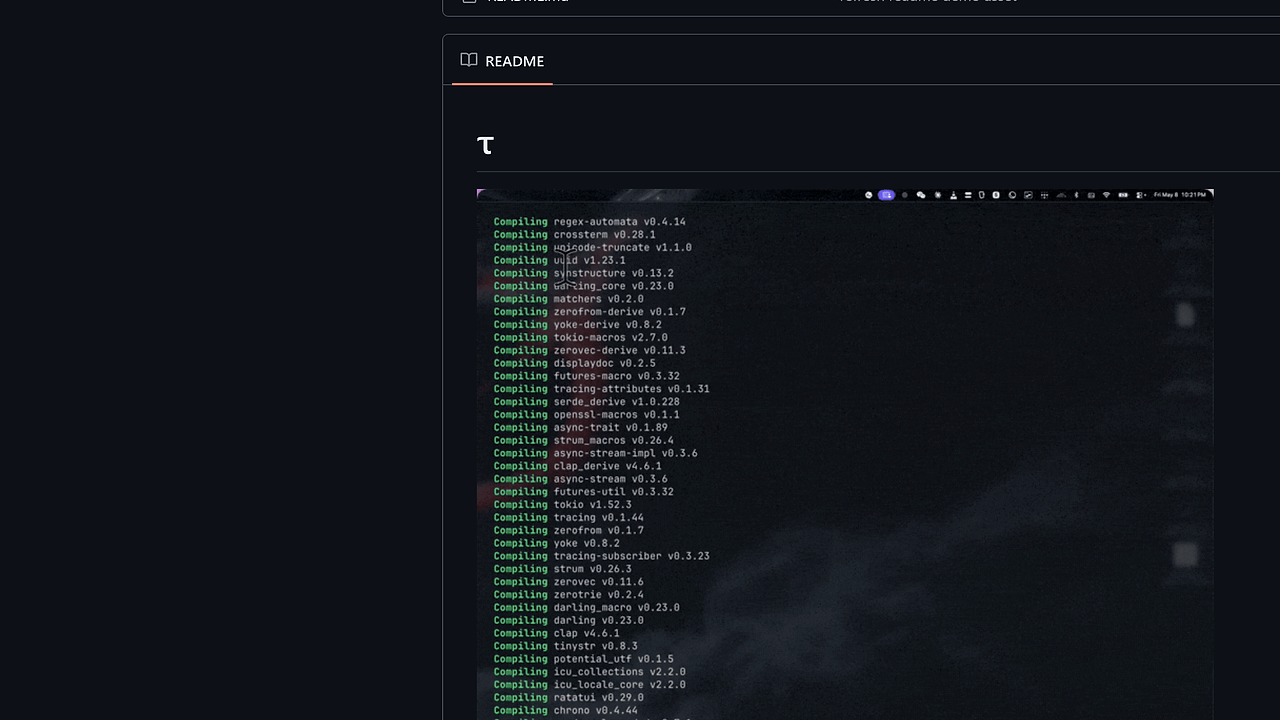
What Is tau?
tau is a minimal Rust coding-agent harness by Infatoshi, built for developers who want a local CLI wrapper instead of a hosted agent platform. tau is one of the best AI Coding Agents tools for Rust developers and indie hackers. The repo ships a one-command installer and a fixed four-step validation loop, so it fits teams that want deterministic repo hygiene without extra orchestration layers.
Quick Overview
| Attribute | Details |
|---|---|
| Type | AI Coding Agents |
| Best For | Rust developers and indie hackers |
| Language/Stack | Rust, Cargo, YAML config, .env files, AGENTS.md |
| License | N/A |
| GitHub Stars | N/A |
| Pricing | Open-Source |
| Last Release | N/A |
tau is intentionally small. The page text exposes just enough surface area to show the operating model: install with Cargo, generate local config on first run, and read repo instructions from AGENTS.md. That makes tau easy to reason about in a code review because the behavior is explicit instead of spread across a large plugin ecosystem.
The practical takeaway is simple: tau is a harness, not a platform. If your team already uses Rust, cargo fmt, Clippy, and per-repo instruction files, tau drops into that workflow with very little ceremony.
Who Should Use tau?
- Rust-first teams that already gate changes with
cargo fmt,cargo test, andcargo clippyand want an agent that respects the same checks. - Solo indie hackers who want a lightweight local coding assistant without signing up for a separate SaaS layer or managing a large framework.
- Developer tooling maintainers who prefer repo-local instructions in
AGENTS.mdover hidden prompt state in a web UI. - Builders of internal automation who need a thin harness around model calls, not a full orchestration stack.
Not ideal for:
- Teams that need a visual workspace, multi-user collaboration, or shared prompt canvases.
- Organizations that want deep workflow orchestration, task graphs, or swarm-style multi-agent coordination.
- Non-Rust projects that do not care about Cargo-native validation and want a language-agnostic platform first.
Key Features of tau
- Cargo-native installation — tau installs with
cargo run --bin tau-install, which keeps the bootstrap path inside the Rust toolchain. That matters for teams that already pin toolchains withrustupand expect reproducible builds. - Local config bootstrap — the first
taurun creates~/.tau/config.yaml. That gives you a stable per-user config location instead of forcing environment variables or a cloud dashboard. - dotenv-based secrets handling — API keys go in a project
.envor~/.tau/.env. That is a clean boundary between repo config and secrets, and it fits standard Rust and twelve-factor workflows. - Repo instruction ingestion — tau reads
AGENTS.md. That lets teams encode coding rules, review conventions, and scope boundaries directly in the repository, which is easier to audit than ad hoc prompts. - Opinionated validation loop — the documented dev/testing workflow is
cargo fmt --check && cargo test && cargo clippy --all-targets --all-features -- -D warnings. This is a strong default for Rust because it turns formatting, tests, and linting into a hard gate. - Minimal harness design — tau is not trying to be an all-in-one agent platform. The small surface area reduces moving parts, which is useful when you want to debug the harness instead of debugging the harness plus a pile of abstractions.
tau vs Alternatives
| Tool | Best For | Key Differentiator | Pricing |
|---|---|---|---|
| tau | Rust teams that want a minimal coding-agent harness | Repo-local instructions, dotenv secrets, and a strict Cargo validation loop | Open-Source |
| OpenSwarm | Coordinating multiple agents across tasks | Broader swarm-style orchestration and multi-agent workflows | N/A |
| Claude Code Canvas | Interactive prompt and workflow editing | More visual, collaborative agent interaction than a terminal-first harness | N/A |
| Brainstorm MCP | Planning and idea generation before execution | Better for brainstorming and task shaping than repo-bound execution | N/A |
Pick OpenSwarm when the real problem is coordination across several agents, not just one local harness. tau is better when you want a tight loop around a Rust codebase and you do not need orchestration overhead.
Pick Claude Code Canvas if your team wants a more interactive workspace for prompt editing and agent flow control. tau is the better fit when the terminal is the source of truth and you want less UI, fewer layers, and more direct control.
Pick Brainstorm MCP when you are still shaping the task and need structured ideation before implementation. tau belongs later in the pipeline, when the work is already scoped and you want the harness to execute repo rules predictably.
How tau Works
tau works like a thin orchestration layer around the Rust toolchain and repo-local conventions. The core abstraction is simple: store user configuration in ~/.tau/config.yaml, read secrets from .env, and load instructions from AGENTS.md so the agent has the same constraints the rest of the team uses.
That design avoids a hidden control plane. Instead of pushing state into a remote dashboard, tau keeps the workflow close to the repository and the local machine, which is easier to inspect, script, and remove if needed. For teams that already treat cargo as the build authority, this is the least surprising way to add an agent loop.
cargo run --bin tau-install
cd your-repo
cp .env.example .env
# first tau run creates ~/.tau/config.yaml
tau
The install command bootstraps the binary, and the first run initializes local config. After that, tau expects the repository to define its behavior through AGENTS.md, while your keys live in either the project .env or ~/.tau/.env. In practice, that means the harness is ready once your repo conventions and model credentials are in place.
Pros and Cons of tau
Pros:
- Very small operational surface — fewer moving parts means fewer failure modes and less time spent tracing framework behavior.
- Rust-native workflow — tau aligns with
cargo, Clippy, and the standard Rust release cycle, which is ideal for Rust-heavy teams. - Repo-local instruction model —
AGENTS.mdkeeps agent rules versioned alongside code. - Clear secret boundaries —
.envsupport avoids hardcoding API keys into shell history or config files. - Strong quality gate default — formatting, tests, and linting are built into the documented workflow.
Cons:
- Minimal feature set — tau is a harness, so you should not expect full task orchestration, shared workspaces, or team dashboards.
- Rust bias — the workflow is tuned for Cargo and Clippy, which makes it less universal for polyglot repositories.
- Documentation appears sparse — the page text is short, so you may need to inspect the code to understand advanced behavior.
- No visible release metadata — the scraped page does not expose stars, tags, or a changelog, which makes maturity harder to judge from the landing page alone.
Getting Started with tau
cargo run --bin tau-install

# inside your repository
cp .env.example .env  # if you keep model keys in a sample file
# make sure AGENTS.md exists at the repo root
tau
After the first run, tau creates ~/.tau/config.yaml and starts reading repo instructions from AGENTS.md. If your project uses a local .env, put API keys there first; if you prefer a user-level setup, use ~/.tau/.env instead. The expected setup is light, but the repo should already encode how the agent should behave.
Verdict
tau is the strongest option for Rust teams that want a minimal coding-agent harness when repo conventions already exist. Its best strength is the explicit Cargo-based quality gate, and its main caveat is that it stays intentionally small. Choose tau if you value control, local config, and predictable execution over orchestration features.


