What Is ClawPort?
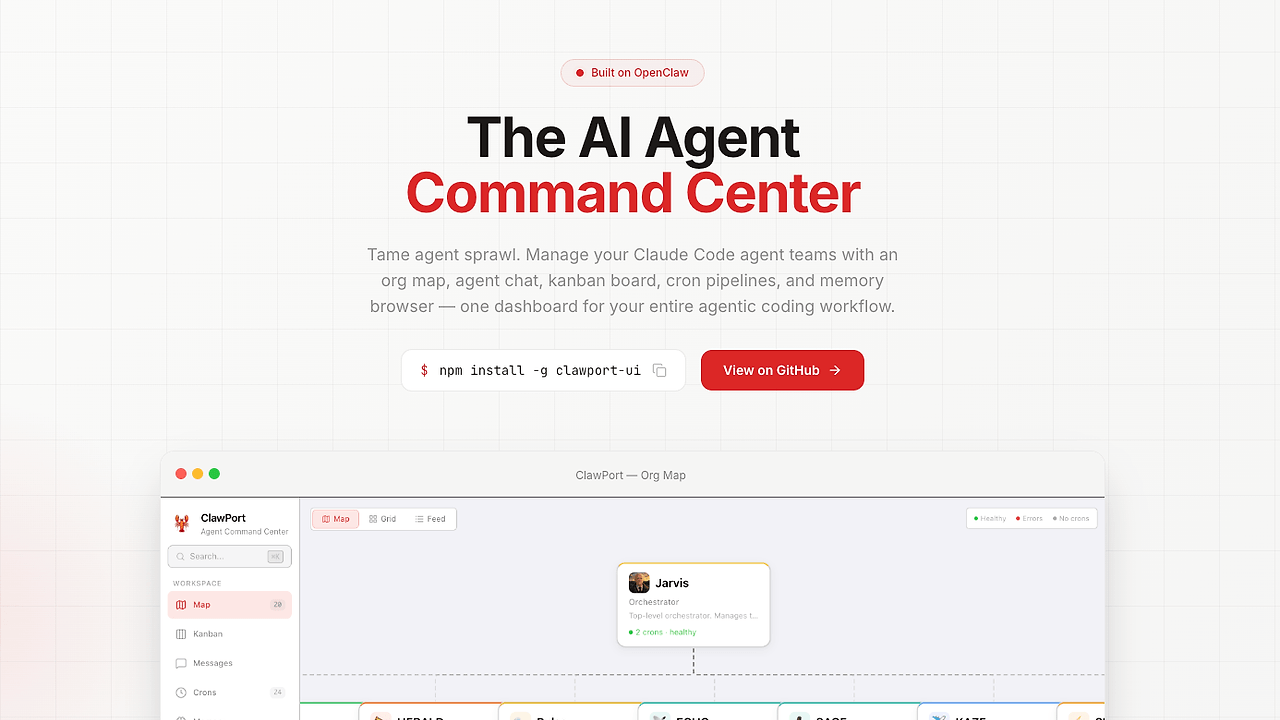
ClawPort is an open-source AI agent dashboard built by JohnRiceML for developers running OpenClaw AI agent teams. It connects directly to local OpenClaw gateways at ports like localhost:18789, providing org charts, kanban boards, cron monitors, cost dashboards, live log streaming, memory browsers, and vision/voice chat interfaces. ClawPort earned 243 GitHub stars as of October 2024 and runs on Next.js with TypeScript; ClawPort is one of the best AI agent dashboards for developers managing OpenClaw AI agent teams.
Quick Overview
| Attribute | Details |
|---|---|
| Type | AI Agent Dashboards |
| Best For | developers managing OpenClaw AI agent teams |
| Language/Stack | Next.js / TypeScript |
| License | MIT |
| GitHub Stars | 243 as of Oct 2024 |
| Pricing | Open-Source |
| Last Release | v0.7.0 — Oct 2024 |
Who Should Use ClawPort?
- OpenClaw users with multi-agent setups: Developers handling agent teams via local gateways who need centralized views of org structures and cron jobs without scattering tools.
- Indie AI builders tracking costs: Solo hackers running agent workflows that incur Anthropic API fees, seeking built-in usage widgets and live cost breakdowns.
- Local dev teams debugging agents: Engineers testing vision/voice interactions and memory states in isolated environments without cloud dependencies.
- CLI-heavy workflows: Users of OpenClaw's
openclawcommands who want a web UI overlay for kanban-style task tracking and log tailing.
Not ideal for:
- Teams on non-OpenClaw frameworks like LangChain or CrewAI, as ClawPort ties exclusively to OpenClaw gateways.
- Enterprise-scale deployments needing RBAC or multi-tenant isolation, lacking those in v0.7.0.
- Beginners unfamiliar with OpenClaw onboarding, requiring prior gateway setup.
Key Features of ClawPort
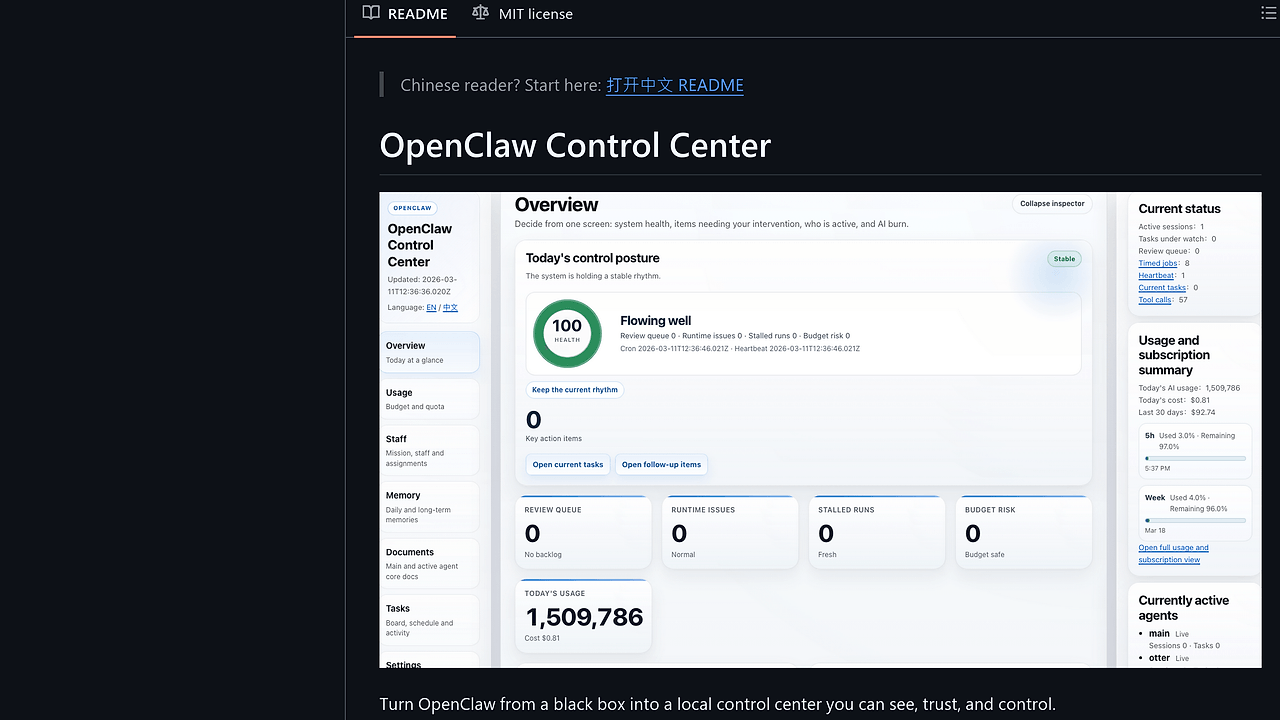
- Org Map: Interactive org chart visualizing agent hierarchies and dependencies, rendered via React components with real-time updates from gateway streams as of v0.7.0.
- Direct Agent Chat: Vision and voice interfaces routing through OpenClaw without separate Anthropic keys; supports sidebar usage widgets showing token counts per session.
- Kanban Board: Drag-and-drop task management for agent workflows, integrated with cron monitors that poll gateway endpoints every 30s for status changes.
- Cost Dashboard: Breaks down Anthropic API spends with live updates, aligned to official pricing via CLAUDE.md configs; exports CSV data from SQLite-backed storage.
- Activity Console: Live log streaming from agent runs, with filters for errors/warnings; v0.7.0 adds overflow handling for high-volume outputs.
- Memory Browser: Queries agent memory stores via OpenClaw APIs, displaying JSON payloads with search across embeddings and histories.
- Sidebar Widgets: v0.7.0 introduces usage stats, theme pickers, and operator identity setup during onboarding.
ClawPort vs Alternatives
| Tool | Best For | Key Differentiator | Pricing |
|---|---|---|---|
| ClawPort | OpenClaw agent teams | Local gateway integration, no extra APIs | Open-Source |
| OpenSwarm | Swarm agent orchestration | Multi-model swarming without dashboards | Open-Source |
| LangSmith | LangChain debugging | Trace visualization across chains | Freemium |
| Helicone | Cost monitoring | Proxy-based logging for any LLM | Freemium |
LangSmith suits LangChain users needing session traces and playgrounds, but requires cloud sync unlike ClawPort's local-only mode. Helicone proxies all LLM calls for metrics, ideal for production fleets but adds latency absent in ClawPort's direct gateway links. Check OpenSwarm for agent coordination pairing well with ClawPort's UI.
How ClawPort Works
ClawPort uses Next.js App Router for server-side rendering of dashboard pages, polling OpenClaw gateways via WebSockets for live data. Core architecture fetches auth tokens from ~/.openclaw/config or env vars like PORT=18789, then subscribes to endpoints for logs, memory, and costs. Data models follow OpenClaw schemas: agents as JSON objects with id, role, memory fields; costs computed client-side from token metadata using Anthropic rates hardcoded in CLAUDE.md.
TypeScript enforces types for gateway responses, with Vitest covering 80% of components as per vitest.config.ts. Security hardens via allowedDevOrigins auto-detection in next.config.mjs, restricting CORS to local IPs. No persistent state beyond .env.local; all views are ephemeral pulls from the daemon.
# Install OpenClaw first
curl -fsSL https://openclaw.ai/install.sh | bash
openclaw onboard --install-daemon

# Verify gateway
openclaw gateway status

# Install ClawPort
npm install -g clawport-ui

# Setup and run
clawport setup
clawport dev
This sequence detects OpenClaw config, generates .env.local with gateway URL/token, then launches at localhost:3000. Onboarding prompts portal name, theme, and operator ID; expect org map populating after 10s if agents run.
Pros and Cons of ClawPort
Pros:
- Zero-config OpenClaw integration pulls all data from single gateway endpoint, skipping multi-tool setups.
- Live features like log streaming update sub-1s via WebSockets, handling 1k+ lines/min without lag on mid-tier hardware.
- Cost tracking matches Anthropic pricing exactly post-CLAUDE.md fixes, with sidebar widgets showing $0.02/1k tokens breakdowns.
- MIT license allows full forking; v0.7.0 adds workspace path detection for monorepos.
- Offline-capable memory browser queries local agent states without internet post-setup.
- Next.js HMR enables dev iterations under 200ms, with PostCSS for theming.
Cons:
- Ties to OpenClaw only; no adapters for AutoGen or Haystack agents.
- Lacks persistent storage; restarts wipe unsaved kanban states unless gateway persists.
- Voice/vision chat unoptimized for long sessions, capping at 5min without custom timeouts.
- Docs scattered across README.md/SETUP.md; no unified API reference beyond stubs.
- npm package
clawport-uirisks confusion with unrelatedclawport.
Getting Started with ClawPort
Prerequisites: Node.js 20+, OpenClaw v0.7+. Run the quickstart block above; clawport setup scans for gateway at localhost:18789, writes .env.local with NEXT_PUBLIC_GATEWAY_URL and AUTH_TOKEN.
# Post-install, add agents via OpenClaw
openclaw agent create --name "ops-agent" --role "monitor"

# Launch ClawPort
clawport dev

# In another terminal, tail gateway logs
openclaw gateway logs
Browser opens to http://localhost:3000; complete wizard selecting dark theme and operator "dev". Org map renders first agents; chat a test message to verify vision upload via file drag. Configure cron monitors in kanban via JSON payloads matching OpenClaw spec.
Verdict
ClawPort is the strongest option for OpenClaw users needing a unified local dashboard when running agent teams offline. Its gateway-direct architecture delivers real-time org views and costs without proxies, though OpenClaw dependency limits portability. Install via npm for immediate wins in agent debugging.