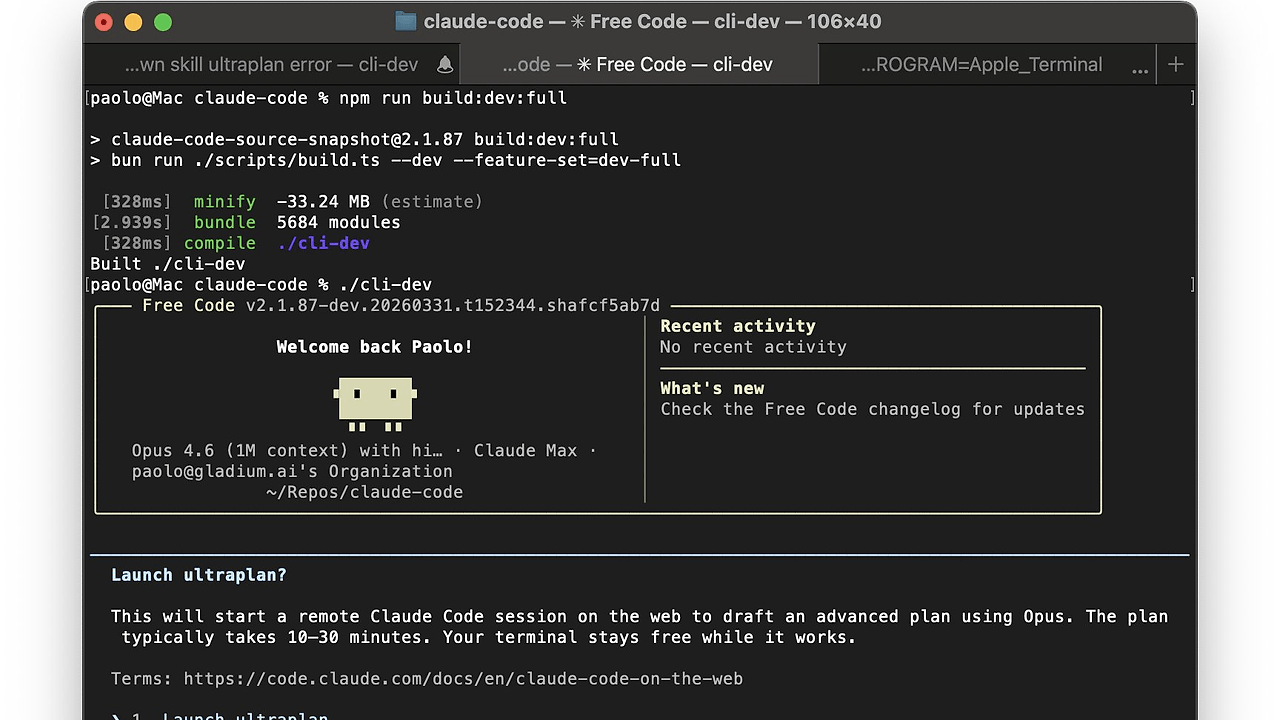
What Is free-code?
free-code is one of the best AI Coding Agents tools for developers who want a terminal-native Claude Code fork. Built by paoloanzn, it rebuilds Anthropic's CLI snapshot into an open-source package that strips telemetry, removes prompt-level guardrails, and exposes 54 compile-clean experimental flags; the GitHub repo shows 7.2k stars as of Mar 2026. It is for engineers who want local control over model providers, session behavior, and CLI policy without the upstream callback layer.
Quick Overview
| Attribute | Details |
|---|---|
| Type | AI Coding Agents |
| Best For | developers who want a terminal-native Claude Code fork |
| Language/Stack | Bun, TypeScript, CLI, Anthropic/OpenAI APIs |
| License | N/A in scraped text |
| GitHub Stars | 7.2k as of Mar 2026 |
| Pricing | Open-Source |
| Last Release | main — latest commit 7dc15d6 |
Who Should Use free-code?
- Terminal-first engineers building in Neovim, tmux, or a plain shell who want an AI pair programmer without leaving the command line.
- Indie hackers who need fast model switching and local control over provider auth, especially when testing Anthropic and OpenAI Codex side by side.
- Platform teams that want to inspect or patch the agent loop instead of relying on a closed binary with opaque telemetry and feature gating.
- Prompt researchers who want to experiment with unlocked flags, reduced system overlays, and reproducible CLI behavior for evaluation runs.
Not ideal for:
- Compliance-heavy environments where removing upstream guardrails is a policy problem, not a feature.
- Teams that need vendor support and a formal SLA from Anthropic rather than a community fork.
- Users who want zero setup and do not want to manage API keys, subscriptions, or local builds.
Key Features of free-code
- Telemetry removal — the fork dead-code-eliminates or stubs outbound OpenTelemetry, gRPC callbacks, GrowthBook reporting, Sentry error reporting, and custom event logging. That means the CLI stays local by design instead of phoning home on every session.
- Guardrail stripping — free-code removes injected system prompts, cyber-risk blocks, and managed-settings overlays that Anthropic pushes into the upstream client. The model's own safety training still applies, but the extra CLI-layer restrictions are gone.
- Experimental flags unlocked — the repo audits 88 feature flags and enables the 54 that compile cleanly in this build. That is the main reason power users care about free-code: you get access to features that the public npm release keeps hidden.
- Multi-provider routing — five API providers are supported out of the box, including Anthropic direct API by default and OpenAI Codex with a subscription. The provider switch is configuration-driven, so you do not need to patch source to change backends.
- Bun-native build flow — the install script checks the host, installs Bun if missing, clones the repo, builds the binary, and symlinks it onto
PATH. For developers who already use Bun, that keeps the distribution path simple and reproducible. - Terminal command workflow — the CLI uses a session model centered on
/loginand shell-oriented interaction, which makes it fit naturally into existing terminal habits. It behaves like a coding agent, not a browser wrapper or a hosted assistant UI. - Source auditability — the repository includes
FEATURES.md,changes.md, and a build-oriented project structure that documents exactly what changed from upstream. If you want to inspect the fork before trusting it, free-code is transparent enough to review line by line.
free-code vs Alternatives
| Tool | Best For | Key Differentiator | Pricing |
|---|---|---|---|
| free-code | Developers who want a local, open fork of Claude Code | Removes telemetry and guardrails while unlocking experimental flags | Open-Source |
| Claude Code | Users who want the official Anthropic CLI | Vendor-backed defaults, upstream support, and managed safety layers | Paid |
| OpenSwarm | Teams coordinating multiple agents | Orchestrates swarm-style workflows instead of replacing one terminal agent | Open-Source |
| Claude Code Canvas | Users who want a visual editing surface around agent output | Adds a canvas-style UI instead of staying terminal-only | Open-Source |
Pick Claude Code if you want the official upstream experience and do not care about the extra telemetry and prompt overlays. Pick OpenSwarm when the problem is multi-agent coordination rather than a single CLI fork.
Pick Claude Code Canvas if your team wants a visual way to edit or inspect agent output. Pick free-code when you want the same terminal-native workflow, but with local control over behavior and provider choice.
If your priority is observability rather than removal of telemetry, pair a local agent workflow with OpenTrace for your own tracing pipeline. That gives you control over what is recorded instead of accepting upstream reporting defaults.
How free-code Works
free-code is a Bun and TypeScript rebuild of the upstream Claude Code snapshot, so the core abstraction is still the interactive agent loop: read context, call a model, run shell commands, and iterate in the terminal. The difference is that provider selection is externalized to environment configuration and local login flow, which makes backend switching a CLI concern instead of a code change.
The fork's design philosophy is simple: keep the command-line UX, remove network dependencies that are not required for inference, and compile feature gates locally. GrowthBook evaluation remains local because the binary still needs runtime feature gating, but the reporting side is stripped out, which is why free-code is useful when you want a build you can reason about.
The repo structure also favors reviewability over magic. Files like FEATURES.md, changes.md, and install.sh document the build path and the delta from upstream, which is helpful if you are comparing free-code with Claude Context Mode or another context-heavy workflow.
curl -fsSL https://raw.githubusercontent.com/paoloanzn/free-code/main/install.sh | bash
free-code
/login
The install script checks your system, installs Bun if needed, clones the repository, builds the binary, and places a free-code symlink on your PATH. After launch, /login starts provider authentication, and the first session is local until you connect to a model backend.
Pros and Cons of free-code
Pros:
- No telemetry by default — the fork removes the upstream analytics and reporting paths, which is valuable for teams that do not want hidden network traffic.
- Multiple providers — Anthropic direct API is the default, and OpenAI Codex is supported without source changes.
- Experimental access — unlocked feature flags let advanced users test behavior that is gated in the public release.
- Auditable build path — the repository and install script show how the binary is produced, which is better than a closed executable.
- Terminal-native workflow — the agent stays in the shell, so it fits existing CLI habits and scripting patterns.
Cons:
- No official support — free-code is a community fork, so you trade vendor backing for control.
- Safety burden shifts to you — removing prompt-level guardrails means the operational risk moves from the vendor to the operator.
- Experimental flags can break — features that compile cleanly are not the same as features that are stable in production.
- API costs still apply — the repo is open-source, but Anthropic or OpenAI usage is still billed by the provider.
- Local build friction — if Bun is not already installed, the first setup path is longer than a hosted SaaS login.
Getting Started with free-code
curl -fsSL https://raw.githubusercontent.com/paoloanzn/free-code/main/install.sh | bash
free-code
/login
The one-line installer handles Bun installation, cloning, building, and PATH wiring. After that, run /login and connect the provider you want to use, then start a coding session in the terminal.
If you are using Anthropic direct API, keep your key available before the first session. If you are using OpenAI Codex, make sure the subscription and API access are active before you begin, because free-code only handles the CLI layer, not the billing relationship.
Verdict
free-code is the strongest option for developers who want Claude Code behavior without the upstream telemetry and guardrail layer when they are comfortable managing their own model billing. Its biggest strength is local control over the CLI and provider stack; its main caveat is that you inherit the operational risk of an unofficial fork. Recommend it for power users, not compliance-first teams.


