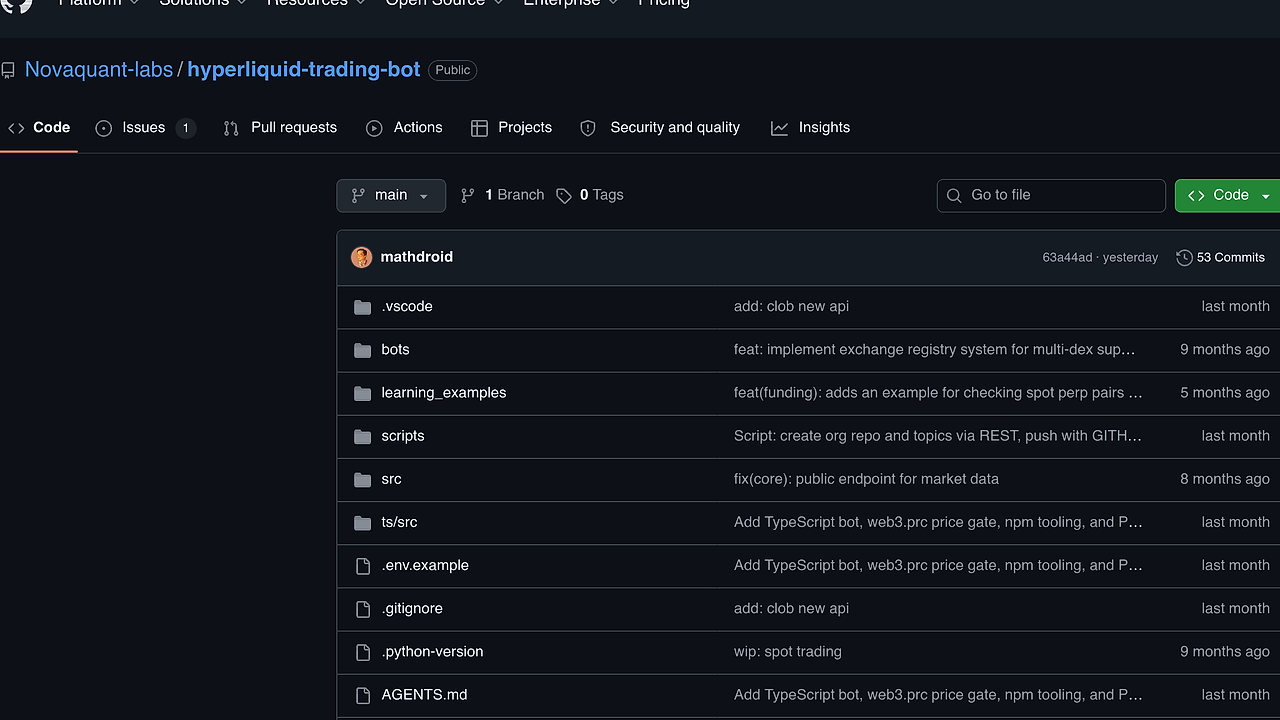
What Is Hyperliquid grid trading bot?
Hyperliquid grid trading bot is an open-source crypto trading bot from PolyPulse-Analytics that places layered buy and sell orders around a price range on Hyperliquid for developers, quant traders, and indie hackers running Node.js 20.19+ environments. Hyperliquid grid trading bot is one of the best Crypto Trading Bots tools for developers because it pairs a TypeScript execution engine with YAML strategy files, testnet-first deployment, and basic risk controls for live market automation.
The repo is opinionated in the right places. It focuses on grid execution, exchange routing, and risk management instead of trying to be a full portfolio platform, which keeps the code path understandable for engineers who want to inspect every moving part.
Quick Overview
| Attribute | Details |
|---|---|
| Type | Crypto Trading Bots |
| Best For | developers, quant traders, and indie hackers trading on Hyperliquid |
| Language/Stack | TypeScript on Node.js 20.19+; legacy Python scripts and learning examples |
| License | N/A |
| GitHub Stars | N/A as of Feb 2026 |
| Pricing | Open-Source |
| Last Release | N/A — not stated in the scraped page |
Who Should Use Hyperliquid grid trading bot?
- Developers building systematic trading experiments who want a readable Node.js + YAML stack instead of a black-box SaaS terminal.
- Quant traders testing range-bound strategies on Hyperliquid testnet before sending real capital into production.
- Indie hackers who need a self-hosted grid runner with stop loss, take profit, max drawdown, and rebalancing rules baked into config.
- Platform engineers who prefer explicit config files, reproducible runs, and code they can wire into CI for validation and tests.
Not ideal for:
- Buy-and-hold users who want a passive wallet tracker rather than an order-placement engine.
- Teams expecting a turnkey GUI with hosted dashboards, managed custody, and one-click strategy marketplace workflows.
- Traders without operational discipline who are not willing to use testnet, separate keys, and small size during validation.
Key Features of Hyperliquid grid trading bot
- YAML-driven strategy files — The bot reads
bots/*.yaml, so the grid, account allocation, exchange flags, and risk settings live in plain text. That makes review and version control straightforward, and it lets you diff strategy changes before a run. - Layered grid execution — Hyperliquid grid trading bot places staggered buy and sell orders across a configured price band instead of placing a single entry. That structure fits range markets and gives you deterministic order density around the midpoint.
- Built-in risk controls — The config supports stop loss, take profit, maximum drawdown, max position size, and rebalance thresholds. These controls matter because the bot is intended for markets that can trend hard against a grid and trap inventory.
- Testnet and mainnet separation — The repo expects distinct private key variables and a
HYPERLIQUID_TESTNETflag, with an explicit warning to double-check live-trading settings. That split reduces accidental mainnet deployment when you are still validating order behavior. - TypeScript primary runtime — The main implementation uses TypeScript on Node.js, which is the path you should treat as production. You get typechecking,
npm test, andnpm run validate, which is a better operational story than ad hoc scripts. - Legacy Python and learning examples — The repository keeps an older Python tree plus websocket, market-data, and order examples under
learning_examples/. That is useful when you want to inspect exchange mechanics or prototype small integrations without touching the main runner. - Config validation before execution —
npm run validatechecks YAML structure without requiring a private key. That is a practical guardrail when you are iterating on grid parameters and want to catch schema mistakes before the bot opens positions.
Hyperliquid grid trading bot vs Alternatives
| Tool | Best For | Key Differentiator | Pricing |
|---|---|---|---|
| Hyperliquid grid trading bot | Hyperliquid-native grid execution | YAML-configured grid logic with Node.js TypeScript runner and risk controls | Open-Source |
| Hummingbot | Multi-exchange market making and arbitrage | Broader exchange coverage and mature market-making primitives | Open-Source |
| Freqtrade | Crypto strategy research and live trading | Strong backtesting and strategy framework for systematic traders | Open-Source |
| Jesse | Quant research and crypto strategy execution | Python-first research workflow with clean strategy abstraction | Open-Source |
Pick Hummingbot when you need a broader market-making stack across exchanges, not a Hyperliquid-specific runner. Pick Freqtrade when you care more about backtests, strategy iteration, and historical analysis than exchange-specific order choreography.
Pick Jesse when your team wants a Python-native research environment and a cleaner strategy lifecycle. If you are building surrounding observability, OpenTrace is the better fit for tracing fills and latency, while DataHaven fits trade-log retention and historical analysis. For multi-agent coordination around multiple strategy processes, OpenSwarm is the better layer than baking orchestration into the bot itself.
How Hyperliquid grid trading bot Works
Hyperliquid grid trading bot uses a simple split-brain architecture: .env stores secrets and exchange flags, while bots/<name>.yaml stores strategy intent. The TypeScript runner loads the selected YAML, resolves exchange.testnet, and builds the order ladder from the configured symbol, level count, and price range.
The design is intentionally operational rather than abstract. The runner auto-discovers a single active: true strategy when you use npm start, or it can execute a specific file with npx tsx ts/src/runBot.ts path/to/config.yaml, which is better when you want reproducible runs in CI or during manual testing.
git clone https://github.com/PolyPulse-Analytics/hyperliquid-trading-bot.git
cd hyperliquid-trading-bot
npm install
npm run validate
npm start
The validation step checks the YAML before any order logic runs, and the start step launches the active grid profile. On Ctrl+C, the engine attempts to cancel open orders, so you should still verify the exchange state from logs and account history after any interrupted run.
The legacy Python path exists for reference and educational scripts, not as the primary production path. If you use uv, you can run the older entrypoint or the websocket and order examples in learning_examples/, which is useful for understanding the Hyperliquid API surface before you wire the TypeScript bot into a live account.
Pros and Cons of Hyperliquid grid trading bot
Pros:
- Direct Hyperliquid focus — The bot is built for one exchange, which keeps behavior easier to reason about than a generalized multi-exchange abstraction.
- Plain-text strategy config — YAML keeps risk parameters, grid levels, and account allocation reviewable in code review and easy to version.
- Testnet-first workflow — The repo explicitly pushes you toward testnet and small size, which is the right default for any strategy that can accumulate inventory fast.
- Risk controls are first-class — Stop loss, take profit, drawdown caps, and rebalancing are part of the config model rather than afterthoughts.
- TypeScript mainline — The production path uses Node.js tooling, typechecking, and tests, which is easier to maintain than a script pile.
- Useful reference material — The Python examples show websocket, market data, and trading primitives without forcing you to reverse-engineer exchange calls from scratch.
Cons:
- No hosted dashboard — You are responsible for deployment, logs, key management, and monitoring.
- Exchange scope is narrow — Hyperliquid specialization is good for focus, but it is a hard limit if you want a broader execution venue set.
- Operational risk is real — A grid strategy can sit on inventory during strong trends, so the bot still depends on sane sizing and discipline.
- Legacy Python split adds maintenance overhead — The repo contains two code paths, which can confuse contributors if they do not know the TypeScript runner is the primary one.
- No backtest-heavy research suite in the page text — The repository exposes validation and tests, but not a full research stack with historical simulation UX.
Getting Started with Hyperliquid grid trading bot
Start with the TypeScript path, a dedicated testnet key, and one active YAML config. The fastest safe path is to clone the repo, install dependencies, copy .env.example, set HYPERLIQUID_TESTNET=true, and make sure only one file under bots/ has active: true.
git clone https://github.com/PolyPulse-Analytics/hyperliquid-trading-bot.git
cd hyperliquid-trading-bot
npm install
cp .env.example .env
npm run validate
npm start
After those commands, the bot loads the active config and begins managing the grid on the selected Hyperliquid environment. If you want a fixed strategy file instead of auto-discovery, run npx tsx ts/src/runBot.ts bots/btc_conservative.yaml, then inspect logs and exchange state before scaling size.
Verdict
Hyperliquid grid trading bot is the strongest option for Hyperliquid-native grid execution when you want a self-hosted, config-driven runner instead of a hosted trading platform. Its best strength is the clean TypeScript plus YAML workflow; the main caveat is that live trading risk stays on you, so use testnet and small size first. Recommended for engineers who want control, not convenience.