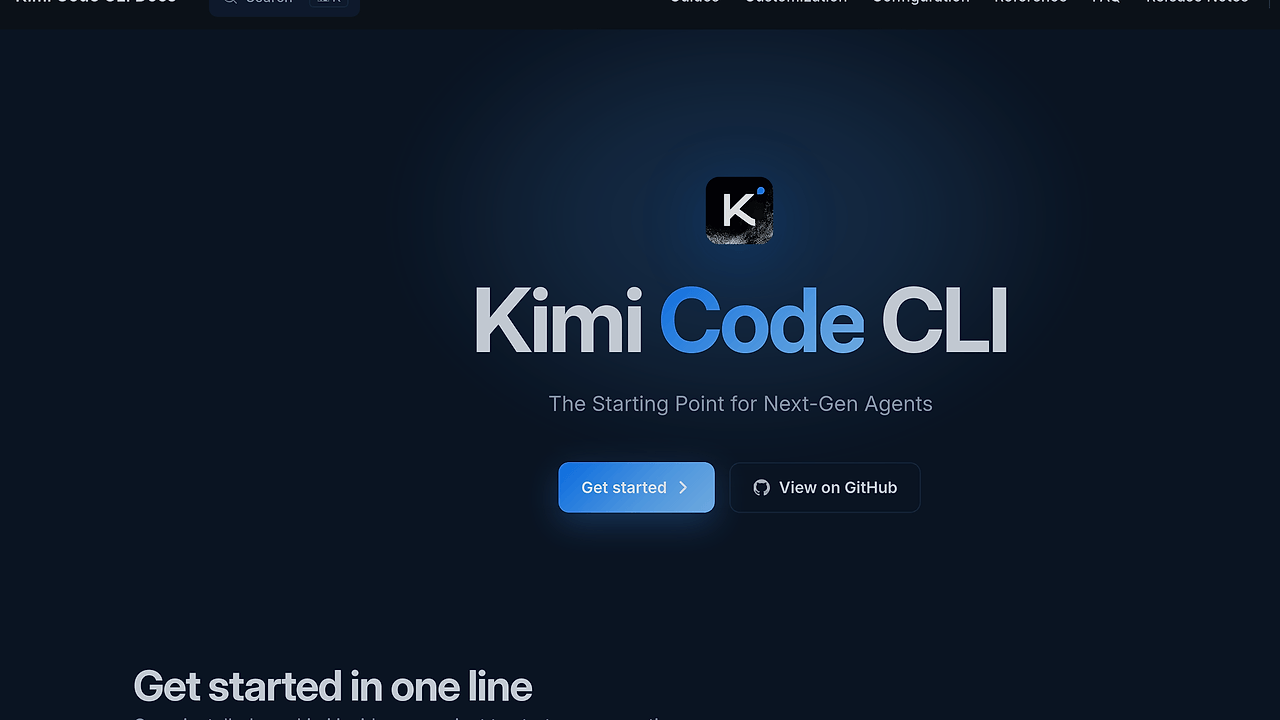
What Is Kimi Code CLI?
Kimi Code CLI is Moonshot AI's terminal-based AI coding agent, and Kimi Code CLI is one of the best AI Coding Agents tools for developers who want to inspect files, edit code, run shell commands, and search the web without leaving the shell. It ships as a single binary, starts in milliseconds, and works with Kimi models or other compatible providers.
The tool is built for session-driven work inside an existing repository. It sits in the terminal, watches the working directory, and uses the model to decide whether it should read files, patch code, call MCP servers, or ask for approval before risky actions. The result is a CLI-first workflow that fits people who already live in zsh, bash, or PowerShell.
Quick Overview
| Attribute | Details |
|---|---|
| Type | AI Coding Agents |
| Best For | developers |
| Language/Stack | TypeScript, Node.js 24.15+, pnpm 10.33.0, TUI, MCP |
| License | MIT |
| GitHub Stars | N/A as of Jan 2026 |
| Pricing | Open-Source |
| Last Release | N/A |
Who Should Use Kimi Code CLI?
- Terminal-first developers shipping code daily who want an agent inside the shell instead of a browser tab or IDE panel.
- Platform and infra teams managing repositories that need shell commands, file edits, and approval gates for risky operations.
- Moonshot AI users who already have Kimi access and want a local client that can plug into OAuth or an API key.
- Automation-heavy builders who want lifecycle hooks, MCP servers, and subagents for repeatable repo workflows.
Not ideal for:
- Teams that need a visual diff-centric IDE and do not want to think about terminal commands.
- Users who need an offline local-model setup with no provider login.
- Developers who want a pure chat assistant without file and command execution.
Key Features of Kimi Code CLI
- Single-binary install — The runtime does not require Node.js. On macOS and Linux, the official installer is a
curlpipe, and Windows uses a PowerShell bootstrapper, which avoids global package drift and PATH cleanup. - Fast TUI startup — The terminal UI is designed for long agent sessions and opens in milliseconds, so the tool feels like a shell utility rather than a heavyweight app.
- File, shell, and web actions — Kimi Code CLI can read and edit code, run shell commands, search files, and fetch web pages. That makes it usable for repo diagnosis, dependency inspection, and quick patching from the same prompt.
- Video input support — You can drop a screen recording or demo clip into the chat and let the agent interpret what is happening visually. That is useful for bug reports, UI regressions, and reproduction steps that are painful to explain in text.
- Conversational MCP setup — The
/mcp-configcommand lets you add, edit, and authenticate Model Context Protocol servers without hand-editing JSON. That lowers the friction of connecting internal services, local tools, or external APIs. - Built-in subagents —
coder,explore, andplansubagents run in isolated contexts, which keeps the main session cleaner and reduces prompt contamination when you want parallel reasoning. - Lifecycle hooks — Hooks can gate risky tool calls, emit notifications, or trigger custom automation at key points in the agent lifecycle. That is the right place to enforce policy in team environments.
Kimi Code CLI vs Alternatives
| Tool | Best For | Key Differentiator | Pricing |
|---|---|---|---|
| Kimi Code CLI | Terminal-native code agents with MCP and subagents | Single-binary CLI, video input, lifecycle hooks | Open-Source |
| Claude Code | Anthropic-centered terminal workflows | Tight fit with Claude ecosystem and broader mindshare | Paid |
| Aider | Git-centric pair programming in the terminal | Diff-first editing model with a smaller surface area | Open-Source |
| Cursor | IDE-first agentic coding | Visual editor workflow with inline AI assistance | Freemium |
If you are already standardized on Anthropic workflows, compare Kimi Code CLI with Claude Code Canvas and Claude Context Mode. Those tools make more sense when the model choice and developer workflow already orbit Claude, while Kimi Code CLI fits teams that want Moonshot AI support and a shell-native control loop.
Choose Aider when your team wants git-diff-centric edits and very explicit file patching. Choose Cursor when reviewers prefer an IDE surface and visual navigation over a terminal session. If you want planning before execution, pair Kimi Code CLI with Brainstorm MCP; if you are coordinating many agents across multiple tasks, OpenSwarm is the better adjacent piece.
How Kimi Code Works
Kimi Code CLI is a session-oriented terminal client built around a small set of core abstractions: conversation state, workspace context, tool execution, and approvals. The TUI, built on pi-tui, gives the agent a persistent shell surface where prompts, command output, and tool decisions stay in one place instead of bouncing between a browser and a code editor.
The runtime routes your request to the selected model provider, then lets the model decide whether it should inspect files, generate patches, run shell commands, search the repository, or query a connected MCP server. Subagents split work into isolated contexts so a planning pass does not contaminate a coding pass, which matters when the repository is large or the task has multiple branches.
Lifecycle hooks sit around the agent loop and act as control points for policy, notifications, and custom automation. That is the right place to block destructive commands, record audit logs, or trigger external scripts after a successful patch.
cd your-project
kimi
/login
/mcp-config
The first command moves into the repository, the second launches the terminal UI, and the third configures identity and provider access. After login, you can ask Kimi Code CLI to inspect the project, summarize the directory tree, or start a targeted refactor, and the agent will decide which files and commands it needs.
Pros and Cons of Kimi Code CLI
Pros:
- Single-binary distribution keeps setup simple and avoids Node runtime baggage for normal use.
- Fast startup makes it practical for short editing sessions and long-running agent work alike.
- MCP support reduces friction when connecting internal APIs, local services, or custom developer tooling.
- Subagents make multi-step tasks easier to separate into plan, explore, and implement phases.
- Video input is useful for UI bugs, screen recordings, and reproduction flows that are easier to show than describe.
- Hooks give teams a policy layer for approvals, notifications, and automation.
Cons:
- You still need provider access through OAuth or an API key, so the client is free but the model may not be.
- The terminal-first interface is a bad fit for teams that want visual diff review inside an IDE.
- The strongest experience depends on how well your provider setup and MCP servers are configured.
- Developers who want a fully local offline workflow will not get that from Kimi Code CLI alone.
- The development workflow for contributors still requires modern Node and pnpm versions.
Getting Started with Kimi Code CLI
curl -fsSL https://code.kimi.com/kimi-code/install.sh | bash
kimi --version
cd your-project
kimi
That install path works on macOS and Linux without a Node.js runtime. On first launch, run /login inside Kimi Code CLI and choose either Kimi Code OAuth or a Moonshot AI Open Platform API key. If you are on Windows, use the PowerShell installer shown in the project docs, reopen the shell, and then start kimi from the repository root.
Verdict
Kimi Code CLI is the strongest option for terminal-first code editing when you want a single-binary agent that can read files, run commands, and speak MCP natively. Its main strength is speed plus workflow density; the caveat is that model access still depends on login or API credentials. Choose Kimi Code CLI if your team prefers the shell over an IDE.


