What Is OVH 控制台?
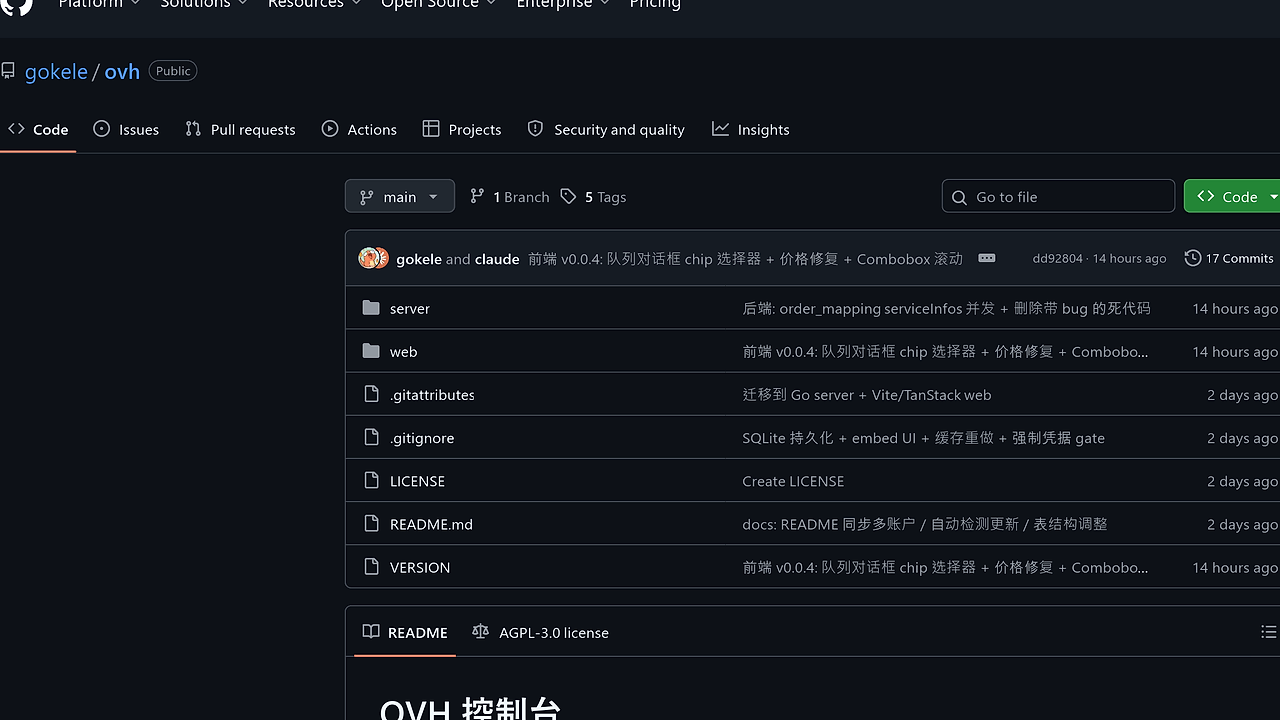
OVH 控制台 is a GitHub-built OVH server operations console from gokele that combines stock monitoring, auto-purchase, and lifecycle management for operators running OVH dedicated servers and VPS. It is one of the best OVH Infrastructure Management tools for developers and CTOs who need multi-account isolation, and it ties together 18 OVH subsidiaries with an SQLite-backed control plane.
The project is not just a buy bot. It also manages restarts, reinstallation, IPMI, BIOS, boot mode, firewall, FTP backup, vRack, Secondary DNS, maintenance tickets, and contact changes from the same UI. If your workflow lives inside OVH, OVH 控制台 removes the usual split between scripts, the official panel, and a separate monitoring stack.
Quick Overview
| Attribute | Details |
|---|---|
| Type | OVH Infrastructure Management |
| Best For | developers, indie hackers, and CTOs running OVH dedicated servers or VPS |
| Language/Stack | Go 1.21+, Gin, SQLite, Vite 5, React 18, TypeScript, TanStack Router/Query, shadcn-ui, Tailwind |
| License | N/A |
| GitHub Stars | N/A |
| Pricing | Open-Source |
| Last Release | N/A |
OVH 控制台 is built as a split-stack app with a Go API on port 19998 and a Vite/React frontend on 19997 during development. The production path uses //go:embed to bundle the UI into a single binary, so deployment is closer to shipping one executable than operating a full web app.
The repository snapshot also shows a design choice that matters: the tool is stateful but not heavy. It stores business data in SQLite, uses go-ovh for API calls, and avoids always-on polling by relying on cache TTLs and user-triggered refresh paths.
Who Should Use OVH 控制台?
- Solo founders buying bare metal fast — if you need to catch inventory spikes, preselect datacenter and addon constraints, and submit orders without clicking through the official portal.
- Platform teams with multiple OVH accounts — if separate projects, subsidiaries, or customer environments must stay isolated by
account_idwhile still sharing one operator dashboard. - Infra engineers managing the full server lifecycle — if you need reboot, reinstall, boot-mode, IPMI, maintenance, and network features from a single control plane.
- Ops teams that want a self-hosted console — if you prefer local SQLite, a single binary, and explicit API-key gating over SaaS dashboards.
Not ideal for:
- Teams that do not use OVH at all; OVH 控制台 is specialized around OVH APIs and OVH catalog semantics.
- Organizations that need enterprise SSO, audit pipelines, or multi-region HA out of the box.
- Users who only want a generic cloud inventory tracker with no purchasing automation.
Key Features of OVH 控制台
- Inventory monitoring with auto-ordering — OVH 控制台 continuously checks datacenter stock and can place orders automatically when a server matches the selected datacenter, memory, storage, bandwidth, and
vRackconstraints. The fail-fast rule is important: if the selected addon family does not match what OVH exposes, the order fails instead of silently downgrading to a default disk. - Multi-account isolation — every queue item, monitor subscription, and purchase history row is bound to
account_id. That means one account can buy onovh-euwhile another operates in a separate subsidiary or endpoint without credential bleed. - Single-binary deployment — the production build embeds the frontend into the Go binary with
//go:embed, then ships one executable with a bundled SQLite database path. For ops teams, that cuts down the usual dependency stack to one process and one data directory. - Dual SQLite driver support — OVH 控制台 can build against
modernc.org/sqlitefor pure Go deployments ormattn/go-sqlite3for cgo builds. The build-tag selection is useful when you need portability on Windows or static-style distribution, but still want the option to use the native driver. - OVH lifecycle management — after purchase, the console exposes reboot, reinstall, IPMI console, BIOS settings, boot mode, SPLA Windows unlock, task tracking, hardware replacement tickets, contact changes, firewall, backup FTP, Secondary DNS, virtual MAC, and
vRackmanagement. This is the part that turns the project from a sniper into a real operator console. - Telegram notifications — subscriptions can notify on replenishment changes through a Telegram Bot webhook. That gives you asynchronous alerting without wiring a separate notification service.
- Built-in update detection — the dashboard checks GitHub Releases and marks the version chip when a newer release is available. It is passive, so there is no cron loop or background goroutine constantly polling the release endpoint.
OVH 控制台 vs Alternatives
| Tool | Best For | Key Differentiator | Pricing |
|---|---|---|---|
| OVH 控制台 | End-to-end OVH stock monitoring, auto-buy, and server ops | Multi-account isolation plus full lifecycle control in one UI | Open-Source |
| coolci/OVH-BUY | Lightweight OVH buying automation | Earlier purchase-focused project with narrower operational scope | Open-Source |
| Official OVH Manager | Manual administration of existing OVH services | Vendor-native portal with full official account access | Free |
| OVH API scripts | Teams that want complete custom logic | Maximum flexibility, zero UI, fully self-authored workflows | Free |
Pick coolci/OVH-BUY if you only care about a simpler acquisition bot and do not need the post-purchase operating surface. Pick the official OVH Manager when you want the vendor console for support and day-to-day edits, but do not want to run your own app.
Pick OVH API scripts if your team wants to build a custom pipeline around go-ovh or raw HTTP calls. If you want that workflow to expand into broader ops, djevops is a better adjacent tool for deployment automation, and OpenTrace fits when you need log and trace inspection around the same infrastructure.
How OVH 控制台 Works
OVH 控制台 uses a straightforward three-layer design: a React frontend, a Gin API server, and SQLite for persistence. The frontend handles auth gating, account creation, search, and live views, while the backend owns the OVH SDK calls, queue processing, and database writes.
The technical decision that matters most is the account-routing model. Instead of one shared OVH client, the backend resolves the correct client factory by account_id, then performs stock checks, cart creation, configuration assignment, and checkout against that account's credentials. That keeps purchase retries, monitor subscriptions, and history records from crossing boundaries when multiple subsidiaries are active.
The order flow follows OVH's own cart sequence, so the tool does not invent a fake abstraction layer. It creates a cart, assigns it, adds the eco item, posts datacenter and product configuration, attaches addon options, requests a summary, and finally checks out.
# getting started example
cd web
npm install
npm run build

cd ../server
go build -tags ui -trimpath -ldflags "-s -w" -o ovh-server
./ovh-server
That build path produces a single executable with the UI embedded, which is the easiest way to ship OVH 控制台 on a VM or workstation. After startup, the app serves the frontend, reads its SQLite state from ./data/sniper.db, and waits for you to add an API secret and at least one OVH account.
Pros and Cons of OVH 控制台
Pros:
- True multi-account separation — purchase queues, monitor subscriptions, and histories are all keyed by
account_id, which is the right boundary for teams working across subsidiaries. - Single-binary deployment — the
uibuild tag and//go:embedpackaging reduce operational friction and make Windows and Linux distribution simple. - Full server operations surface — it covers both acquisition and post-purchase work, so you do not need a second admin tool once the machine is bought.
- SQLite-backed state — local persistence is simple to back up, inspect, and restore, and the schema is explicit rather than hidden behind a hosted service.
- Fail-fast order validation — addon mismatch causes hard failure, which is safer than quietly accepting an unintended storage or bandwidth profile.
- Native OVH API alignment — the cart and checkout flow mirrors OVH's documented process, which lowers the chance of edge-case drift.
Cons:
- OVH-specific by design — this is not a general cloud manager, so AWS, GCP, Azure, or Hetzner are outside its scope.
- Limited enterprise plumbing — there is no mention of SSO, RBAC granularity, or distributed HA in the snapshot you provided.
- UI is operator-focused — the product assumes you know OVH terminology such as
vRack,SPLA, andSecondary DNS. - Local SQLite can be a constraint — SQLite is excellent for a single operator or a small team, but it is not the same as a replicated database tier.
- Security is self-managed — API key auth and credential storage are present, but the operator still owns hardening, backups, and secret handling.
Getting Started with OVH 控制台
The fastest path is the embedded UI build because it gives you one binary and one data directory. You install the frontend dependencies, build the UI, compile the Go server with the ui tag, and then launch the executable on :19998.
# backend + embedded frontend quickstart
cd web
npm install
npm run build

cd ../server
cp .env.example .env
# edit API_SECRET_KEY and other server settings

go build -tags ui -trimpath -ldflags "-s -w" -o ovh-server
./ovh-server
After the first launch, the app expects an API secret and at least one OVH account before it opens the main workspace. The first valid account triggers prefetch for the server catalog, availability, and related data so the server list can render immediately instead of waiting on a second load.
Verdict
OVH 控制台 is the strongest option for OVH-heavy operators when they need stock monitoring, automatic ordering, and server lifecycle control in one self-hosted console. Its biggest strength is the multi-account, SQLite-backed control plane; the main caveat is that it only pays off if OVH is your actual infrastructure vendor. Recommend it for teams that want to own the automation stack instead of scripting around the official portal.