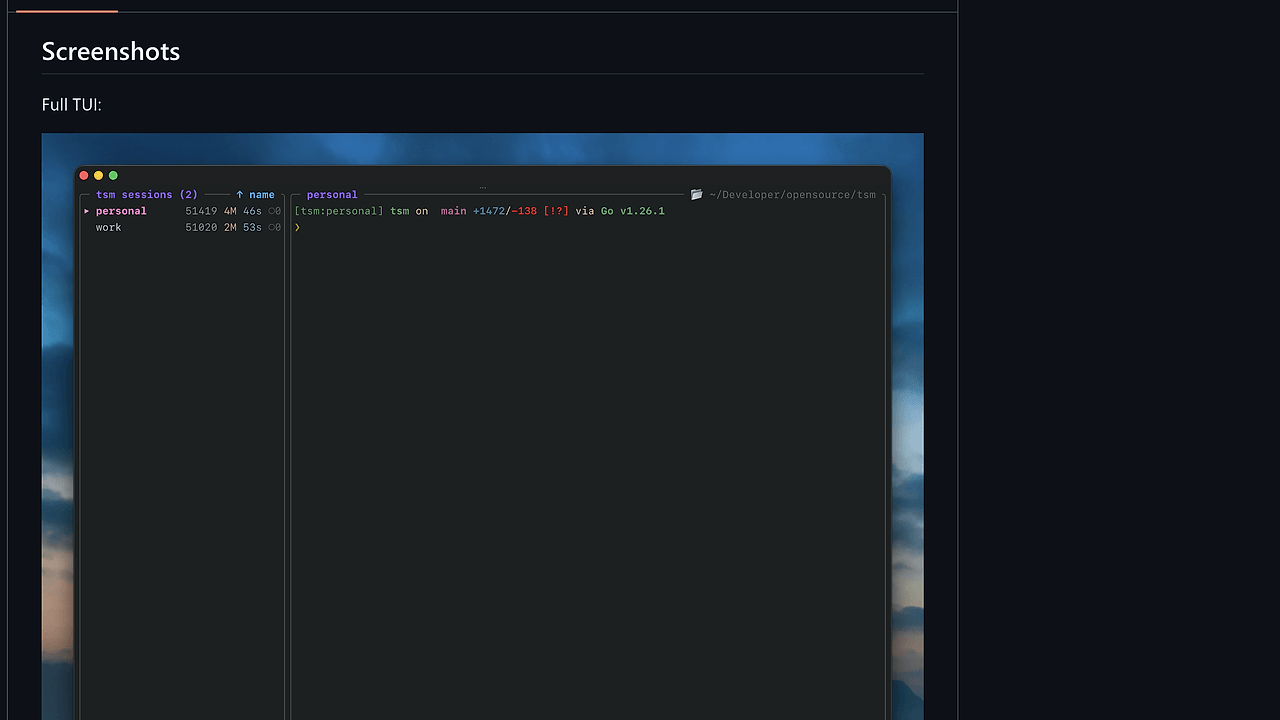
What Is RMUX?
RMUX is a Rust-built terminal multiplexer and daemon-backed SDK from Helvesec, and RMUX is one of the best Terminal Multiplexers tools for developers, indie hackers, and platform teams that need detachable SSH sessions, scriptable terminal control, and state inspection. The project shipped v0.2.0 on 18 May 2026, and the page states that all 90 tmux-compatible commands are implemented, with support for Linux, macOS, and Windows without requiring WSL.
RMUX exists for a very specific problem: keep long-lived terminal work alive, inspectable, and automatable even when the human or agent disconnects. That makes it relevant for CLI workflows, AI agents, and any Rust application that needs terminal session control without pretending the terminal is just another log stream.
Quick Overview
| Attribute | Details |
|---|---|
| Type | Terminal Multiplexers |
| Best For | Developers, indie hackers, and platform teams that need detachable terminal sessions for SSH jobs, AI agents, and automation |
| Language/Stack | Rust, Tokio, PTYs, Ratatui, daemon-backed IPC |
| License | MIT OR Apache-2.0 |
| GitHub Stars | N/A as of May 2026 |
| Pricing | Open-Source |
| Last Release | v0.2.0 — 18 May 2026 |
RMUX is not just a terminal UI wrapper around process spawning. The design centers on a daemon and a shared local protocol, so the CLI, Rust SDK, and Ratatui widget all operate on the same session model. That matters when you need predictable behavior across shell scripts, app code, and interactive tooling.
The practical read on RMUX is simple: if you are comparing the best Terminal Multiplexers 2026 for automation, RMUX is the one built around inspectable state and typed APIs rather than just manual session switching. If your work includes agent orchestration, you can also pair it with OpenSwarm for multi-agent coordination and OpenTrace for visibility into what each automated session did.
Who Should Use RMUX?
- Solo indie hackers building long-running CLI agents over SSH who need sessions that survive disconnects and can be resumed later.
- Platform and SRE teams running maintenance jobs, deployments, or incident workflows that benefit from detachable panes and reproducible terminal state.
- Rust developers embedding terminal control into products using
rmux-sdkandratatui-rmuxinstead of shelling out totmux. - Toolsmiths and automation engineers who want a typed session model, snapshot inspection, and local IPC rather than screen scraping a terminal.
Not ideal for:
- Teams that want the most battle-tested multiplexer today and do not want to tolerate preview-quality bugs.
- Users who only need a simple interactive terminal split and do not care about scripting or SDK access.
- Environments that forbid local daemon processes or require a purely stateless CLI tool.
Key Features of RMUX
-
tmux-compatible command surface — RMUX implements 90 tmux-compatible commands as of v0.2.0, so existing terminal habits translate cleanly for common workflows like
new-session,split-window, andsend-keys. The compatibility layer matters for migration, but the project still has its own state model underneath. -
Daemon-backed session persistence — RMUX keeps sessions alive in a local daemon, which means panes, layouts, and buffers are inspectable after the client disconnects. That is the core feature for agent work, because the session outlives the shell process that created it.
-
Typed Rust SDK —
rmux-sdkexposes higher-level primitives such asensure_session,wait_for_text, andsnapshot, which are far safer than parsing terminal output from a subprocess. The SDK is built for Tokio, so it fits naturally into async Rust services and test harnesses. -
Native Ratatui integration —
ratatui-rmuxrenders pane state directly inside TUI apps, so you can embed a live terminal view without inventing your own terminal parser. This is the right layer if you are shipping a custom Rust operator console or agent monitor. -
Cross-platform local transport — RMUX supports Linux, macOS, and Windows, including Windows Named Pipes with no WSL dependency. That makes it more practical than Unix-only terminal tooling when your team ships on mixed developer machines.
-
Structured snapshots and inspectable buffers — RMUX treats terminal state as data, not just pixels, which is why the SDK can query a pane snapshot and wait for text. That enables deterministic automation flows, especially when paired with CI or browser-driven tests.
-
Session orchestration demos — The repo includes demos for multi-agent orchestration, terminal-to-browser mirroring, and Playwright testing. Those examples show that RMUX is meant for orchestration, not only for human split panes.
RMUX vs Alternatives
| Tool | Best For | Key Differentiator | Pricing |
|---|---|---|---|
| RMUX | Agent-friendly terminal persistence with CLI + SDK + TUI surfaces | One daemon, one protocol, three public surfaces | Open-Source |
| tmux | Mature terminal multiplexing and remote session workflows | Massive ecosystem and long history | Open-Source |
| Zellij | Modern interactive terminal workspace | Strong UI-first workflow and plugin model | Open-Source |
| screen | Minimal session persistence on legacy systems | Ubiquitous and simple on old Unix setups | Open-Source |
Pick tmux when you want the safest default and already know the command set by heart. tmux still wins on ecosystem maturity, muscle memory, and battle-tested edge cases.
Pick Zellij when the UI is the main product and you want a more opinionated workspace with modern ergonomics. Zellij is a better fit for people who live in the terminal interactively, while RMUX is better when the terminal must also be driven from code.
Pick screen only when compatibility or minimalism matters more than ergonomics. RMUX is the stronger choice if you need structured snapshots, a typed Rust API, or a path to agent automation.
RMUX is also a natural companion to OpenSwarm if you are coordinating multiple agents inside persistent sessions, and to OpenTrace if you need a trace layer around what those sessions executed. If your shell workflow is already centered around an AI assistant, Claude Context Mode is the closer adjacent tool for context handling, while RMUX provides the terminal substrate underneath.
How RMUX Works
RMUX is built around a single local protocol that connects three surfaces: the rmux CLI, the rmux-sdk crate, and the ratatui-rmux widget. The repository’s architecture section shows a shared daemon model, with rmux-core owning sessions, panes, layouts, formats, hooks, and buffers, while rmux-pty handles PTY allocation, resize, and child process control.
That split is the technical point of the project. rmux-proto defines detached IPC DTOs and wire-safe errors, rmux-ipc provides local endpoints and transports, and rmux-server runs the Tokio daemon and request dispatch. In practice, this means a session can be created by the CLI, queried by Rust code, and rendered in a TUI without each surface re-implementing terminal semantics.
A basic CLI flow looks like this:
rmux new-session -d -s work
rmux split-window -h -t work
rmux send-keys -t work 'echo "hello from rmux"' Enter
rmux attach-session -t work
The first command creates a detached session, the second adds a horizontal split, the third sends input to the pane, and the last reconnects you to the live session. If you use the SDK instead, the same model is exposed as typed objects and async methods, which is the safer path for automation and agent control.
Pros and Cons of RMUX
Pros:
- One model across CLI, SDK, and TUI means less drift between manual use and programmatic use.
- Daemon-backed persistence keeps sessions alive across disconnects, which is what long-running agents and remote jobs need.
- Typed async Rust API avoids brittle output parsing and fits cleanly into Tokio services.
- Cross-platform support includes Windows Named Pipes, which reduces environment friction for mixed teams.
- Inspectable snapshots and text waiters make it much easier to build deterministic automation.
- tmux command compatibility lowers the switching cost for existing terminal users.
Cons:
- v0.2.0 is still a public preview, and the maintainer explicitly expects bugs.
- Ecosystem maturity is far behind tmux, so docs, recipes, and community knowledge are thinner.
- The architecture is daemon-centric, which may not fit teams that want a pure stateless binary.
- The strongest value is in Rust and automation workflows, so casual interactive users may not feel the benefit.
- Compatibility is not the same as identity, so edge-case tmux behavior can still differ.
Getting Started with RMUX
RMUX is easiest to try through the install script or Cargo, and you can get to a live session in under a minute. If you are only testing the CLI, no extra configuration is required beyond installing the binary.
curl -fsSL https://rmux.io/install.sh | sh
rmux new-session -d -s work
rmux split-window -h -t work
rmux send-keys -t work 'echo "hello from rmux"' Enter
rmux attach-session -t work
If you are integrating RMUX into Rust, add rmux-sdk and ratatui-rmux to Cargo.toml, then call connect_or_start() from the SDK to connect to the daemon or launch it if needed. After that, you can create or reuse sessions, send text, wait for output, and snapshot pane state for assertions or rendering.
For teams testing agent workflows, the useful next step is to automate a long-lived shell command, then confirm the output with wait_for_text instead of sleeping blindly. That pattern is much easier to stabilize than raw subprocess orchestration, especially when a session needs to survive network drops.
Verdict
RMUX is the strongest option for agent-friendly terminal persistence when you need the same session model in CLI, Rust code, and TUI widgets. Its biggest strength is the typed daemon-backed architecture; its main caveat is maturity, since v0.2.0 is still a public preview. Choose RMUX if you are building around terminal automation, not just replacing tmux.