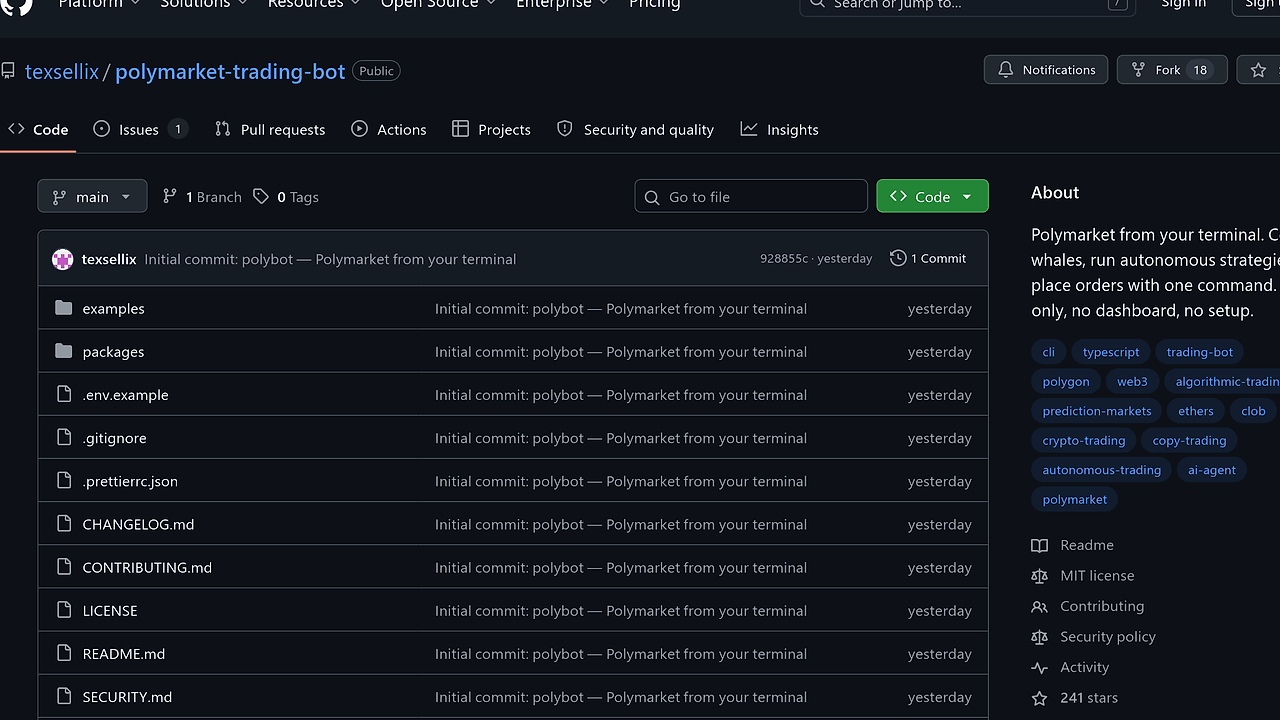
What Is Polybot?
Polybot is an open-source CLI tool built by texsellix that brings Polymarket trading to the terminal on Node.js 20+. Polybot is one of the best CLI Tools tools for Polymarket traders who want to scan markets, mirror wallets, and place orders without a browser; the repo ships as a four-package TypeScript monorepo and defaults to paper trading, so the first run is safe by design.
This is not a wrapper around browser automation. Polybot talks directly to the Polymarket CLOB v2 and related APIs, then signs orders with EIP-712 so execution stays close to the exchange protocol instead of a DOM scraping layer.
Quick Overview
| Attribute | Details |
|---|---|
| Type | CLI Tools |
| Best For | Polymarket traders |
| Language/Stack | TypeScript, Node.js 20+, Polymarket CLOB v2, Polygon, EIP-712 signing |
| License | MIT |
| GitHub Stars | N/A as of Feb 2026 |
| Pricing | Open-Source |
| Last Release | N/A |
Polybot is a terminal-first system, not a hosted SaaS. That matters because the execution path, wallet controls, and strategy engine all live in the same codebase, so you do not need a dashboard, a database, or a background worker fleet just to place a trade.
Who Should Use Polybot?
- Terminal-native traders who want to scan, quote, and trade Polymarket from
bashinstead of clicking through a web app. - Indie hackers building a niche trading workflow who need a small, auditable codebase they can fork and run locally.
- AI/agent builders wiring a model to live market actions, especially when the agent needs direct order placement through an SDK.
- Quant-minded developers who care about risk gates, slippage limits, and deterministic execution over visual dashboards.
Not ideal for:
- Casual users who just want to browse markets occasionally and do not need command-line automation.
- Teams that want managed infrastructure with hosted auth, centralized logging, and a compliance layer already built in.
- Users without a Polygon wallet or without USDC.e available for live trading.
Key Features of Polybot
- Terminal trading workflow —
polybot scan,polybot quote, andpolybot tradecover discovery through execution without requiring a browser session. That keeps the workflow scriptable and easy to chain inside shell scripts, cron jobs, or CI jobs. - Paper trading by default — every command and SDK instance starts in paper mode unless you pass
--live. The risk engine enforces that boundary at execution time, so a strategy cannot accidentally go live because of a bad flag or a misbehaving agent. - Copy trading —
polybot copywatches a target wallet on the Polymarket Data API and mirrors entries and exits at a configurable size multiplier. Per-market cooldowns and slippage guards are built in, which reduces chase risk when a whale moves fast. - Autonomous strategies —
polybot autosupports arbitrage, mean reversion, momentum, and endgame logic. These strategies are useful when you want systematic execution over discretionary clicks, and they can be combined in one run with per-trade sizing. - Wallet mode support — Polybot handles a Polygon EOA by default and can also work with Polymarket proxy wallets or Gnosis Safe via
POLY_FUNDER_ADDRESSandPOLY_SIGNATURE_TYPE. That flexibility matters if your funds live in a custody pattern other than a raw hot wallet. - SDK-first architecture —
@polybot/sdkexposes the same capabilities as the CLI, which makes Polybot easy to embed in Brainstorm MCP-style agent workflows or orchestrate through OpenSwarm when you need multi-step reasoning before execution. - Security controls — keys are encrypted before they leave the machine, plaintext exists only in memory during signing, and Pino redaction strips sensitive fields from logs. The local cache stores only an address and a non-reversible fingerprint, so you can inspect the wallet registry without exposing secrets.
Polybot vs Alternatives
| Tool | Best For | Key Differentiator | Pricing |
|---|---|---|---|
| Polybot | Polymarket terminal trading and agent execution | Native Polymarket CLOB v2 support, copy trading, and non-bypassable risk controls | Open-Source |
| Hummingbot | General exchange market making and arbitrage | Broad exchange support, but not purpose-built for Polymarket order flow | Open-Source |
| Playwright | Browser automation and scraping | DOM-level automation, but no native order-signing or trading risk engine | Open-Source |
| OpenSwarm | Multi-agent orchestration | Coordinates agents and workflows, while Polybot handles the actual trade execution | Open-Source |
Pick Polybot when the primary problem is executing Polymarket trades from code, not just observing a market. Pick Hummingbot if you need a broader market-making framework across centralized venues, and pick Playwright only if you are forced into browser automation for a workflow that has no API.
If your trading stack is agent-first, Brainstorm MCP can help with market reasoning and task decomposition, while Polybot handles the signed order path. If you need a swarm to manage multiple research and execution roles, OpenSwarm is the orchestration layer; Polybot remains the execution primitive.
How Polybot Works
Polybot is structured as a small TypeScript monorepo with four packages: cli, sdk, core, and engine. The design choice is simple: one code path for human operators, one code path for agents, and no separate backend service to keep synchronized.
The core package owns the protocol adapters for Gamma, Polymarket CLOB v2, the Data API, and WebSocket streams. The engine package owns the RiskManager, WalletWatcher, and strategy logic, so every trade intent passes through the same guardrails whether it originates from a shell command or from an LLM agent.
npm i -g polybot
polybot login
polybot scan --limit 10
polybot copy --target 0xWhale --size-multiplier 0.05 --live
The commands above show the intended flow: authenticate once, inspect market state, then decide whether to paper trade or commit real USDC. When you add --live, Polybot signs and submits the order; when you omit it, the same path executes in paper mode so you can validate strategy behavior without risking funds.
Under the hood, Polybot relies on direct API calls and EIP-712 signing rather than browser control. That means latency is dominated by network and exchange response time, not by rendering or selector stability, which is exactly what you want for a terminal trading loop or a headless agent.
Pros and Cons of Polybot
Pros:
- Direct CLOB execution keeps the path short between signal generation and order submission.
- Paper trading default reduces accidental live trades during testing and agent development.
- Single-language stack in TypeScript makes it easy to read, fork, and extend.
- SDK and CLI parity let you prototype in the terminal and embed the same logic in a backend later.
- Risk engine enforcement prevents strategies from bypassing caps, loss limits, and market allowlists.
- Wallet mode flexibility supports EOA, proxy, and Safe-based operational setups.
Cons:
- Node.js only means teams standardized on Python or Go need a translation layer or wrapper.
- Polymarket-specific design limits reuse if you need a multi-venue trading bot.
- Live trading still requires wallet discipline because key management is local and operational mistakes are on you.
- No hosted dashboard means observability and reporting are your responsibility if you want more than terminal output.
- Strategy set is focused on a few concrete approaches, not a general-purpose quant research platform.
Getting Started with Polybot
npm i -g polybot
polybot login
polybot scan
polybot quote --market trump-2028
polybot trade --market trump-2028 --side BUY --outcome YES --usdc 25
That gets you from install to a first paper trade in a few commands. Polybot will prompt for a wallet key during setup, encrypt it before it leaves your machine, and store only the minimum metadata needed to reopen the wallet later.
If you are using a Polymarket proxy wallet or a Gnosis Safe, set POLY_FUNDER_ADDRESS and POLY_SIGNATURE_TYPE before trading live. The CLI then signs through the correct wallet mode without changing the order syntax, which keeps automation scripts portable across wallet types.
Verdict
Polybot is the strongest option for terminal-native Polymarket automation when you want direct CLOB execution without a browser or backend. Its best strength is the combination of paper-first safety, SDK parity, and risk-gated order flow; the main caveat is that it stays narrowly focused on Polymarket. If that is your venue, Polybot is the right default.


