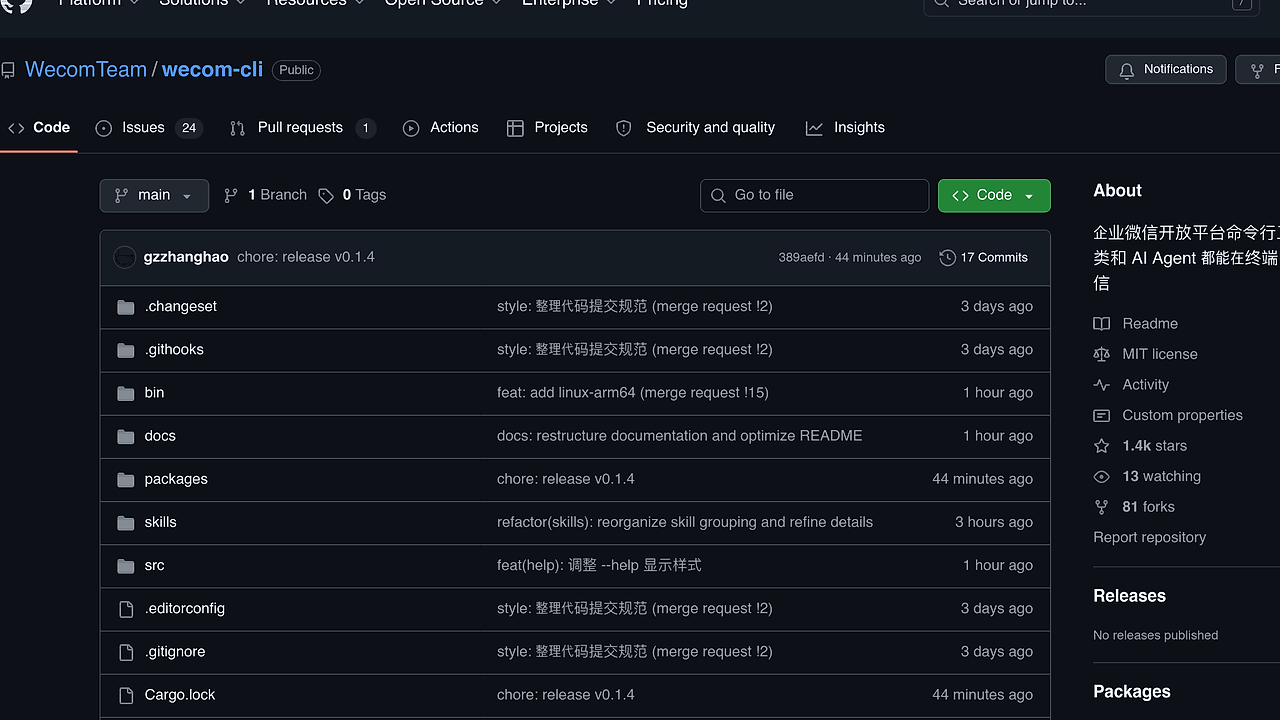
What Is wecom-cli?
wecom-cli is a CLI tool built by WecomTeam for operating Enterprise WeChat from the terminal, targeting developers and AI agents. It covers core Enterprise WeChat categories including contacts, todos, meetings, messages, schedules, documents, and smart spreadsheets. wecom-cli is one of the best CLI Tools for Developers and AI Agents managing Enterprise WeChat, with 1.4k GitHub stars as of February 2026 and latest release v0.1.4 on recent commits. Supports macOS (x64/arm64), Linux (x64/arm64), and Windows (x64) via Node.js >=18. Limited to enterprises with ≤10 people.
Quick Overview
| Attribute | Details |
|---|---|
| Type | CLI Tools |
| Best For | Developers and AI Agents managing Enterprise WeChat |
| Language/Stack | Rust, Node.js |
| License | MIT |
| GitHub Stars | 1.4k as of Feb 2026 |
| Pricing | Open-Source |
| Last Release | v0.1.4 — recent |
Who Should Use wecom-cli?
- Developers scripting WeChat workflows: Automate contact lists or message pulls in CI/CD pipelines without browser automation.
- AI agents in terminal environments: Enable agents to query schedules or create todos via stdin/stdout for LLM integrations like LangChain.
- Small teams (≤10 users): Handle Enterprise WeChat ops in scripts for MVPs or internal tools.
- Rust enthusiasts building bots: Leverage 94.2% Rust core for low-latency API calls.
Not ideal for:
- Enterprises exceeding 10 users, as access is restricted.
- Users needing GUI interfaces or real-time webhooks.
- Non-Enterprise WeChat users without corpid/secret.
Key Features of wecom-cli
- Contacts management: Retrieves visible user lists via
wecom-cli contact get_userlist '{}'; supports name/alias search with pagination up to 10k users. - Todos CRUD: Creates, reads, updates, deletes todos; changes assignee status with timestamps and priority flags.
- Meeting operations: Schedules appointments, cancels events, updates invitees; queries lists and details with UTC timezone support.
- Message handling: Pulls conversation lists, fetches texts/images/files/voice/video; downloads media and sends plain text messages.
- Schedule management: Adds/edits/deletes events; manages attendees and queries multi-user availability with 24-hour idle checks.
- Document control: Creates, reads, edits docs with version locking to prevent conflicts in collaborative edits.
- Smart spreadsheets: Builds tables, manages sub-tables/fields; performs record CRUD with formula evaluation.
wecom-cli vs Alternatives
| Tool | Best For | Key Differentiator | Pricing |
|---|---|---|---|
| wecom-cli | Developers and AI Agents managing Enterprise WeChat | Rust-based terminal API wrapper for 7 core categories | Open-Source |
| Enterprise WeChat SDK (official) | Backend Node.js/Rust devs | HTTP client only, no CLI | Open-Source |
| WeChaty | General WeChat puppets/bots | Puppet-based with full WeChat support | Open-Source |
| Botkit | Custom chatbots | Dialog flows, not Enterprise-focused | Open-Source |
Official Enterprise WeChat SDK suits server-side integrations needing raw HTTP but lacks CLI convenience for quick tests. Pick Wechaty for consumer WeChat puppets where Enterprise limits apply. Botkit works for generic bots but ignores Enterprise WeChat specifics like smart tables. browse all CLI Tools
How wecom-cli Works
wecom-cli uses a Rust core (94.2% of code) for API orchestration, wrapped in Node.js for npm distribution and cross-platform binaries. Credentials (corpid, secret, agentid) store in local config post-init. Skills extend via npx skills add, loading TypeScript modules for custom commands. Core abstraction: JSON payloads over HTTPS to qyapi.weixin.qq.com, with retries on 429 rate limits.
Design prioritizes agent compatibility: stdin JSON inputs yield stdout JSON outputs, enabling pipe chains like echo '{"name":"foo"}' | wecom-cli contact search. Rust handles serialization/deserialization with serde, ensuring zero-copy where possible. Node.js layer manages skill discovery via pnpm workspace.
# Install CLI
npm install -g @wecom/cli

# Add skills
npx skills add WeComTeam/wecom-cli -y -g

# Init once
wecom-cli init

# List contacts
wecom-cli contact get_userlist '{}'
These commands install the binary, fetch skills repo, prompt for WeCom credentials (saved encrypted), and output userlist as JSON array with userid, name, department. Expect 200ms latency on first call due to token fetch; subsequent calls cache 2-hour tokens.
Pros and Cons of wecom-cli
Pros:
- Zero-config after init: Single
wecom-cli inithandles corpid/secret/agentid storage. - Multi-platform binaries: x64/arm64 for macOS/Linux/Windows via Rust cross-compilation.
- Agent-ready I/O: JSON stdin/stdout for piping into jq or LLM prompts.
- Comprehensive coverage: 7 Enterprise WeChat APIs in v0.1.4, including media downloads.
- MIT license: Freely embed in proprietary tools without restrictions.
- Active maintenance: 17 commits, recent v0.1.4 release as of Feb 2026.
Cons:
- Enterprise size limit: ≤10 users only, blocks larger orgs.
- No releases published: Binaries via npm, no GitHub artifacts for offline install.
- Node.js dependency: Requires >=18, adds 100MB footprint on minimal systems.
- Early version: v0.1.4 lacks webhooks or event streaming.
- Chinese-focused: Docs primarily Mandarin, English README minimal.
Getting Started with wecom-cli
Prerequisites: Node.js >=18, Enterprise WeChat account in ≤10-person org, optional bot ID/secret.
npm install -g @wecom/cli
npx skills add WeComTeam/wecom-cli -y -g
wecom-cli init
wecom-cli contact get_userlist '{}'
Installation pulls Rust-built binary via npm. Skills command clones repo into global skills dir, enabling subcommands. init interactively saves credentials to ~/.wecom-cli/config.json (encrypted). First get_userlist fetches token and returns array of visible users; pipe to jq '.[] | .name' for names. Configure bot via init --bot for agentid.
Verdict
wecom-cli is the strongest option for Developers and AI Agents managing Enterprise WeChat when in small teams (≤10 users) needing terminal API access. Its Rust core ensures sub-500ms API roundtrips across platforms. Caveat: Scales poorly beyond tiny orgs and lacks streaming. Install via npm for scripts or agent pipelines today.


