What Is a2text?
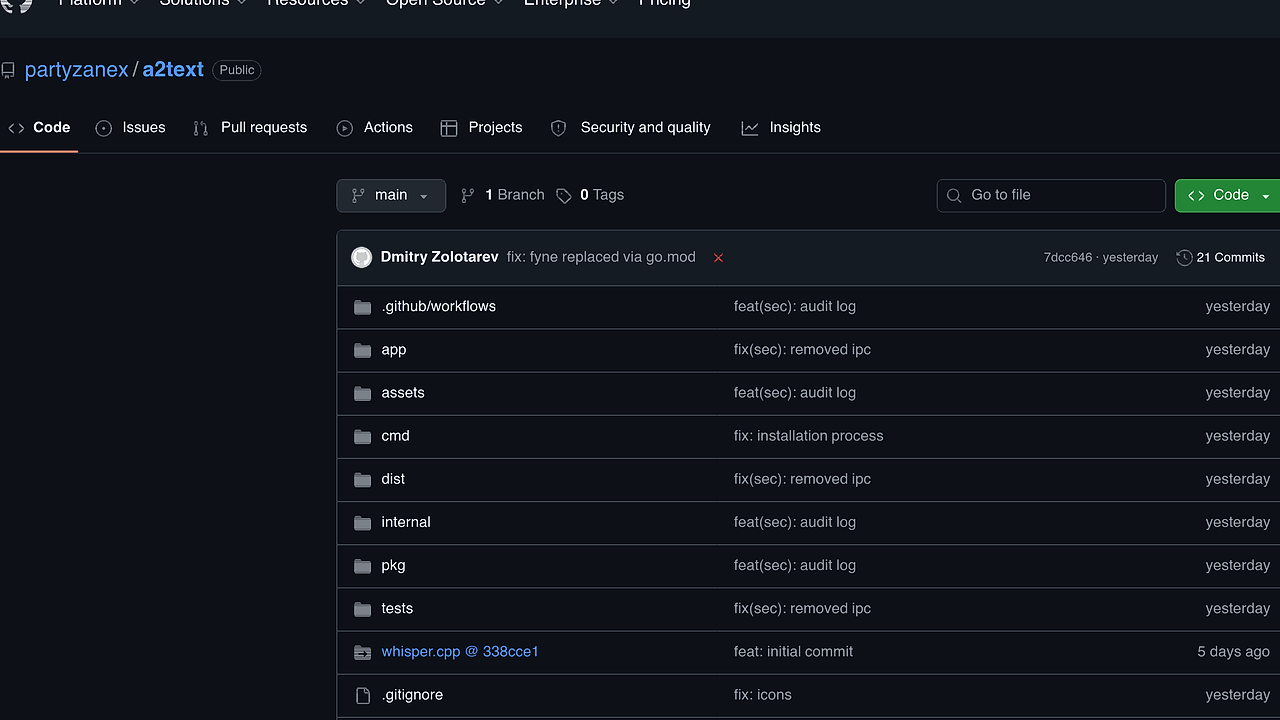
a2text is a Linux voice dictation daemon built by partyzanex that turns speech into text with a global hotkey, tray icon, and autopaste flow for GNOME Wayland and X11 fallback users. a2text is one of the best Linux Dictation Tools for Linux developers and power users. It ships four STT paths, three output modes, and two capture backends, so you can keep everything local with whisper.cpp or route audio to OpenAI and Deepgram when you need cloud transcription.
Quick Overview
| Attribute | Details |
|---|---|
| Type | Linux Dictation Tools |
| Best For | Linux developers and power users |
| Language/Stack | Go, Fyne v2, whisper.cpp, evdev/uinput, PipeWire, PulseAudio, Wayland, X11 |
| License | N/A |
| GitHub Stars | N/A as of Feb 2026 |
| Pricing | Open-Source |
| Last Release | N/A |
Who Should Use a2text?
- Wayland-first Linux users who want global dictation without relying on app-specific accessibility APIs or browser extensions.
- Developers writing in terminals, IDEs, and chat tools who need a hotkey to inject text into the active window with minimal friction.
- Privacy-conscious operators who want local whisper.cpp transcription, optional audio retention, and a clipboard-only mode instead of forced keystroke injection.
- Power users on GNOME or mixed Wayland/X11 setups who need a single daemon, tray icon, and settings UI instead of a pile of shell scripts.
Not ideal for:
- Locked-down multi-user desktops where you cannot join the
inputgroup or trust/dev/uinputaccess. - Teams that need managed SSO, central policy, or fleet telemetry because a2text is a local desktop daemon, not an admin console.
- Users who expect zero configuration on hostile networks because local models, cloud keys, and clipboard behavior still need explicit setup.
Key Features of a2text
-
Global hotkey capture via evdev — a2text reads raw
input_eventpackets from/dev/input/event*, so the hotkey works outside the focused app and even outside the active session on Linux. The daemon filters devices withEVIOCGBIT(EV_KEY)before reading, which reduces unnecessary keyboard handles on typical laptops from dozens of input nodes to only the real keyboards. -
Local and cloud STT backends — a2text supports local whisper.cpp through CGo, a
go-whisperHTTP service, OpenAI, and Deepgram. That gives you an offline path for sensitive dictation and a remote path when you want streaming or vendor-hosted transcription. -
Clipboard-first delivery pipeline — output modes include
stdout,clipboard, andclipboard-autopaste, so you can choose whether a transcript is printed, copied, or injected into the active window. The clipboard mode is the cleanest choice when you do not want/dev/uinputsynthesis at all. -
Wayland-friendly autopaste backends — a2text can synthesize Ctrl+V with
uinput,wtype,ydotool, orxdotool, andautopicks the first backend that probes as ready. On Wayland,uinputis the most native path because it behaves like a kernel keyboard instead of a compositor-specific hack. -
Privacy controls that actually matter — the daemon can skip low-volume captures with
capture.silence_threshold_dbfs, cap long recordings withcapture.max_duration, archive raw audio in WAV or OGG, and optionally log transcripts. The audit trail records cloud STT calls, HTTP status, audio SHA-256, and transcript length in an append-only file underXDG_DATA_HOME. -
Single-instance lifecycle with tray and settings UI — a2text uses a flock-based PID lock, ships a stateful system tray menu, and exposes a Fyne v2 settings window with live validation and auto-save. That means you get a desktop app experience without losing the predictability of a daemon.
-
First-run model bootstrap — the local whisper.cpp provider can auto-fetch
ggml-tiny.bininto the XDG data directory on first run, which lowers the barrier to offline dictation. Bigger models can be downloaded from the model dialog when you want better accuracy at the cost of RAM and disk.
a2text vs Alternatives
| Tool | Best For | Key Differentiator | Pricing |
|---|---|---|---|
| a2text | Linux-wide voice dictation with hotkey capture and autopaste | Combines evdev hotkeys, clipboard safety, local/cloud STT, and Wayland-focused delivery | Open-Source |
| Moonshine Voice | Dedicated voice-to-text workflows | Better fit if you want a more focused STT app and do not need a full Linux daemon with tray/UI lifecycle | Open-Source |
| Claude Code Canvas | AI-assisted coding sessions | Better if speech is just one input channel inside an AI coding workspace rather than a system dictation daemon | Open-Source |
| MiniVim | Keyboard-first text editing | Better when you want a lean Vim-style editing surface after transcription instead of OS-level audio capture | Open-Source |
Pick Moonshine Voice when your main requirement is speech recognition and you do not care about /dev/uinput, tray state, or Linux session integration. Pick Claude Code Canvas when dictation feeds an AI coding loop and you want the editor workflow to be the center of gravity.
Pick MiniVim if your actual bottleneck is editing speed after transcription, not capturing audio in the first place. If you are comparing broader Linux input utilities, it is also worth browsing all CLI Tools for adjacent automation patterns.
How a2text Works
a2text is built as a long-running desktop daemon with a small state machine: idle, recording, transcribing, delivering, and error. The core abstraction is simple, which is why the tool is usable on a messy Linux desktop — one component captures audio, one component sends frames to an STT backend, and one component delivers text through stdout, the clipboard, or virtual keystrokes.
The capture side supports pw-record for PipeWire and parec for PulseAudio, then hands PCM audio to the selected provider. The transcription side can call local whisper.cpp through CGo, forward the request to a go-whisper HTTP service, or send raw audio to OpenAI or Deepgram when cloud routing is enabled.
The hotkey path is the part that makes a2text feel like a native desktop utility. On Linux Wayland, the daemon reads raw evdev packets from /dev/input/event*, requires membership in the input group, and uses EVIOCGBIT(EV_KEY) to skip non-keyboard devices before it opens anything expensive.
sudo usermod -aG input "$USER"
make build
make install
a2text
The first command grants read access to the kernel input devices that evdev needs. The next two commands compile and install the daemon, then start the tray app and settings UI; after that, pressing the default Super+R hotkey begins a dictation cycle and sends the transcript to the current focus target.
The design is intentionally conservative. a2text keeps a single-instance lock under $XDG_RUNTIME_DIR, zeroes its input-event buffer after dispatch, and refuses to start if the required kernel handle is unavailable. That means the security model is visible and testable instead of being hidden behind a compositor extension or an opaque accessibility layer.
Pros and Cons of a2text
Pros:
- Works across the whole desktop session because evdev sees hardware input rather than app-local shortcuts.
- Supports offline transcription with local whisper.cpp, which is the right default for sensitive text and unstable networks.
- Has real Wayland fallback paths with
uinput,wtype,ydotool, andxdotoolinstead of betting on one compositor API. - Includes clipboard safety controls such as snapshot/restore and a pre-paste race guard.
- Exposes operational knobs like silence thresholds, max duration, model selection, audio archives, and transcript logs.
- Ships with a settings GUI so you do not need to hand-edit YAML for every workflow change.
Cons:
- Requires
inputgroup membership for evdev hotkeys, which is a hard permission boundary rather than a soft warning. - Trusts same-UID processes enough that hostile local code can still inspect memory or temp files.
- Cloud provider keys are plaintext by default in YAML unless you move them into environment variables.
- Model downloads are not yet SHA-pinned against a manifest, so you still need to trust the model source.
- Wayland autopaste still depends on backend readiness and can fail if
uinputor the chosen injector is blocked by policy.
Getting Started with a2text
The quickest path is to build from source, install into your user prefix, and let the daemon fetch the default local model on first run. If you need evdev hotkeys, add your account to the input group before launching the app so the backend can open /dev/input/event* without permission errors.
sudo usermod -aG input "$USER"
make build
make install
a2text
After the first launch, a2text creates its XDG config and data directories, downloads ggml-tiny.bin for the local whisper.cpp backend, and opens the tray plus Fyne settings window. If you want cloud transcription, set the provider and key in the UI or through the A2TEXT_*_API_KEY environment variables, then switch output mode to clipboard-autopaste only if you trust same-UID code on the machine.
Verdict
a2text is the strongest option for Linux dictation on Wayland when you want local-first speech input with clipboard-safe autopaste. Its biggest win is the combination of evdev hotkeys, multiple STT backends, and a real security model; its main caveat is kernel-level permission and trust complexity. If that trade-off matches your desktop, a2text is worth deploying.