What Is ast-outline?
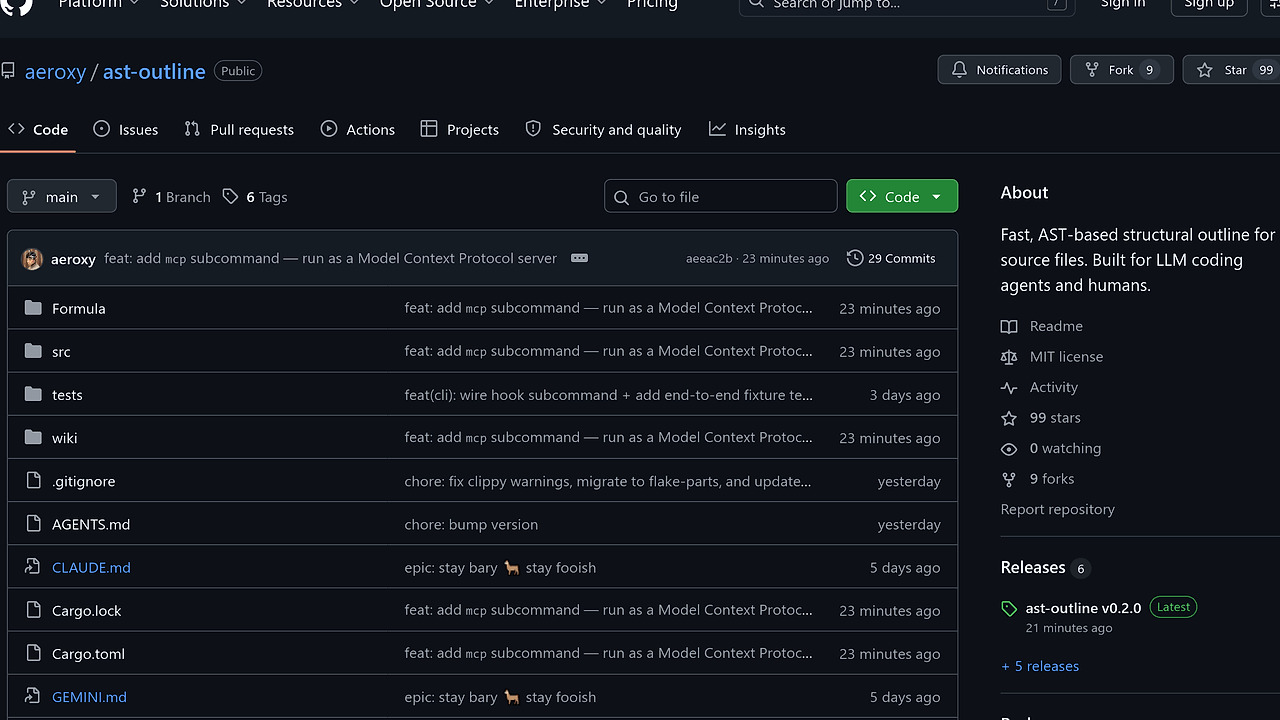
ast-outline is a Rust CLI from aeroxy that generates AST-based structural outlines for source files, and it is one of the best source code navigation CLI tools for LLM coding agents and humans. It extracts classes, methods, signatures, and line ranges while skipping method bodies, and the repo claims 5–10× token savings when agents need shape before content.
That design is meant for code review, repo exploration, and agent prompting. Instead of burning context on full files, ast-outline gives you a syntax-aware map built on ast-grep, tree-sitter, and rayon.
Quick Overview
| Attribute | Details |
|---|---|
| Type | Source Code Navigation CLI Tools |
| Best For | LLM coding agents, developers, and humans reading large codebases |
| Language/Stack | Rust, ast-grep, tree-sitter, rayon |
| License | MIT |
| GitHub Stars | N/A as of Feb 2026 |
| Pricing | Open-Source |
| Last Release | N/A — beta status on the repository |
Who Should Use ast-outline?
- LLM agent authors building workflows that read code by structure first, because ast-outline shrinks the prompt footprint before a model opens full bodies.
- Indie hackers navigating unfamiliar repositories who want quick answers like which symbols exist, where they live, and what each signature looks like.
- Platform and infra teams reviewing large polyglot monorepos where
grepis too noisy and full-file reads are too expensive. - Tooling engineers who need stable JSON output for editor integrations, CI checks, or custom automation around code intelligence.
Not ideal for:
- Deep semantic analysis when you need call graphs, type inference, or cross-file dataflow; ast-outline is structural, not a compiler.
- Non-supported languages if your repository lives mostly outside the current adapter list.
- Teams needing a persistent code index with embeddings or search infrastructure; ast-outline intentionally avoids that layer.
Key Features of ast-outline
- AST-first outlines — ast-outline parses real syntax trees, so it can list declarations, methods, and class hierarchies without matching comments or strings. That makes
implementsandshowprecise in cases wheregrepwould return junk. - Line-numbered structural maps — every symbol gets
L<start>-<end>ranges, which lets you jump straight from a compact digest to the exact body you want. For large files, that is the difference between scanning and hunting. - Parallel workspace parsing — the tool uses
rayonto traverse and parse whole directories concurrently, which is why the repo says workspace scans complete in milliseconds on typical projects. The concurrency model is designed for breadth-first repo reconnaissance. - Multi-command workflow —
outline,digest,show,implements,prompt,install,status, anduninstalleach target a specific agent or human workflow. That keeps the binary useful both as a terminal utility and as an agent-side read interceptor. - Stable JSON output —
--jsonproduces structured output for editors, language servers, CI jobs, and scripts. The schema is explicitly intended to be machine-consumable, which makes ast-outline a clean fit for automation around PRs and repo indexing. - Agent hooks for supported CLIs —
ast-outline installcan inject prompt snippets and, for supported targets like Claude Code, Gemini, and Tabnine, aReadinterception hook for large source files. That matters when you want the agent to read outlines first and only pull bodies on demand. - Broad practical language coverage — the repository ships adapters for Rust, C#, Python, TypeScript, JavaScript, Java, Kotlin, Scala, Go, and Markdown. More adapters are meant to be added as single language-specific files, which keeps the architecture small and extensible.
ast-outline vs Alternatives
| Tool | Best For | Key Differentiator | Pricing |
|---|---|---|---|
| ast-outline | AST-based code navigation for humans and agents | Rust binary with parallel parsing, agent hooks, and stable JSON | Open-Source |
| code-outline | Earlier structural outlining workflow | The original Python inspiration for the show / digest / implements model | Open-Source |
| ripgrep | Fast text search across repos | Best for raw string search, not syntax-aware symbol extraction | Open-Source |
| ctags | Jump-to-symbol navigation in editors | Lightweight symbol indexes, but weaker output for LLM prompting | Open-Source |
Pick ast-outline when you want syntax-aware structure, not just symbol names or text matches. Pick Claude Context Mode when you need to manage agent prompt budget around that structure, and pair ast-outline with OpenSwarm when multiple agents need the same compact view of a repo.
code-outline is the closest conceptual ancestor, so it is the right comparison if you want to understand where the CLI shape came from. ast-outline is the better fit if you care about Rust performance, concurrent parsing, and first-class JSON tooling.
ripgrep is still better when your question is "where does this literal string appear?" It is the wrong tool when you need the declaration tree for IDamageable, TakeDamage, or a nested class hierarchy without accidental matches from comments or documentation.
ctags remains useful for quick editor navigation, but it does not give the same agent-friendly outline density. If your workflow depends on feeding code shape into an LLM before pulling bodies, ast-outline is the more direct fit.
How ast-outline Works
ast-outline uses a Rust CLI runtime on top of ast-grep bindings, which themselves sit on tree-sitter parsers. That stack gives the tool syntax-aware extraction without needing a repo index, a vector store, or a background daemon.
The core abstraction is simple: parse files into language-specific ASTs, walk declarations, and render only the structural nodes that matter. The output keeps doc comments, symbol names, and line ranges, while skipping method bodies unless you explicitly call show.
The other key decision is to make parsing concurrent across a workspace. rayon splits the workload across files, so ast-outline src/ can summarize a module tree quickly even when the repository is large.
# structural outline of a module
ast-outline src/

# exact body of one method
ast-outline show Player.cs TakeDamage

# machine-readable summary for tooling
ast-outline digest src/ --json
The first command gives you the shape of the directory, the second drills into one symbol, and the third turns the same information into structured data. That workflow is why ast-outline works well as a pre-read layer for Claude Context Mode or any agent that needs to stay inside a tight token budget.
Pros and Cons of ast-outline
Pros:
- Large token savings when the task is structural, because the tool avoids method bodies until you ask for them.
- Syntax-aware results that avoid false positives from comments, strings, and unrelated identifiers.
- Fast workspace traversal through concurrent parsing with
rayon. - Machine-readable output via
--json, which is ideal for CI, editors, and custom agent middleware. - Agent-specific install hooks that let supported coding assistants substitute outlines for oversized reads.
- Simple runtime footprint because there is no index server, cache, or remote dependency.
Cons:
- Beta status means the interface and adapter list can still change.
- Not a semantic search engine; it does not infer call graphs, ownership, or behavioral intent.
- Language support is finite and still focused on common backend and frontend stacks.
- Best value is in large files or large repos; tiny files do not benefit as much from outline-first navigation.
- Agent hooks are target-specific, so not every CLI or IDE gets the same read interception behavior.
Getting Started with ast-outline
# install from Cargo
cargo install ast-outline

# inspect a file or directory
ast-outline src/

# print one method body only when needed
ast-outline show Player.cs TakeDamage

# generate a compact digest for agent use
ast-outline digest src/ --json

# optional: wire into an agent CLI
ast-outline install --target claude-code
After installation, the first ast-outline src/ run prints a compact tree of declarations with line numbers, and show jumps directly to the method you care about. If you want the agent integration, run install with the target CLI you actually use, then confirm the hook with ast-outline status.
If you prefer not to install globally, the repo also supports Homebrew and Nix. That makes ast-outline easy to test in a disposable shell before you commit it to a team workflow.
Verdict
ast-outline is the strongest option for LLM-first codebase reconnaissance when you need file structure without paying for bodies. Its biggest strength is AST-accurate, token-efficient outlining; its main caveat is beta-stage language coverage and a narrower scope than a full code index. Use it when you want fast, precise navigation, and pair it with an agent context tool when the workflow gets larger.