What Is Files SDK?
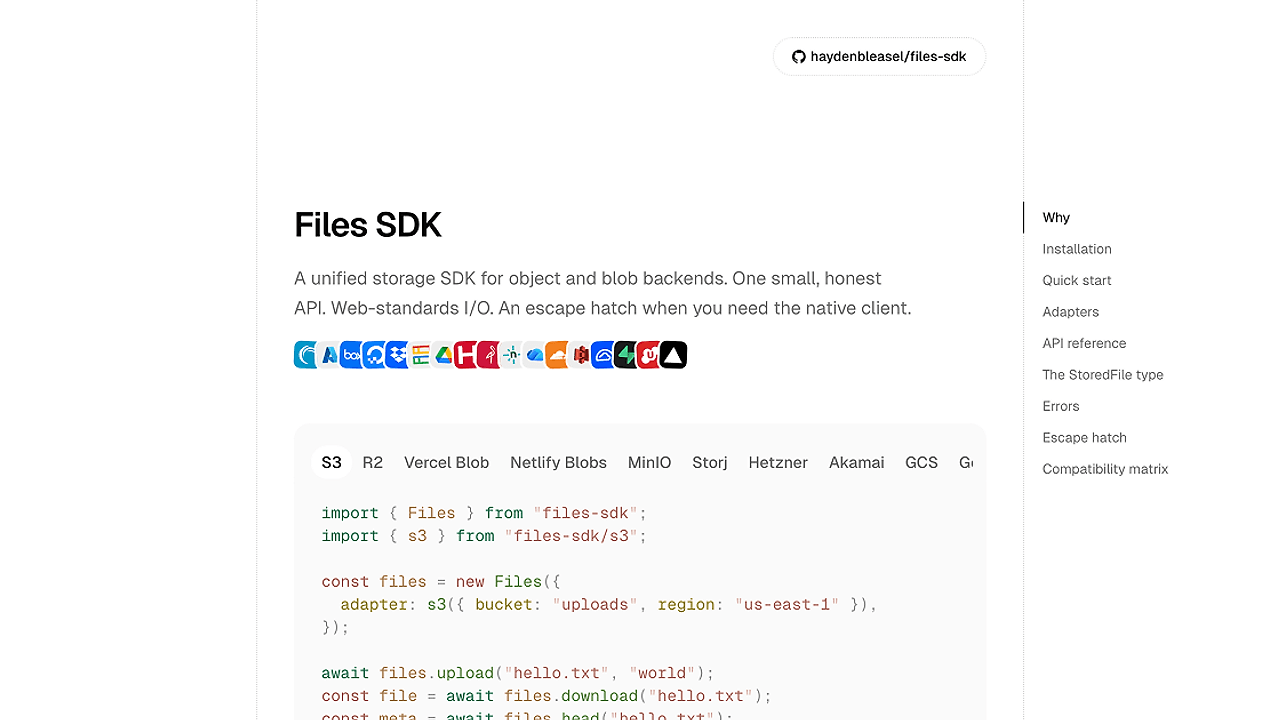
Files SDK is one of the best Object Storage SDKs for TypeScript and JavaScript developers, and it was built by Hayden Bleasel to wrap S3, GCS, Azure Blob, Vercel Blob, the local filesystem, and consumer providers behind one Files abstraction. The README documents 10 core operations plus files.file(key), so teams that move binary data, signed URLs, and metadata around can keep one code path across at least six backend families.
The point is not to hide storage complexity forever. The point is to normalize the 80% case with a small API, use web-standard I/O in app code, and fall back to the provider client when you need a vendor-only feature.
Quick Overview
| Attribute | Details |
|---|---|
| Type | Object Storage SDKs |
| Best For | TypeScript and JavaScript developers shipping uploads across cloud buckets and blob stores |
| Language/Stack | TypeScript, JavaScript, Web Streams, Blob/File APIs, S3/GCS/Azure/Vercel Blob adapters |
| License | MIT |
| GitHub Stars | N/A |
| Pricing | Open-Source |
| Last Release | N/A |
Who Should Use Files SDK?
- Full-stack TypeScript teams that want one upload/download API across S3, R2, GCS, Azure Blob, and local disks without maintaining provider-specific branches.
- Indie hackers building MVPs with user-generated files who want
upload,exists,url, andsignedUploadUrlwithout writing glue for each backend. - AI product teams that need storage access inside agents, because Files SDK already ships wrappers for the Vercel AI SDK, OpenAI Responses and Agents, and Anthropic Claude Agent SDK.
- Platform engineers who need a thin abstraction layer rather than another opinionated storage service.
Not ideal for:
- Teams that rely heavily on provider-specific features like lifecycle policies, advanced replication, or bucket-level governance in the first-party SDK.
- Apps that need a hosted media pipeline with image transforms, CDN delivery, and asset management out of the box.
- Organizations that do not want any abstraction and prefer to standardize every call on a single vendor SDK.
Key Features of Files SDK
- One API across providers —
upload,download,head,exists,delete,copy,list,url, andsignedUploadUrlall share the same shape. That means the key handling code for S3 can be reused for GCS, Azure Blob, Vercel Blob, Dropbox-style providers, and local storage. - Web-standard I/O — bodies can be
Blob,File,ReadableStream,Uint8Array,ArrayBuffer, orstring. That keeps browser code and server code aligned, and it avoids leaking provider-specific types into application logic. - Key-scoped file handles —
files.file(key)returns a thin handle for repeated operations on the same object. That is cleaner than passing the key into every call and makes upload-read-delete flows easier to compose. - Native escape hatch — every adapter exposes its provider client at
files.raw. If you need a bucket feature, client option, or SDK method that the abstraction does not model, you are one property access away from the vendor API. - Tree-shakeable adapters — each provider lives at a separate import path like
files-sdk/s3orfiles-sdk/gcs. Bundlers only include the adapter you import, which matters in edge runtimes and serverless deployments where unused code still costs money. - Consistent not-found behavior —
existsreturnsfalseonly when the provider reportsNotFound. Auth failures, transport errors, and permission problems still throw, which is the behavior you want when you need to distinguish missing objects from broken infrastructure. - AI SDK integrations — the
files-sdk/ai-sdk,files-sdk/openai, andfiles-sdk/claudeentry points wrap a configuredFilesinstance as tools for model-driven workflows. That lets agents browse, read, and optionally mutate a bucket without inventing a separate permission model.
Files SDK vs Alternatives
| Tool | Best For | Key Differentiator | Pricing |
|---|---|---|---|
| Files SDK | Unified storage access across object and blob backends | One adapter interface, web-standard payloads, and a native escape hatch | Open-Source |
| AWS SDK v3 | Direct S3 integration and low-level AWS control | Maximum access to AWS-native features and IAM-centric workflows | Free |
| Cloudinary | Media-heavy apps that need transforms, delivery, and asset management | Hosted image/video pipeline, not just raw object storage | Freemium |
| Supabase Storage | Projects already built around Supabase auth and Postgres | Tight integration with the Supabase stack and RLS-driven app patterns | Freemium |
Pick AWS SDK v3 when you need the full S3 surface area, tight IAM control, or bucket features that a wrapper should not model. Pick Cloudinary when the job is media transformation, CDN delivery, and asset workflows rather than generic object storage.
Pick Supabase Storage when storage is part of a broader Supabase-backed application and you want auth, database, and file flows to live in one vendor stack. Pick Files SDK when your real problem is portability across providers and you do not want the app layer rewritten every time the storage backend changes.
For local S3 parity in CI, pair Files SDK with awsim. If you also need request tracing around upload flows, OpenTrace can sit next to Files SDK without changing the storage abstraction.
How Files SDK Works
Files SDK is built around a simple adapter contract. The Files class owns the public API, while each backend adapter implements the actual provider calls for object reads, writes, metadata, deletion, and URL generation.
That design keeps the data model small: a key string identifies the object, the adapter translates that key into the provider's native request shape, and the caller receives either a web-standard body or metadata object. The files.file(key) handle is just a convenience wrapper over the same adapter methods, so it does not introduce a second abstraction layer to learn.
npm install files-sdk
import { Files } from "files-sdk";
import { s3 } from "files-sdk/s3";

const files = new Files({
  adapter: s3({ bucket: "uploads" }),
});

await files.upload("avatars/abc.png", file, { contentType: "image/png" });
const got = await files.download("avatars/abc.png");
const exists = await files.exists("avatars/abc.png");
The example above installs the package, selects the S3 adapter, and performs three common storage operations with the same object key. In practice, you swap files-sdk/s3 for files-sdk/r2, files-sdk/gcs, files-sdk/azure, or another adapter entry point, then keep the rest of the app code unchanged.
The architecture is intentionally close to native provider SDKs. If the abstraction does not cover a feature, files.raw hands you the underlying client, which keeps Files SDK from becoming a dead-end wrapper.
Pros and Cons of Files SDK
Pros:
- One code path across multiple providers reduces the cost of migrating between S3-compatible stores, cloud blob products, and local storage.
- Web-standard body types make upload code easier to share between browser, server, and edge runtimes.
- Thin
file(key)handles simplify repeated operations on the same object and cut down on repetitive key plumbing. - Tree-shakeable imports keep bundles smaller because you only pay for the adapter you import.
- Native client access prevents abstraction lock-in when you need vendor-specific behavior.
- AI SDK adapters let storage become a tool in agent workflows instead of a separate integration surface.
Cons:
- Not a replacement for provider SDK depth when you need advanced bucket policies, replication settings, or storage-class controls.
- Adapter coverage depends on the catalog, so some niche providers may not be supported yet.
- Operational semantics still vary by backend, especially around consistency, metadata limits, and URL expiration behavior.
- Hosted media features are out of scope, so image transforms and delivery pipelines still need another product.
- Migration is not zero-cost if your existing codebase already depends on vendor-specific types or helper utilities.
Getting Started with Files SDK
npm install files-sdk
import { Files } from "files-sdk";
import { s3 } from "files-sdk/s3";

const files = new Files({
  adapter: s3({ bucket: "uploads" }),
});

await files.upload("avatars/abc.png", file, { contentType: "image/png" });
const meta = await files.head("avatars/abc.png");
const url = await files.url("avatars/abc.png", { expiresIn: 300 });
After this runs, Files SDK will talk to the selected adapter using the same key string for upload, metadata lookup, and signed URL generation. You still need to provide the backend credentials or local storage configuration that the adapter expects, but you do not need separate code paths for each object store.
If you are wiring this into a browser upload flow, the next step is usually to pair signedUploadUrl with a client-side fetch or form submission. If you are testing locally, a provider emulator or a local filesystem adapter is enough to validate the request shape before you hit production.
Verdict
Files SDK is the strongest option for TypeScript teams that want one storage API across multiple backends when portability matters more than vendor-specific depth. Its best strength is the adapter-based design with web-standard I/O and a native escape hatch; its main caveat is that it will not replace first-party SDKs for advanced storage administration. Choose Files SDK if you want fewer code paths and cleaner provider swaps.