What Is YellowKey BitLocker?
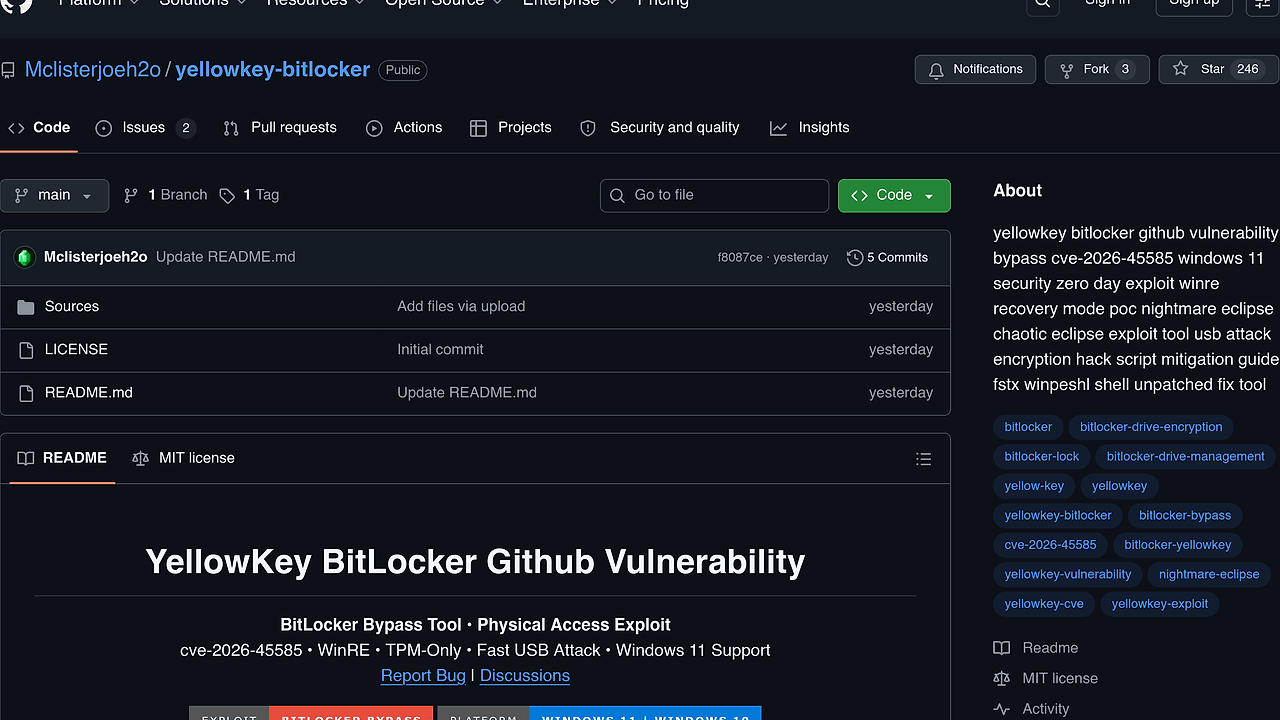
YellowKey BitLocker is a GitHub-published Security Research project from Mclisterjoeh2o that claims to bypass BitLocker on Windows 10 and Windows 11 through WinRE and TPM-only assumptions. YellowKey BitLocker is one of the best Security Research tools for red teams, penetration testers, and security researchers who need to measure physical-access exposure on two mainstream Windows desktop releases. The repository also references cve-2026-45585 and a fast USB attack path, so it reads like a lab-focused proof of concept rather than a normal admin utility.
Quick Overview
| Attribute | Details |
|---|---|
| Type | Security Research |
| Best For | Red teams, penetration testers, and security researchers |
| Language/Stack | Windows 10/11, WinRE, TPM-only BitLocker, bootable USB media |
| License | N/A |
| GitHub Stars | N/A as of Feb 2026 |
| Pricing | Open-Source |
| Last Release | YellowKey.zip — date not stated |
Who Should Use YellowKey BitLocker?
- Red teams validating whether physical access changes the threat model for encrypted Windows laptops.
- Penetration testers documenting BitLocker posture on devices that rely on TPM-only protection instead of a second factor.
- Incident responders who need to understand offline-access risk before writing containment or forensics guidance.
- Lab engineers building disposable proof-of-concept environments for boot-chain and recovery-path testing.
Not ideal for:
- Production admins who want a Microsoft-supported recovery workflow.
- Teams that need transparent internals, signed artifacts, or a tracked release history.
- Anyone without explicit authorization to test the target hardware.
Key Features of YellowKey BitLocker
- Physical-access dependency — YellowKey BitLocker assumes removable media and local access, which makes it a different class of risk than remote malware. That matters because BitLocker often looks strong until someone can influence the boot path.
- WinRE attack path — The repo frames the bypass around Windows Recovery Environment behavior instead of a running Windows session. That puts the emphasis on boot-time trust boundaries, not userland persistence.
- TPM-only focus — The page explicitly targets systems that depend on TPM without additional pre-boot factors. In enterprise fleets, that is a common default configuration and the one most worth validating.
- Windows 10 and 11 support — The repository says the tool works on both Windows 10 and Windows 11. That broadens the test surface across mixed fleets and newer hardware generations.
- Low-friction distribution — The release is published as a ZIP asset, so there is no package-manager bootstrap or dependency resolver to fight before a lab test. That keeps the operational overhead low.
- No recovery key claim — The repository says the technique can succeed without a recovery key in many cases. For defenders, that is the exact scenario worth pressure-testing because it breaks the expected recovery story.
- Research-only framing — The author explicitly labels the project as educational and security research only. That does not reduce risk, but it does make the intended use case unambiguous.
YellowKey BitLocker vs Alternatives
| Tool | Best For | Key Differentiator | Pricing |
|---|---|---|---|
| YellowKey BitLocker | Authorized lab validation of physical-access BitLocker exposure | Claims a USB and WinRE bypass path against TPM-only systems | Open-Source |
| Microsoft BitLocker recovery workflow | Legitimate recovery on managed or owned devices | Requires the correct 48-digit recovery key or org-backed escrow | Included with Windows |
| VeraCrypt | User-controlled full-disk encryption | Open-source encryption with a very different recovery model and threat surface | Open-Source |
| BitLocker policy hardening in Intune or Group Policy | Fleet defense and enforcement | Focuses on prevention, escrow, and boot policy instead of bypass testing | Included with Windows |
If you are building a lab around this kind of test, pair the workflow with OpenTrace to preserve evidence and with AV Chaos Monkey to see whether endpoint controls react to removable-media and boot-path anomalies. Those two tools do not replace YellowKey BitLocker, but they help you turn a one-off proof of concept into a documented control-validation exercise.
How YellowKey BitLocker Works
YellowKey BitLocker is built around a boot-path assumption rather than a resident Windows agent. The repository describes a removable-media workflow that reaches WinRE and then relies on the target's TPM-only configuration and recovery behavior to expose the encrypted volume. In practical terms, the attack surface is the trust boundary between the firmware, recovery environment, and the encrypted system partition.
The design philosophy is minimal ceremony. The page does not mention a kernel driver, a package manager install, or a long dependency chain, which suggests the research value is in the boot environment itself rather than in an installed binary. That is a meaningful distinction for defenders because it points the conversation toward Secure Boot, firmware policy, recovery options, and physical security controls instead of conventional application hardening.
curl -L -o YellowKey.zip https://github.com/Mclisterjoeh2o/yellowkey-bitlocker/releases/download/YellowKey-Bitlocker/YellowKey.zip
unzip YellowKey.zip -d yellowkey-bitlocker
The commands above only fetch and unpack the release asset so you can inspect it in a controlled lab. After extraction, review the files, isolate the test environment, and keep the media away from production hardware unless you have explicit authorization. The repository text describes the boot sequence at a high level, but it does not publish enough implementation detail to treat this as a transparent or auditable recovery tool.
Pros and Cons of YellowKey BitLocker
Pros:
- Targets a real enterprise default: TPM-only BitLocker on Windows 10 and Windows 11.
- Focuses on physical-access risk, which is often under-tested compared with remote attack paths.
- Ships as a simple ZIP release asset, so lab staging is fast.
- Useful for validating whether boot-chain controls and recovery-key policies are actually enforced.
- The WinRE framing makes it relevant to firmware policy, recovery settings, and endpoint hardening.
Cons:
- The page does not expose source-level implementation detail, so auditing the technique is limited.
- There is no visible release history, versioning discipline, or signed artifact evidence in the provided text.
- It requires physical access and removable media, so it is not a remote assessment tool.
- Real-world success likely varies with Secure Boot, firmware configuration, and device-specific recovery settings.
- The misuse potential is obvious, so it belongs only in authorized research environments.
Getting Started with YellowKey BitLocker
YellowKey BitLocker does not appear to use a package manager install path. The repository publishes a ZIP release, so the first step is to download the archive and unpack it in a lab workstation or isolated VM.
curl -L -o YellowKey.zip https://github.com/Mclisterjoeh2o/yellowkey-bitlocker/releases/download/YellowKey-Bitlocker/YellowKey.zip
unzip YellowKey.zip -d yellowkey-bitlocker
cd yellowkey-bitlocker
After extraction, inspect the files and read any bundled notes before doing anything else. The page says the workflow involves preparing bootable USB media and using WinRE, but that should only happen on owned hardware or inside a contained security lab with explicit approval.
Verdict
YellowKey BitLocker is the strongest option for authorized lab validation of physical-access BitLocker exposure when you need a quick WinRE and USB proof of concept. Its strength is the simple delivery model against a common TPM-only deployment; its caveat is the lack of transparent internals and the obvious abuse potential. Use it only in contained research environments, and only if you actually need to test this exact threat model.