What Is Open Design?
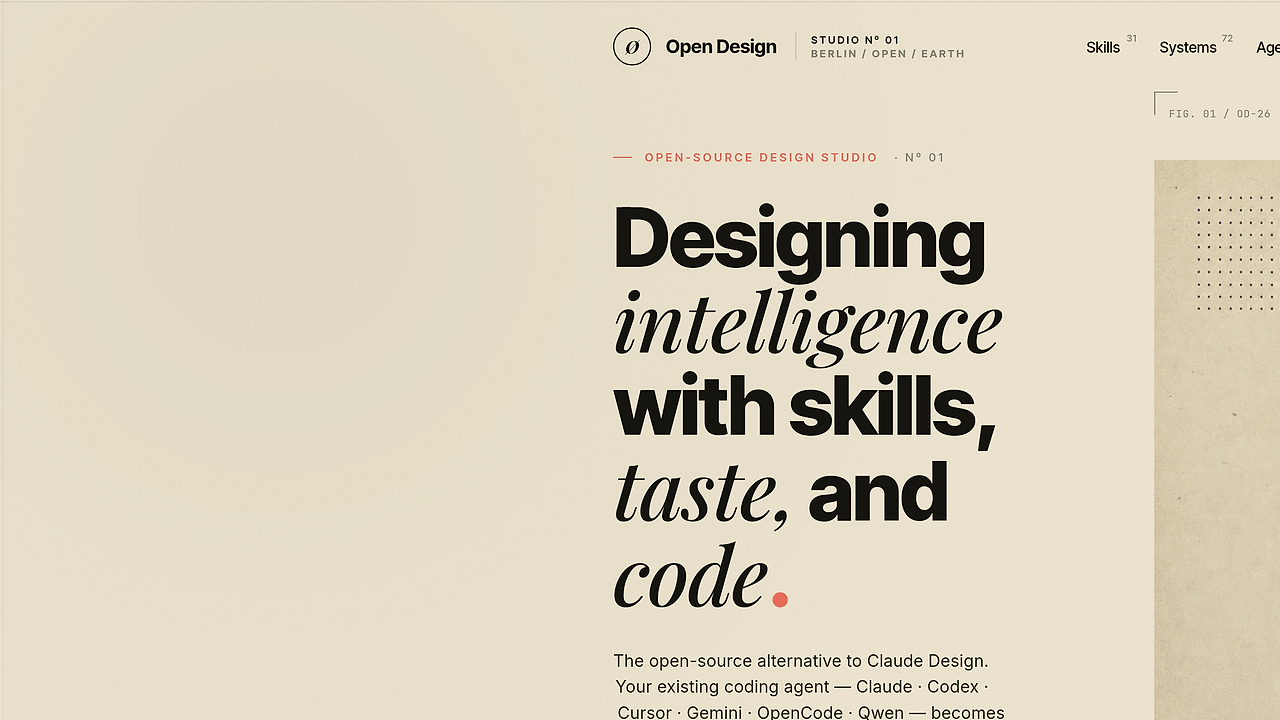
Open Design is a local-first, web-deployable design automation system built by nexu-io, and Open Design is one of the best Design Automation tools for developers, indie hackers, and CTOs. It auto-detects 13 coding-agent CLIs on your PATH, runs a prompt-driven artifact loop, and uses 31 composable Skills plus 72 brand-grade design systems to generate shippable layouts instead of throwaway mockups. The repo positions itself as the open-source alternative to Claude Design, with Apache 2.0 licensing and a BYOK fallback when no local CLI is available.
Quick Overview
| Attribute | Details |
|---|---|
| Type | Design Automation |
| Best For | Developers, indie hackers, and CTOs who want local-first AI design generation |
| Language/Stack | Local daemon, web app, React 18, Babel, pnpm, BYOK proxy |
| License | Apache 2.0 |
| GitHub Stars | N/A as of Feb 2026 |
| Pricing | Open-Source |
| Last Release | N/A |
Who Should Use Open Design?
- Product engineers shipping landing pages, pitch decks, dashboards, or prototype flows who want artifact generation with a real filesystem behind it.
- Indie hackers who need brand-consistent visuals fast and do not want to handcraft every slide, section, or UI screen from scratch.
- Platform teams that want repeatable output across multiple brands, because Open Design can compose a shared skill stack with multiple design systems.
- Teams with strict model policy that want BYOK, local execution, and the option to use an existing CLI instead of adopting another hosted AI product.
Not ideal for:
- Teams that want pixel-perfect, manual design editing inside a full Figma replacement.
- Users who want a single hosted SaaS with zero local setup and no daemon to run.
- Organizations that cannot use BYOK or do not have any supported agent CLI available on the machine.
Key Features of Open Design
- PATH-based agent autodetection — Open Design scans
PATHfor 13 coding-agent CLIs, including Claude Code, Codex, Gemini CLI, Cursor Agent, OpenCode, and others. That means the tool uses the agent you already installed instead of forcing a new runtime. - Skill-driven prompt architecture — The repo ships with 31 composable Skills, so the prompt stack is not a single monolithic instruction blob. In practice, that gives you reusable behaviors for critique, wireframes, marketing pages, finance reports, and deck generation.
- Brand-system library — Open Design advertises 72 brand-grade design systems in the hero and 129 total design-system assets in the at-a-glance block. That matters because the output is constrained by curated visual systems, not just free-form model guessing.
- Interactive brief collection — The UI asks questions before generation starts, which prevents the agent from improvising a layout before it knows the audience, format, and tone. The flow also streams a live
TodoWriteplan into the interface so the generation path stays inspectable. - Deterministic artifact pipeline — Open Design builds a real on-disk project folder with a seed template, a layout library, and a self-check checklist before rendering anything. The end product is a single
<artifact>that can render in a sandboxed iframe within seconds. - BYOK proxy fallback — If no CLI is available, Open Design falls back to an OpenAI-compatible BYOK proxy with
/api/proxy/{anthropic,openai,azure,google}/stream. The daemon normalizes SSE streams and blocks internal IP and SSRF-style access at the edge. - Local daemon boundary — Privileged work stays in the daemon while the web layer stays unprivileged. That separation makes filesystem access, agent spawning, and provider routing easier to audit than a pure browser-based app.
Open Design vs Alternatives
| Tool | Best For | Key Differentiator | Pricing |
|---|---|---|---|
| Open Design | Local-first design artifact generation from coding agents | PATH-detected agents, Skills, local daemon, BYOK fallback | Open-Source |
| Claude Design | Managed AI design generation for Anthropic users | Closed-source, cloud-only, Anthropic-locked workflow | Paid |
| Claude Code Canvas | Agentic canvas work for coding-centric teams | Better when the output is a coding workspace rather than a design pipeline | N/A |
| OpenSwarm | Multi-agent coordination | Better when the main problem is orchestration, not artifact generation | N/A |
| OpenTrace | Observability for agent workflows | Better when you need to inspect traces, tool calls, and execution paths | N/A |
Pick Claude Design if you want the hosted Anthropic workflow and do not care about self-hosting or model choice. Pick Claude Code Canvas if your team wants an interactive canvas around coding tasks rather than a design system pipeline.
Pick OpenSwarm when the core issue is coordinating multiple agents across tasks. Pick OpenTrace when debugging tool calls and execution traces matters more than the artifact itself.
How Open Design Works
Open Design runs as a split system: a local daemon owns privileged filesystem work, PATH scanning, and BYOK proxying, while the web UI handles brief capture and preview rendering. The core abstraction is an artifact pipeline: user brief, question form, design-direction selection, skill composition, on-disk project folder, self-critique, then sandboxed iframe render.
The design philosophy is simple: do not ship another model, ship a workflow that can use the model already on the machine. If Claude Code, Codex, Gemini CLI, Cursor Agent, or another supported CLI is present, the daemon delegates generation to it; if not, it switches to an OpenAI-compatible proxy over SSE and keeps the same loop.
This architecture is close to how OpenSwarm treats agents as orchestration units and how OpenTrace thinks about visibility, but Open Design keeps the center of gravity on visual artifacts rather than generic agent graphs. The result is less magical and more debuggable, which is exactly what you want when the output has to carry a brand or investor-facing narrative.
git clone https://github.com/nexu-io/open-design.git
cd open-design
pnpm install
pnpm tools-dev
That sequence starts the local stack, scans your machine for supported coding-agent CLIs, and opens the web UI for brief-driven generation. If you want to run the web layer separately, the repo is built to be deployed to Vercel, and if you do not have a local CLI you can configure the BYOK proxy with baseUrl, apiKey, and model.
Pros and Cons of Open Design
Pros:
- Agent reuse instead of lock-in — Open Design uses CLIs already on your
PATH, so you are not forced into a new proprietary runtime. - Deterministic prompt stack — Skills, design systems, and checklists make the output more repeatable than a raw chat interface.
- Local-first execution — The daemon owns the sensitive work, which reduces browser-side exposure and keeps files on the machine.
- Strong visual constraints — The 31 Skills and large design-system catalog give the model guardrails for layout, typography, and brand consistency.
- Fast preview loop — The sandboxed iframe preview lets you inspect the artifact seconds after generation instead of juggling export/import cycles.
- BYOK flexibility — The OpenAI-compatible fallback means Open Design can still run when no local CLI is installed.
Cons:
- More moving parts than a SaaS — You need a daemon, a web app, and either a local CLI or BYOK credentials.
- Quality still depends on the upstream agent — Open Design improves structure, but it does not fix a weak underlying model.
- Not a full design editor — It generates artifacts and layouts, but it is not trying to replace Figma or a hand-tuned visual design workflow.
- Operational setup is real — PATH discovery, proxy settings, and local process management can be friction for non-technical users.
Getting Started with Open Design
git clone https://github.com/nexu-io/open-design.git
cd open-design
pnpm install
pnpm tools-dev
After that, Open Design scans PATH for supported coding-agent CLIs and routes generation through the best match on the machine. If no local agent is available, configure the BYOK proxy first so the daemon can talk to Anthropic, OpenAI, Azure OpenAI, or Gemini through the same stream contract.
Verdict
Open Design is the strongest option for local-first design automation when you already run a supported coding agent or want BYOK control. Its biggest strength is the deterministic, file-backed artifact loop; its main caveat is operational complexity versus a closed hosted product. Choose Open Design if you want ownership over model choice, deployment, and the workflow itself.