What Is sandboxed-lit?
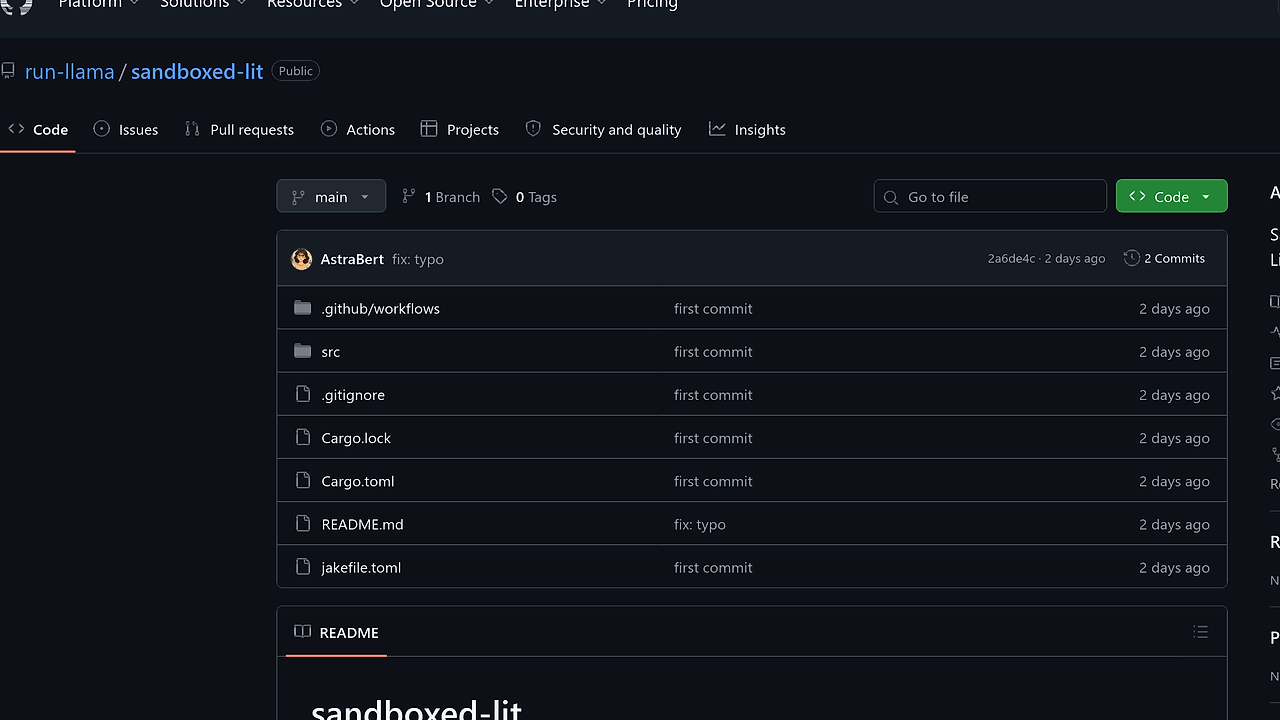
sandboxed-lit is a Rust CLI from run-llama that runs an OpenAI-backed LLM agent inside a microsandbox VM, giving developers a file-aware terminal agent with 2 CPUs and 1 GB of RAM isolation. sandboxed-lit is one of the best AI CLI Tools for developers building sandboxed LLM workflows. It can list files, read documents, and run bash commands while keeping the agent confined to /app/data and the sandbox runtime.
The project is designed for workflows where you want agentic automation without handing the model direct access to the host machine. It combines agent-sdk, liteparse, and a clap-based CLI so the control plane stays simple while the execution environment stays constrained.
Quick Overview
| Attribute | Details |
|---|---|
| Type | AI CLI Tools |
| Best For | developers building sandboxed LLM workflows |
| Language/Stack | Rust, agent-sdk, microsandbox VM, OpenAI GPT, liteparse |
| License | N/A |
| GitHub Stars | N/A |
| Pricing | Open-Source |
| Last Release | N/A |
sandboxed-lit is not a generic chatbot wrapper. It is a small execution harness that turns an LLM into a controlled agent with file inspection and shell access, but only inside a sandbox that you can mount against a host directory. That makes it more relevant than a plain terminal assistant when the task includes PDFs, images, Office files, or commands that should never run on the host directly.
Who Should Use sandboxed-lit?
- Indie hackers shipping internal automations who want an LLM to summarize files, inspect directories, and run one-off shell commands without building a custom agent runtime.
- Platform and dev tooling teams that need a reproducible, container-like execution boundary for agent experiments, especially when documents or binary assets must be parsed.
- Security-conscious developers who want the agent to operate on a mounted workspace and keep the blast radius inside a microsandbox VM.
- Prototype builders evaluating agent workflows before committing to a larger orchestration layer like OpenSwarm or a heavier terminal assistant.
Not ideal for:
- Teams that need offline inference or a model stack that does not depend on OpenAI API keys.
- Users who want a full IDE integration, codebase indexing, or long-lived conversational memory across sessions.
- Workloads that require unrestricted host access, because sandboxed-lit deliberately narrows the execution surface.
Key Features of sandboxed-lit
- Microsandbox VM isolation — The agent runs in a named sandbox (
lit-sandbox) backed by theghcr.io/run-llama/liteparse:mainimage. The runtime is constrained to 2 vCPUs and 1 GB RAM, which makes behavior easier to reason about than a free-running host process. - Document-aware file reads —
read_fileroutes PDFs, images, and Office docs throughlit parsefrom liteparse, so the agent can extract structured text instead of failing on binary formats. That matters when the workspace contains scanned reports or.docxfiles. - Three explicit agent tools — The agent only gets
list_files,read_file, andbash, all exposed throughagent-sdk. This keeps the action surface small and auditable compared with broad automation frameworks. - Host-to-sandbox volume mounting — The CLI mounts a host path into
/app/data, so the agent sees a predictable workspace rather than the whole filesystem. If you run it with no volume flag, it defaults to the current directory. - Streaming terminal output —
agent.rsstreams events to the terminal with colored output, which makes it easier to trace tool calls, intermediate reasoning, and command results during a run. - Rust-first CLI ergonomics —
main.rsusesclapfor prompt parsing and volume selection, which keeps the interface small and scriptable. That makes sandboxed-lit fit cleanly into shell pipelines and local automation scripts. - Command execution with captured output — The bash tool returns
{stdout, stderr}from inside the sandbox, so you can inspect results without attaching a debugger or opening a second terminal session.
sandboxed-lit vs Alternatives
| Tool | Best For | Key Differentiator | Pricing |
|---|---|---|---|
| sandboxed-lit | Sandboxed document analysis and shell automation | Runs the agent inside a microsandbox VM with document parsing and bash access | Open-Source |
| Claude Code | Interactive coding assistance in the terminal | Deep Anthropic model integration and broader coding UX | Paid |
| OpenAI Codex CLI | OpenAI-native command-line coding help | Tight integration with OpenAI models and developer workflows | Paid |
| OpenSwarm | Multi-agent task coordination | Orchestrates multiple agents instead of a single sandboxed runner | Open-Source |
Pick sandboxed-lit when the main requirement is containment. It is the better fit than Claude Code or OpenAI Codex CLI when you care more about constraining execution than about having the most polished terminal experience.
Choose Claude Code when you want a more mature conversational coding flow and are comfortable with a hosted product. Choose OpenAI Codex CLI when you want an OpenAI-centric workflow and do not need the same VM-level sandbox boundary. Choose OpenSwarm when the problem is coordination across multiple agents rather than isolated execution inside one sandbox.
For observability, sandboxed-lit pairs well with OpenTrace if you want to inspect agent actions after a run, and with Claude Code Canvas if you are comparing sandbox-first execution against a richer agent workspace.
How sandboxed-lit Works
sandboxed-lit uses a simple control flow: the clap CLI collects a prompt and optional volume path, agent.rs wraps sandbox actions as agent-sdk tools, and sandbox.rs executes those actions inside a microsandbox VM. The agent is backed by OpenAI GPT models, but the model never gets direct host access. Its only capabilities are mediated through the tools you expose, which keeps the architecture narrow and easy to audit.
The key design decision is the split between tool orchestration and sandbox execution. list_files recursively walks /app/data, read_file handles both plain text and structured document extraction, and bash shells out only inside the sandbox. That means a prompt like “summarize every PDF in the working directory” becomes a sequence of bounded operations instead of an unconstrained script on your laptop.
cargo build --release
export OPENAI_API_KEY=sk-...
sandboxed-lit -p "List the files, then read report.pdf and extract the key findings." -v /Users/me/documents
The command above compiles the CLI, exports the model key, and starts a run with a local folder mounted into /app/data. After the agent starts, it can enumerate the mounted files, parse PDFs or Office documents through liteparse, and execute shell commands that only affect the sandbox. If the mounted directory is empty or the prompt is vague, the agent will still stay inside the boundary and only operate on whatever the sandbox can see.
Pros and Cons of sandboxed-lit
Pros:
- Hard sandbox boundary — The agent runs inside a microsandbox VM instead of on the host, which materially reduces the blast radius of shell execution.
- Small tool surface — Only three tools are exposed, so the agent is easier to reason about and easier to lock down in internal environments.
- Structured parsing for binary docs —
liteparsesupport for PDFs, images, and Office docs avoids the common failure mode where an agent cannot read non-text files. - Rust implementation — The CLI is lightweight, explicit, and easy to build into CI or developer scripts with
cargo build --release. - Predictable workspace mapping — Mounting a host path to
/app/datacreates a deterministic contract for where the agent can read and write. - Terminal-visible event stream — Colored event output makes it practical to debug prompt/tool behavior without instrumentation overhead.
Cons:
- Requires OpenAI access — sandboxed-lit depends on an
OPENAI_API_KEY, so it is not a fit for teams that need fully offline inference. - Needs a microsandbox host — You must have the microsandbox environment running, which adds setup compared with a plain local CLI.
- No broad integration layer — There is no built-in IDE plugin, repo indexer, or multi-step memory system in the page text.
- Limited action model — The toolset is intentionally small, so workflows that need Git operations, browser automation, or remote APIs need extra plumbing.
- Sandbox performance ceiling — The 2 CPU / 1 GB RAM profile is enough for many text and command tasks, but it is not sized for heavy builds or large local data processing.
Getting Started with sandboxed-lit
Install the project, set your API key, and run it against a mounted directory. The project page shows a release build flow, so a practical first run looks like this:
git clone https://github.com/run-llama/sandboxed-lit
cd sandboxed-lit
cargo build --release
export OPENAI_API_KEY=sk-...
./target/release/sandboxed-lit -p "Summarize every PDF in the working directory." -v .
After startup, sandboxed-lit will attach to or create the lit-sandbox VM and expose the mounted directory at /app/data. From there, the agent can list files, inspect text, parse structured documents, and run shell commands in the sandbox rather than on your host. If you omit -v, the current directory becomes the default workspace, which is convenient for quick local testing.
Verdict
sandboxed-lit is the strongest option for sandboxed agent automation when you want file access and bash execution without giving the model the host machine. Its main strength is the microsandbox boundary around /app/data; its main caveat is the dependency on OpenAI plus a running microsandbox host. Use it when containment matters more than polish.