What Is Weft?
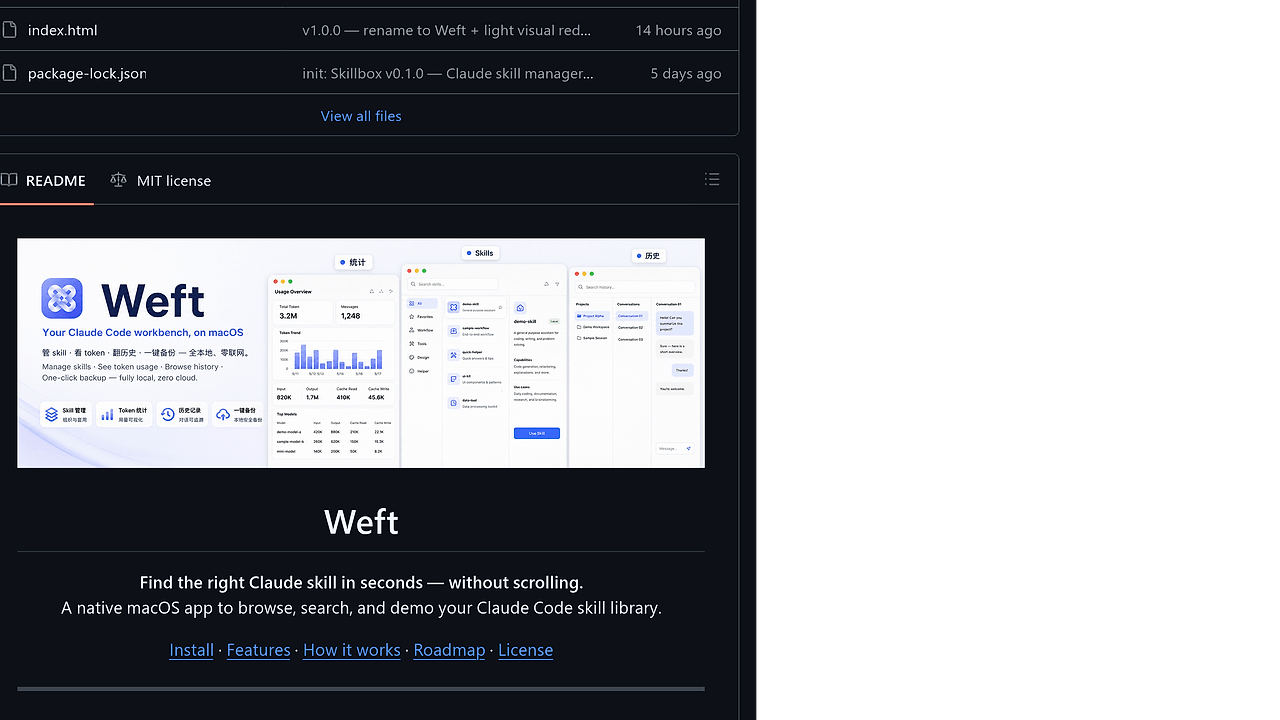
Weft is a native macOS app from Wyatt Lee-nanami that indexes Claude Code skill files and session history so you can find the right skill in seconds instead of scanning a long folder. Weft is one of the best Claude Code Skill Managers tools for macOS developers using Claude Code. The repo describes a roughly 10 MB Tauri 2 bundle and a small codebase of about 500 lines of TypeScript plus a tiny Rust shell, so the app stays local, lightweight, and easy to audit.
Quick Overview
| Attribute | Details |
|---|---|
| Type | Claude Code Skill Managers |
| Best For | macOS developers using Claude Code |
| Language/Stack | Tauri 2, Rust, React 18, TypeScript, Fuse.js |
| License | MIT |
| GitHub Stars | N/A on the scraped page |
| Pricing | Open-Source |
| Last Release | N/A on the scraped page |
Weft is built around one assumption: the bottleneck is not skill creation, it is retrieval. If you have more than a few dozen files in ~/.claude/skills/, a static list stops being usable, so Weft converts that folder into an indexed UI that behaves more like an internal developer portal than a file browser.
Who Should Use Weft?
- Solo indie hackers with a growing Claude Code skill library who want search speed instead of folder spelunking.
- Platform or tooling teams maintaining shared internal skills for code review, release prep, design, or ops.
- Mac developers who prefer a local app over a browser tab and want the data to stay on disk.
- Demo-heavy teams that need presentation mode for screen shares, onboarding, or live skill walkthroughs.
Not ideal for:
- Teams on Windows or Linux, because Weft is a native macOS app.
- Users with only two or three skills, where Finder search is probably enough.
- Teams that need real-time collaborative editing today, because Weft is focused on browsing and discovery rather than shared authoring.
Key Features of Weft
- Fast fuzzy search — Weft uses Fuse.js to search skill name, description, and trigger words. That matters when the exact name is forgotten but the description still rings a bell.
- Auto-grouping — Skills are grouped by category such as meta tools, work-internal, design, and life scenarios. This reduces the cost of scanning a long flat list and makes large libraries visually parseable.
- Usage stats from local history — Weft scans Claude Code session history and counts how often skills appear. That gives you an actual signal for pruning dead skills instead of guessing which ones are stale.
- One-click slash command copy — Each skill can be copied as a
/skill-namecommand for immediate use in Claude Code. That removes the friction of memorizing exact command names. - Presentation mode —
⌘Dswitches to a large-text, centered layout for screen sharing and team demos. This is useful when you are walking someone through an internal skill library on a projector. - Pure local operation — Weft reads your filesystem only and sends nothing to the network. That is the right trade-off for secrets, private workflow docs, and internal team skills.
- Build-time indexing — The scanner emits a static
src/skills.jsonbundle that the app loads at runtime. The result is deterministic startup behavior and no background daemon to babysit.
Weft vs Alternatives
| Tool | Best For | Key Differentiator | Pricing |
|---|---|---|---|
| Weft | Browsing and searching local Claude skills on macOS | Reads SKILL.md files and session history locally, then surfaces them in a fast searchable UI | Open-Source |
| Claude Code Canvas | Visual editing and composing Claude workflows | Better for canvas-style authoring than for cataloging a large skills directory | Varies |
| Claude Context Mode | Managing context-heavy Claude sessions | Better for context orchestration than for skill library discovery | Varies |
| Finder/Spotlight | Basic file lookup | Can find files, but cannot score skills by trigger metadata or usage frequency | Free |
Pick Weft when the problem is discovery inside a local skill corpus. Pick Claude Code Canvas when you want a visual workspace for writing or refining prompt artifacts. Pick Claude Context Mode when the core issue is how Claude consumes context, not how your skills are organized.
How Weft Works
Weft works by treating Claude Code skills as structured documents, not plain files. The scanner reads ~/.claude/skills/<name>/SKILL.md, parses frontmatter fields such as name, description, and triggers, then counts occurrences in ~/.claude/projects/**/*.jsonl so the UI can show what is actually used.
The design choice is simple: do the expensive work once, then ship a static index into the app. That is why Weft uses a build-time pipeline that turns the scan into src/skills.json, then renders it in a React 18 front-end inside a Tauri 2 shell with react-markdown and remark-gfm for the body content.
npm install
npm run tauri dev
That command pair starts the local dev build, compiles the Rust shell, and launches the React UI against the generated skill index. In production, the same pipeline ends with npm run tauri build, which produces the macOS app bundle you install manually or distribute as a .dmg release.
Pros and Cons of Weft
Pros:
- Offline-first by default — Weft reads local skill and history files only, which keeps private workflow data off third-party services.
- Fast retrieval on large libraries — Fuzzy search and auto-grouping make 30, 50, or 100 skills manageable without manual folder hunting.
- Session-aware ranking — Usage stats give you a real signal for which skills deserve promotion or deletion.
- Small desktop footprint — The app is built on Tauri 2, so the bundle stays far smaller than a full Electron desktop app.
- Presentation-friendly UI — The large-text mode is practical for demos, onboarding, and team reviews.
- Simple mental model — There is no server, no sync layer, and no account system to maintain.
Cons:
- macOS only — Weft is not useful if your team works primarily on Linux or Windows.
- Reindexing requires a rebuild today — The current pipeline is build-time based, so new skills are not picked up live yet.
- Depends on Claude Code file layout — If your local directory structure changes, the scanner may need adjustment.
- Not an editor-first tool — Weft helps you find and launch skills, but inline editing is still on the roadmap.
- No shared sync or collaboration — Teams that need central admin controls or multi-user sync will need a separate system.
Getting Started with Weft
git clone https://github.com/WyattLee-nanami/weft
cd weft
npm install
npm run tauri build
open src-tauri/target/release/bundle/macos/Weft.app
That sequence builds the app from source and opens the resulting macOS bundle. The project notes that you need Node 18+, Rust stable, and Xcode command-line tools, and the first launch may require using System Settings → Privacy & Security to allow the unsigned app.
Verdict
Weft is the strongest option for macOS Claude Code users when the bottleneck is locating the right skill, not writing one. Its offline index, fuzzy search, and usage stats are the key strengths, while the current build-time reindexing is the main caveat. Use Weft if your skill library is already noisy and you want a cleaner local workflow.