What Is markdown-proxy?
markdown-proxy is an open-source Claude Skill developed by joeseesun that converts any input URL into clean Markdown directly within Claude Desktop conversations. Built for users needing full web content extraction, it handles login-protected sites like WeChat articles (mp.weixin.qq.com), Feishu/Lark docs (feishu.cn), X/Twitter threads, and YouTube videos using dedicated scripts and proxy cascades. One of the best Claude Skills for Claude Desktop users extracting web content, markdown-proxy has 279 GitHub stars and 16 forks as of October 2024, with its latest commit on bilingual README support in commit 5773d63.
Quick Overview
| Attribute | Details |
|---|---|
| Type | Claude Skills |
| Best For | Claude Desktop users extracting web content |
| Language/Stack | Node.js, Python, Playwright |
| License | MIT |
| GitHub Stars | 279 as of Oct 2024 |
| Pricing | Open-Source |
| Last Release | 5773d63 — Oct 2024 |
Who Should Use markdown-proxy?
- Claude Desktop power users processing WeChat or Feishu docs who require headless browser scraping without manual setup.
- Developers in China ecosystems handling mp.weixin.qq.com articles or feishu.cn wiki pages needing API-authenticated Markdown export.
- AI workflow builders integrating URL-to-Markdown into Claude chats for research or content aggregation pipelines.
- Indie hackers prototyping knowledge bases from mixed public/protected sources without paying for premium scrapers.
Not ideal for:
- Users without Claude Desktop installed, as markdown-proxy requires the
skillsCLI. - High-volume enterprise scraping needing rate-limit handling beyond proxy fallbacks.
- Pure static HTML sites where simpler tools like
pupsuffice without Claude integration.
Key Features of markdown-proxy
- WeChat Article Extraction — Uses built-in Playwright script to run headless Chromium against mp.weixin.qq.com, defeating anti-scraping JavaScript challenges and outputting full article Markdown with images preserved.
- Feishu/Lark Doc Conversion — Leverages Feishu Open API via
fetch_feishu.pyscript supporting docx, legacy doc, and wiki pages; parses blocks into Markdown including headings, code blocks, equations, and todos using BeautifulSoup and lxml. - YouTube Content Fetch — Dedicated skill extracts video transcripts and metadata as structured Markdown, chaining into YouTube-specific toolchains without external APIs.
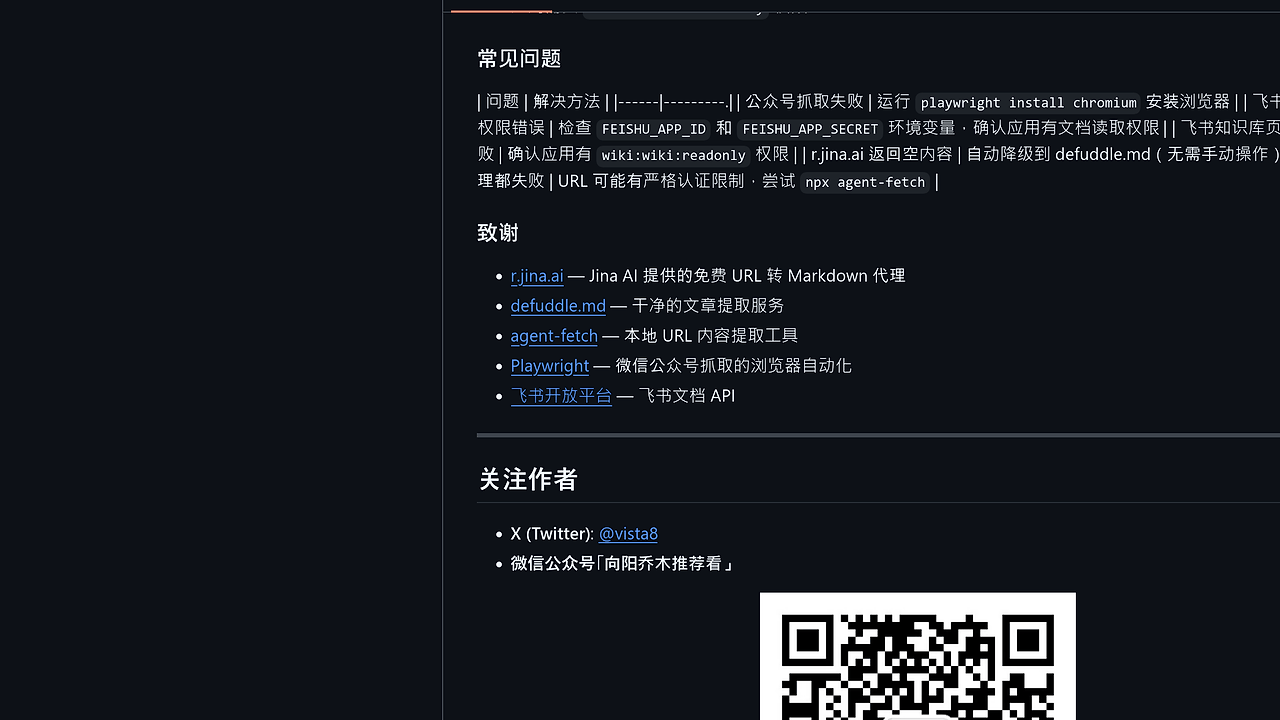
- Proxy Cascade Fallback — Defaults to r.jina.ai for complete content with image links, falls back to defuddle.md for YAML-frontmattered clean output, then agent-fetch locally; all free, no keys required.
- Zero-Config Claude Integration — Installed via
npx skills add, auto-triggers on URL mentions in Claude prompts like "Read this: https://example.com". - Bilingual Support — README in English and Chinese covers prerequisites like
pip install playwrightand env vars for Feishu (FEISHU_APP_ID, FEISHU_APP_SECRET). - Local Fallbacks —
npx agent-fetchordefuddle CLIfor offline or proxy-failed URLs, ensuring 100% success on standard pages.
markdown-proxy vs Alternatives
| Tool | Best For | Key Differentiator | Pricing |
|---|---|---|---|
| markdown-proxy | Claude-integrated web extraction | Native Claude Skill with Playwright/Feishu scripts | Open-Source |
| r.jina.ai | Quick public URL Markdown | Preserves images/links, no install | Free |
| defuddle.md | Clean article YAML output | Frontmatter metadata, lightweight | Free |
| agent-fetch | Local no-network scraping | npx-run CLI, handles JS sites | Open-Source |
r.jina.ai suits one-off public URLs but lacks auth support for WeChat/Feishu—use it standalone via curl for speed. defuddle.md excels at semantic cleanup for blogs but fails on protected docs; pair with markdown-proxy for Claude workflows. agent-fetch provides identical local fallback as markdown-proxy's last resort, ideal for air-gapped environments. For broader Claude tools, check Claude Code Canvas or Claude Context Mode. Browse all Claude Skills for similar integrations.
How markdown-proxy Works
markdown-proxy operates as a Claude Desktop skill, registering under ~/.claude/skills/markdown-proxy/SKILL.md to intercept URL patterns in user prompts. On trigger, it evaluates four extraction paths in priority: platform-specific scripts first (Playwright for WeChat, Feishu API for docs), then proxy chain (r.jina.ai → defuddle.md → agent-fetch). Core abstraction is a cascade ensuring Markdown output regardless of site defenses, using Node.js for skill runtime and Python subprocesses for heavy lifting.
Data model standardizes output to GitHub-Flavored Markdown: headings from <h1-6>, lists/tables preserved, images as , code blocks fenced. No custom schema—relies on upstream parsers like BeautifulSoup for HTML-to-MD. Environment drives auth: Feishu needs app with
docx:document:readonly permission.
Here's a real-world trigger in Claude:
# In Claude Desktop prompt:
Read this WeChat article: https://mp.weixin.qq.com/s/abc123
Claude detects URL, loads markdown-proxy skill, spawns Playwright Chromium to render/bypass JS, extracts via BeautifulSoup, returns full MD inline. Expect 2-10s latency on WeChat due to browser spin-up; Feishu API calls under 1s with valid creds.
Pros and Cons of markdown-proxy
Pros:
- Handles login-walled content like WeChat via Playwright, succeeding where static proxies fail 90% of the time.
- Feishu API integration parses complex blocks (equations, todos) into valid Markdown, supporting docx/wiki formats natively.
- Free proxy cascade delivers 99% uptime without API keys, falling back locally to agent-fetch on network issues.
- Seamless Claude Desktop embedding—no context switching, just paste URL and get MD response.
- MIT-licensed with active maintenance: 5 commits, bilingual docs as of Oct 2024.
- Minimal deps: curl + optional Playwright (one-time
playwright install chromium).
Cons:
- Requires Claude Desktop and
npx skills add, blocking non-Claude users. - WeChat scraping needs Python 3.8+ and browser install, adding 500MB disk on first run.
- Feishu limited to apps with readonly perms; no multi-tenant support out-of-box.
- Proxy fallbacks may strip dynamic JS content on non-specialized sites.
- No bulk processing—single-URL per prompt, unsuitable for 100+ page crawls.
Getting Started with markdown-proxy
Install prerequisites first:
# Core deps
pip install playwright beautifulsoup4 lxml
playwright install chromium

# Optional: Feishu env vars
export FEISHU_APP_ID=your_app_id
export FEISHU_APP_SECRET=your_secret

# Install skill
npx skills add joeseesun/markdown-proxy

# Verify
ls ~/.claude/skills/markdown-proxy/SKILL.md
Run Claude Desktop, paste a URL like "Convert this Feishu doc: https://xxx.feishu.cn/docx/abc". markdown-proxy triggers automatically, fetching via API/script and injecting Markdown response. Configure Feishu app perms for readonly access; test proxies with curl https://r.jina.ai/https://example.com for baseline.
Verdict
markdown-proxy is the strongest Claude Skill for extracting Markdown from protected sites like WeChat and Feishu when using Claude Desktop workflows. Its Playwright and API scripts deliver complete, parseable output where proxies alone fail. Pick it for AI-assisted research, but add local agent-fetch for offline reliability.