What Is Polymarket Arbitrage Bot?
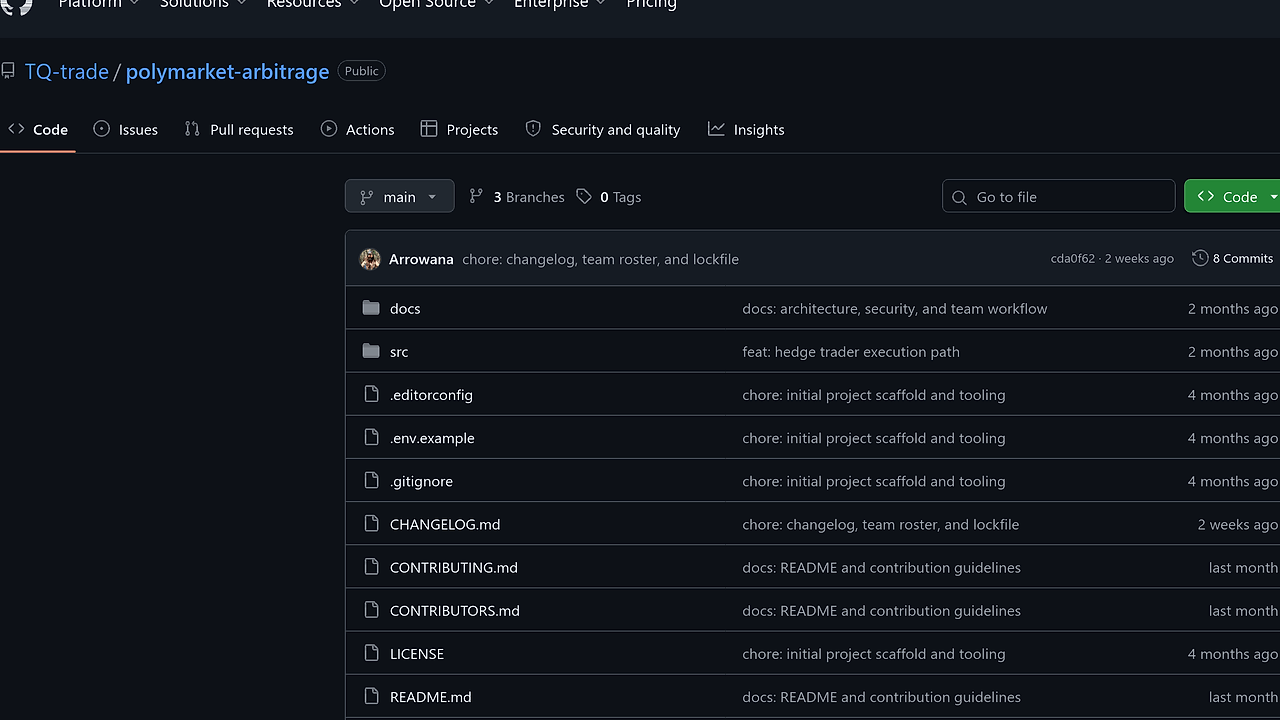
Polymarket Arbitrage Bot is a TypeScript prediction-market trading bot built by TQ-trade for Polymarket’s 15-minute crypto Up/Down markets. Polymarket Arbitrage Bot is one of the best Prediction Market Trading Bots tools for Polymarket traders and quantitative crypto arbitrageurs because it automates dump detection, two-leg hedging, and settlement across BTC, ETH, SOL, and XRP, with active development recorded from 2026-01-04 through 2026-04-02.
The core idea is simple: when one side of a short-dated market sells off fast, the opposite side often lags, and the combined entry can fall below the payout cap. That makes Polymarket Arbitrage Bot useful for traders who want a mechanical edge instead of staring at the order book all day.
Quick Overview
| Attribute | Details |
|---|---|
| Type | Prediction Market Trading Bots |
| Best For | Polymarket traders and quantitative crypto arbitrageurs |
| Language/Stack | TypeScript, Node.js 16+, @polymarket/clob-client, Gamma API, Polygon |
| License | N/A |
| GitHub Stars | N/A as of Apr 2026 |
| Pricing | Open-Source |
| Last Release | N/A as of Apr 2026 |
Polymarket Arbitrage Bot is a market-specific automation layer, not a generic exchange bot. The implementation targets Polymarket’s CLOB and market metadata endpoints directly, so the workflow is closer to a stateful execution engine than a signal-only scraper.
Who Should Use Polymarket Arbitrage Bot?
- Short-horizon Polymarket traders who want a repeatable entry-and-hedge workflow for 15-minute Up/Down markets without manually timing both legs.
- Quant builders who prefer a small TypeScript codebase over a black-box SaaS and want to inspect the exact market discovery, polling, and order flow.
- Indie hackers testing prediction-market strategies who need simulation mode before they risk capital on Polygon.
- Operators with clear risk limits who can define
DUMP_HEDGE_SUM_TARGET,DUMP_HEDGE_MOVE_THRESHOLD, and stop-loss bounds instead of relying on discretion.
Not ideal for:
- Traders who want broad support for Binance, Coinbase, or spot/perps venues. Polymarket Arbitrage Bot is purpose-built for Polymarket.
- Users who do not want to manage a wallet, signing mode, or Polygon USDC funding.
- People looking for fully discretionary chart trading. This bot is for rule-driven execution, not manual price guessing.
Key Features of Polymarket Arbitrage Bot
- Gamma-based market discovery — Polymarket Arbitrage Bot resolves the active 15-minute Up/Down market for each selected asset through Polymarket’s Gamma API and rolls into the next round automatically. That means the bot is not hard-coded to one market ID, which matters when the market rotates every quarter hour.
- Two-leg dump-and-hedge execution — The strategy watches recent ask history, buys the dumped leg as Leg 1, then waits for the opposite ask to satisfy the sum target before entering Leg 2. This is the core arbitrage mechanic and it is driven by actual order-book movement, not a simple moving average crossover.
- Configurable stop-loss path — If the favorable hedge does not appear within a time limit, Polymarket Arbitrage Bot can force a hedge with a capped loss profile. That reduces the chance of being stuck with a one-sided position after a sharp move and gives the trader a deterministic worst-case path.
- Simulation-first workflow —
npm run simruns the strategy without placing real orders, which is the right way to validate thresholds, market selection, and timing behavior. For anyone tuning a live system, simulation mode is the difference between testing logic and donating capital to bad parameters. - Official CLOB integration — The bot uses
@polymarket/clob-clientfor authenticated order actions and Polymarket’s HTTP APIs for market and price data. That is cleaner than reverse-engineered exchange calls and keeps the execution surface aligned with the venue’s current interface. - Polygon redemption support — The repository includes settlement and redemption flow on Polygon for production use. That matters because open positions are only half the lifecycle; you also need a clean path to reconcile winners and losers after market close.
- Audit-friendly logging — Activity is streamed to stderr and appended to
history.tomlfor later inspection. If you need trade replay, parameter tuning, or incident review, that history file is more useful than ephemeral console spam.
Polymarket Arbitrage Bot vs Alternatives
| Tool | Best For | Key Differentiator | Pricing |
|---|---|---|---|
| Polymarket Arbitrage Bot | Polymarket Up/Down dump-and-hedge automation | Native support for Polymarket’s 15-minute markets, Gamma discovery, and Polygon settlement | Open-Source |
| Hummingbot | Cross-exchange market making and arbitrage | Broader venue coverage and production-grade connector ecosystem | Open-Source |
| Freqtrade | Systematic crypto strategies on spot exchanges | Mature strategy framework, backtesting, and hyperopt workflow | Open-Source |
| 3Commas | Traders who want UI-driven automation | Hosted workflow with less code, but less control over venue-specific execution | Paid |
Pick Polymarket Arbitrage Bot when the venue is Polymarket and the strategy is the specific dump-capture plus hedge sequence described in the repository. Pick OpenSwarm if you want to orchestrate surrounding automation, such as market scanning, alerting, or multi-step execution outside the trader itself.
Pick Hummingbot when you need exchange breadth and already know how to adapt a market-making engine to your venue. Pick Freqtrade when your priority is strategy research, backtesting, and parameter sweeps on spot exchanges instead of prediction-market execution. Pick 3Commas when you want a hosted dashboard and can accept less control over the low-level trade lifecycle.
If you care about observability around fills, threshold changes, and exception paths, OpenTrace is a better fit for the logging side than trying to read terminal output after the fact. If you are packaging the bot into a container or repeatable deploy flow, djevops fits the operational layer around the strategy.
How Polymarket Arbitrage Bot Works
Polymarket Arbitrage Bot is structured as a small event loop plus a trade state machine. src/main.ts handles discovery and round rollover, src/monitor.ts samples the market, src/dumpHedgeTrader.ts owns the dump-to-hedge logic, src/api.ts wraps Gamma, CLOB, and redemption calls, and src/config.ts turns environment variables into runtime parameters.
The design choice here is practical: keep market metadata, price snapshots, and execution state in separate modules so the bot can poll fast without turning the order logic into a tangle. The internal model is basically round-oriented state: asset symbol, active market IDs, recent ask snapshots, entry prices, time windows, and stop-loss thresholds. That makes the strategy easy to reason about because each 15-minute round is a self-contained execution cycle.
The bot sits on Node.js 16+ with TypeScript 5.3, so the runtime favors explicit typing and straightforward async I/O over heavy abstractions. The venue integration is direct: market data comes from Gamma and price/order actions go through the Polymarket CLOB client on Polygon, which keeps the execution path short and debuggable.
MARKETS=btc,eth,sol,xrp npm run sim
That command starts a simulation run for four markets without sending live orders. You should expect the bot to poll active rounds, log detected dumps, and write history entries that show when it would have entered Leg 1, Leg 2, or the stop-loss path.
Pros and Cons of Polymarket Arbitrage Bot
Pros:
- Very narrow scope, very clear intent — the bot is built for one venue and one short-dated strategy, which keeps the code path easier to audit than general trading suites.
- Simulation mode is first-class — you can validate thresholds and timing with zero live-order risk before touching production.
- Direct venue integration — Gamma discovery plus official CLOB calls reduce dependency on fragile scraping or unsupported APIs.
- Operational parameters are explicit — the key strategy knobs live in
.env, so you can reason about exposure without editing source. - Settlement is part of the lifecycle — the bot does not stop at entry; it can reconcile and redeem on-chain after market close.
- History logging improves post-trade analysis — the
history.tomltrail is useful for debugging missed hedges and tuning thresholds.
Cons:
- Venue lock-in — Polymarket Arbitrage Bot only solves Polymarket execution, so it is not a general arbitrage framework.
- Strategy is specialized — if you do not trade short-dated Up/Down markets, most of the logic is irrelevant.
- Operational custody is on you — you need wallet setup, signing mode selection, and Polygon funding for real trades.
- No built-in research suite — it is an execution bot, not a backtester or portfolio analytics platform.
- Parameter misconfiguration can hurt fast — aggressive thresholds, large
DUMP_HEDGE_SHARES, or weak stop-loss settings can turn a profitable setup into sloppy exposure.
Getting Started with Polymarket Arbitrage Bot
Clone the repository, install dependencies, create your environment file, and run simulation before production. That sequence keeps the first run safe while still exercising the actual strategy code.
git clone https://github.com/TQ-trade/polymarket-arbitrage
cd polymarket-arbitrage-bot
npm install
cp .env.example .env
npm run build
npm run sim
After that, edit .env with your market list, hedge thresholds, and wallet details. If you are moving to live trading, set PRODUCTION=true and run npm run prod only after you have verified that the bot is detecting the intended rounds and writing sensible history entries.
The minimum useful configuration is a valid signing setup, Polygon USDC funding, and conservative position sizing. Start with one asset, one small share size, and a wide stop-loss envelope so you can confirm the bot’s behavior under real market churn.
Verdict
Polymarket Arbitrage Bot is the strongest option for Polymarket dump-and-hedge automation when you want a TypeScript execution engine with simulation first and live CLOB orders later. Its biggest strength is venue-specific precision; its biggest caveat is that it only solves one narrow trading problem. If that is your workflow, use it; if not, pick a broader trading framework.