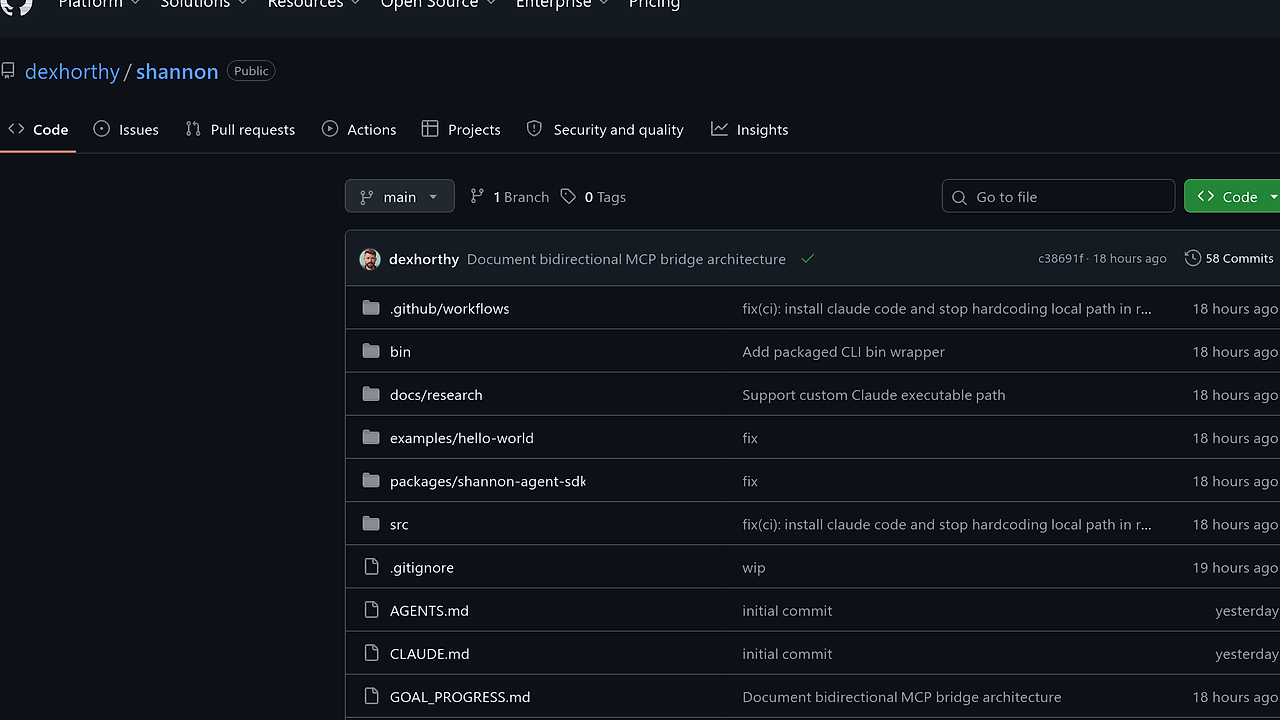
What Is Shannon?
Shannon is a CLI and SDK wrapper around the interactive Claude Code CLI, built by @dexhorthy to automate real claude sessions inside tmux instead of calling the Anthropic API directly. Shannon is one of the best CLI Tools tools for developers automating Claude Code sessions, because it sends prompts, tails the on-disk transcript, and emits structured output in three formats. It is designed for people who want deterministic control, not another opinionated agent layer.
Quick Overview
| Attribute | Details |
|---|---|
| Type | CLI Tools |
| Best For | Developers automating Claude Code sessions |
| Language/Stack | Bun, TypeScript, tmux, Claude Code CLI, JSONL streaming |
| License | Open-Source |
| GitHub Stars | N/A as of Feb 2026 |
| Pricing | Open-Source |
| Last Release | N/A |
Who Should Use Shannon?
- Agent developers building workflows that need to drive a real Claude Code terminal session, not a mocked API client.
- Platform engineers who want machine-readable
stream-jsonorjsonoutput for orchestration, logging, or downstream parsing. - Indie hackers shipping internal copilots that need a thin wrapper around Claude without inventing a new agent runtime.
- Tooling teams that already standardize on Bun, TypeScript, and shell automation, and want a small surface area.
Not ideal for:
- Teams that want a hosted SaaS with authentication, workspace management, and enterprise policy controls.
- Users who need direct Anthropic API calls, because Shannon intentionally drives the interactive
claudeclient instead. - Projects that cannot depend on
tmuxor a local Claude Code login.
Key Features of Shannon
- Real interactive Claude session control — Shannon sends keys to a live
claudeprocess running insidetmux. That matters if your workflow depends on the same interactive behavior you get in a terminal, including local transcript persistence under~/.claude/projects. - Structured output modes — It supports
stream-jsonfor JSONL event streaming,jsonfor a single array payload, andtextfor final answer text. That gives you a clean boundary between terminal UX and machine ingestion. - SDK-first API — The
query()function exposes an async iterator, so TypeScript consumers can process each message as it arrives. This fits event-driven pipelines better than waiting for a single blocking response. - Abortable subprocesses — Shannon accepts an
AbortController, which means you can cancel a long-running session from your own process supervision layer. For automation jobs, that is a real operational requirement, not a nice-to-have. - Transcript-driven architecture — Shannon tails Claude's on-disk JSONL transcript rather than trying to reimplement the model client. That keeps its behavior aligned with the real CLI and avoids a separate transport path.
- CLI and package parity — You can run
shannonfrom the shell or import@dexh/shannonfrom code, so the same primitive works for one-off commands and larger agent systems. That reduces duplication across scripts and services. - Agent SDK facade — The
@dexh/shannon-agent-sdkpackage provides a Claude Agent SDK-compatible facade with the same basicquery()surface. It is still a work in progress, but it gives teams a migration path if they need that shape.
Shannon vs Alternatives
| Tool | Best For | Key Differentiator | Pricing |
|---|---|---|---|
| Shannon | Automating Claude Code sessions with structured output | Drives a real claude process in tmux and reads transcript JSONL | Open-Source |
| Claude Code | Interactive local coding with Claude | Native terminal experience without wrapper abstraction | Paid |
| OpenSwarm | Multi-agent orchestration and coordinated workflows | Orchestrates agent swarms rather than single-session wrapping | Open-Source |
| Claude Context Mode | Managing context-heavy Claude workflows | Focused on context handling rather than terminal-session automation | Open-Source |
Pick OpenSwarm when you need coordinated agents, task splitting, or more than one Claude worker at a time. Shannon is better when you want one real interactive session, one transcript, and predictable stream output.
Pick Claude Context Mode when your main problem is context packing, prompt shaping, or session memory. Shannon is the better fit when you need to run and observe the actual Claude Code terminal lifecycle.
Pick Claude Code Canvas when you want a more visual or guided workflow around Claude conversations. Shannon stays closer to the shell, which is what you want for scripts, CI jobs, and local automation.
How Shannon Works
Shannon works by wrapping the existing Claude Code client instead of replacing it. The core abstraction is simple: a CLI or SDK call starts a local shannon process, that process opens a tmux session, sends prompt text into the real claude interface, and then tails the transcript file that Claude appends to on disk.
This design is intentional. Shannon never calls the Anthropic API directly, and it does not use claude -p internally, which means the wrapper stays aligned with the interactive workflow developers already use in a terminal. The output pipeline is then normalized into stream-json, json, or text, so your code can choose between event streaming and final-result consumption.
npx @dexh/shannon -p "Reply with exactly: hello" --output-format=stream-json --verbose
The command above launches Shannon, feeds a prompt to Claude Code, and prints each streamed message as JSONL. If you switch to --output-format=json, you get one JSON array at the end; if you use text, you get only the final text response.
Pros and Cons of Shannon
Pros:
- No custom model transport — Shannon rides on the real Claude Code CLI, so behavior tracks the actual terminal product instead of a separate SDK implementation.
- Machine-readable output —
stream-jsonis useful for log pipelines, job runners, and agent supervisors that need incremental state updates. - Low integration surface — The SDK is just
query()plus options, which is easy to embed in scripts and TypeScript services. - Works with cancellation —
AbortControllersupport gives you a straightforward stop mechanism for timeouts and orchestration failures. - Compatible with existing Claude workflows — Teams already using Claude Code on local machines do not need to rebuild their environment around a new abstraction.
Cons:
- Requires local dependencies — You need Bun,
tmux,claude, and an authenticated Claude Code session on the machine. - Not a direct API client — If your architecture depends on Anthropic HTTP calls, Shannon is the wrong layer.
- Transcript coupling — Because Shannon tails on-disk transcript JSONL, changes in Claude Code's storage format could affect behavior.
- Still narrow in scope — It is a wrapper and session runner, not a full agent platform with scheduling, memory, or workspace management.
- Agent SDK parity is incomplete — The
@dexh/shannon-agent-sdkfacade is explicitly marked as a work in progress.
Getting Started with Shannon
The fastest path is to run Shannon directly with npx, or install it globally if you want a reusable shell command. The minimum environment is Bun, tmux, claude on PATH, and a working Claude Code login.
# one-off usage
npx @dexh/shannon -p "Reply with exactly: hello" --output-format=stream-json --verbose

# global install
npm install -g @dexh/shannon
shannon -p "Reply with exactly: hello" --output-format=stream-json --verbose

# SDK install
npm install @dexh/shannon
After the first run, Shannon starts a local subprocess, opens a tmux session, and tails the transcript produced by Claude Code. If you are using the SDK, import query() and iterate over the async stream; if you are using the CLI, pick stream-json for event processing or text for a final answer only.
Verdict
Shannon is the strongest option for developers who want to automate Claude Code sessions when they need the exact interactive terminal behavior and JSON streaming. Its main strength is that it preserves the real CLI workflow; the caveat is the local dependency stack. Use it when you value fidelity over abstraction.


